Freehand Line
Source file: freehand-line.htm
Lines can be created to manipulate or add to existing data. Freehand lines can be drawn anywhere in 3D space along the path of the moving mouse.
Note: Where the mouse moves over an object, the freehand line is drawn on the object. Where it moves over empty space, the line is drawn on the action plane.
-
On the Create ribbon tab, go to the Draw group. From the Line drop-down list select
 Freehand Line.
The status bar will display the Start point fields. Enter the start point's coordinates or click in the view window.

-
Move the mouse to draw the freehand line.
-
Click to finish the line.
-
Repeat to draw another line.
-
Click
 or press Esc to close the tool.
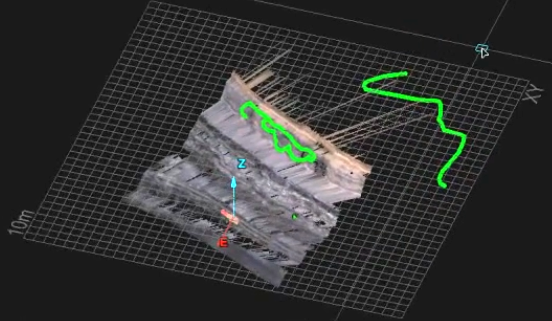
Examples of freehand lines on an object and on the action plane.
