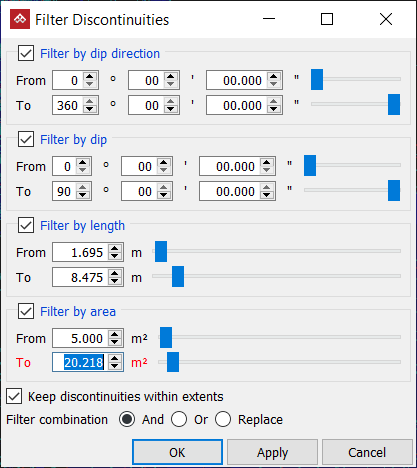
Filter Discontinuities
Source file: filter-discontinuities.htm
With the filter discontinuity tool you can load >10,000 discontinuities in a view and then hide those you're not interested in. It is similar to a points filter but, instead of hiding points, it hides discontinuity objects based on dip, dip direction, length and area of the discontinuity.
-
On the Geotechnical ribbon tab, go to the View group and select
 Filter Discontinuities.
 -
Select the discontinuities in the project explorer.
-
Set the required parameters in the filtering tool.
Note: If a filter type is not selected then its parameters will be ignored.
-
Click OK or Apply.