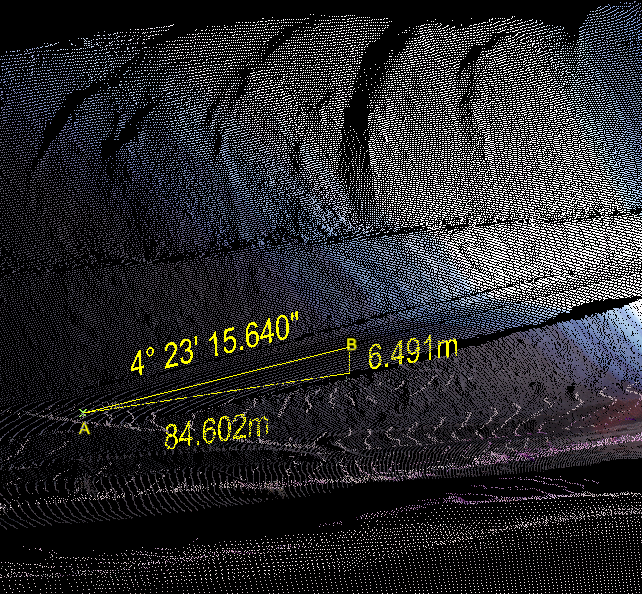
Create a Grade Annotation
The grade
(or slope) can be indicated at selected regions in the view
window.
-
On the Query ribbon tab navigate to the Geometry group and select
 Grade.
or from the Create ribbon tab navigate to the Create group and from the Annotation drop-down list select
Grade.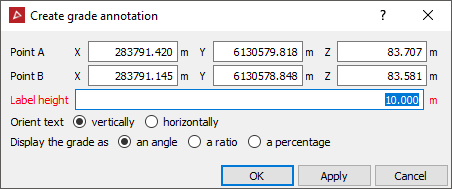
- Set
up and adjust various aspects of the grade annotation display - such
as:
- Label height - input a value appropriate for the overall display.
- Orient text - either vertically or horizontally, depending on which suits the main view angle you anticipate.
- Display the grade as - either an angle, a ratio, or a percentage.
-
Enter appropriate values into Point A and Point B data fields or snap to points along where the grade is to be measured and displayed in the view window. The grade will be displayed as text and an accompanying triangle displaying the vertical rise and horizontal distance between the points specified.
-
Select OK or Apply to complete the process. The grade is saved in the cad container by default.