Set Window
The Set window tool allows you to draw a window at a certain area on a stereonet.
The dimensions of the windowed area are defined by trend, plunge and spans around the trend and plunge. These figures can be entered manually.
Alternatively, selecting a group of poles can be used to auto-populate the window dimensions, or selecting a relevant Discontinuities container.
-
Open a stereonetin a view window.
-
On the Geotechnical ribbon tab navigate to the Stereonet group and select
 Set Window.
 -
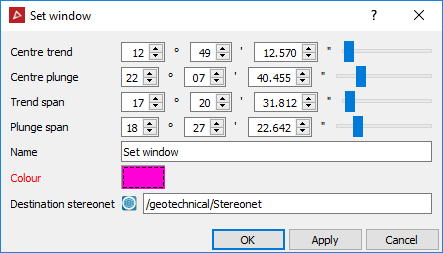
Enter the Centre trend, Centre plunge, Trend span and Plunge span.
Alternatively, auto-populate trend, plunge and span values by selecting points (poles) on the stereonet, or selecting a Discontinuities container in the project explorer. -
Enter a Name for the window.
-
Choose a Colour for the window frame.
-
Choose a Destination stereonet to display the window.
-
Click OK or Apply.
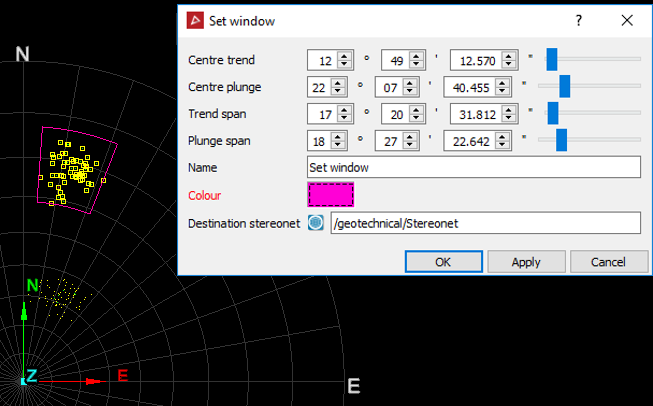
A stereonet with points (poles) selected and the resulting window drawn around them.