Stereonet Toolbar
Following a Stereonet creation and viewed in the view window, the view window toolbar and the tools under the View tab will change.

Stereonet tools in the view window toolbar.
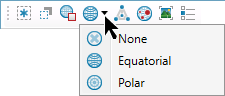
The projection toggles between the following:
 Equal
angle (Wulff): A map projection on which a constant ratio of
angle is preserved.
Equal
angle (Wulff): A map projection on which a constant ratio of
angle is preserved.
 Equal area (Schmidt): A map projection on which a constant ratio
of areas is preserved, so that any given part of the map has the same
relation to the area on the sphere it represents as the whole map
has to the entire area represented.
Equal area (Schmidt): A map projection on which a constant ratio
of areas is preserved, so that any given part of the map has the same
relation to the area on the sphere it represents as the whole map
has to the entire area represented.
Select the Grid style:
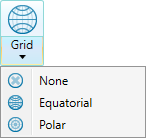
- None: Turn off stereonet grid.
- Equatorial: Change the stereonet grid to equatorial mode.
- Polar: Change the stereonet grid to polar mode.
Poles can be rendered in points or the wireframe view by toggling  Pole Render Mode button.
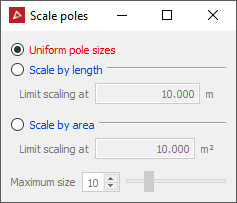
Select
Scale poles  if you
want the poles to be sized according to their discontinuity or triangle area.
if you
want the poles to be sized according to their discontinuity or triangle area.