To show all data
Use Show all to remove any filters applied to the data and to restore all points.
-
Select Position and Filter > Filter >
 Show All
 -
Click on the required data in the View window.
Any filters applied to the selected data will be removed.
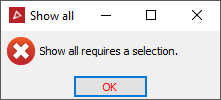
If
there is no data selected, the following panel will display.