To create a scan triangulation
Used to create
a triangulation from a single scan, based on point connections made with  Connect or
  Smart
Connect. This may be useful for modeling irregular shapes such as
truck trays and loader buckets.
Smart
Connect. This may be useful for modeling irregular shapes such as
truck trays and loader buckets.
-
Select Create > Surface >
 Scan Surface / Triangulation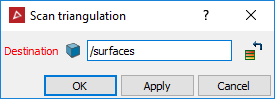
- Select the object (made with Connect or Smart connect) to triangulate
- Click OK or Apply.
The triangulation is saved in the surfaces container by default.