Smooth
Source file: smooth-lines.htm
This option can be used to smooth a line containing many edges, such as those produced by using Smart line.
-
On the Edit ribbon tab, go to the Line group and select
 Smooth Lines.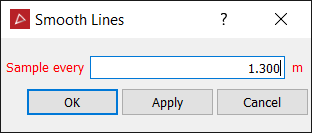
- Select the line to be smoothed.
- Enter a sampling interval in the Sample every field. This determines how detailed the smoothed lines will be; the smaller the number the more detailed the lines, the higher the number the less detailed.
-
Click OK or Apply to finish.

An example from an open pit mine. Before (left) and after (right)
