Z Value 
Apply a Z Value to an Object
Use the Z Value option to apply a nominated Z value to an object.
This option can also be accessed by selecting the Move Z Value button from the Move toolbar. The Move toolbar is a "sub toolbar" and can either be accessed through the Modify toolbar or through using the Toolbar Visibility option (under the Tools menu).
Instructions
On the Design menu, point to Object Edit, and then click Z Value.
The Multiple Selection box displays. Use the Multiple Selection box to choose your method of selecting objects and select the objects.
The following panel is then displayed.
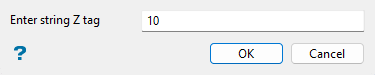
Enter the string Z value. The default value is the current Z value of the first point in the selected object.
If you want to move the selected object a relative distance instead of an absolute distance, add a capital R before the number.
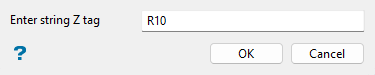
Click OK.

