Create Movements
Source file: Create Movements.htm
Using Create Movement
The Create Movement tool allows you to select material from one point and move it to another. This tool is used to account for unrecorded material movements such as may occur when transportation or conveyance systems disconnected from the FMS have been used to transfer material from one location to another.
To create a movement:
Manipulate the view so that the area to select the stock movement from is easily viewable. Refer to View manipulation (panning, rotating and zooming).
Click  to start the tool, an instruction prompt appears at the top left-hand side of the screen appears (see below).

Click on the location from where material is to be removed. a blue pin appears on that area with a line connecting your mouse pointer and pin.
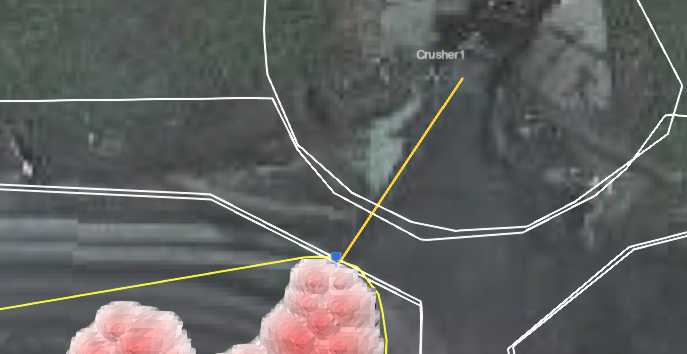
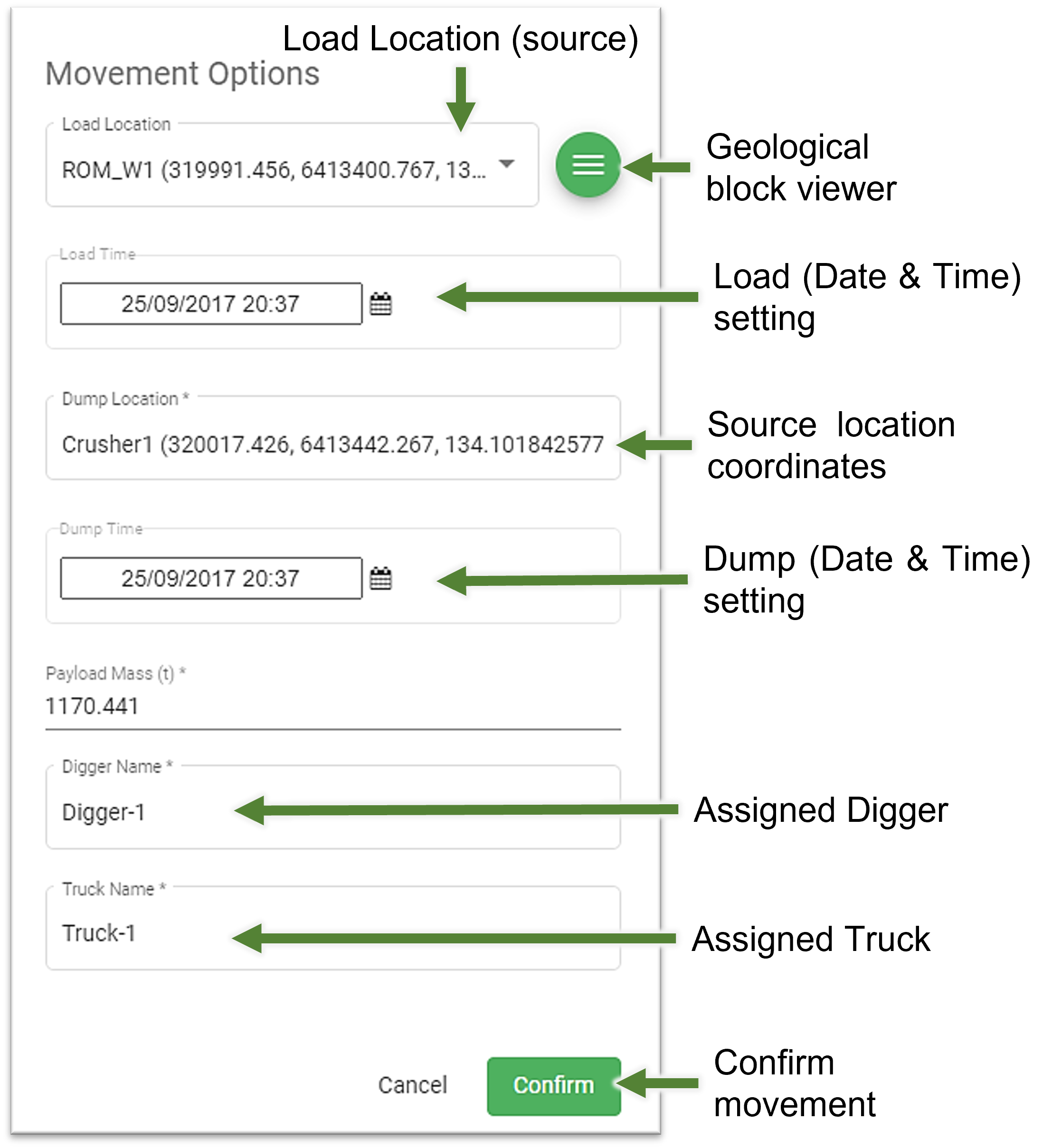
Move the mouse pointer to where the material is to be moved to and click on that point. The Movement Options panel opens. Referring to the diagram below:
The Load Location and the Dump location coordinates based on the points that were chosen in the viewer.
The Load Time and fields