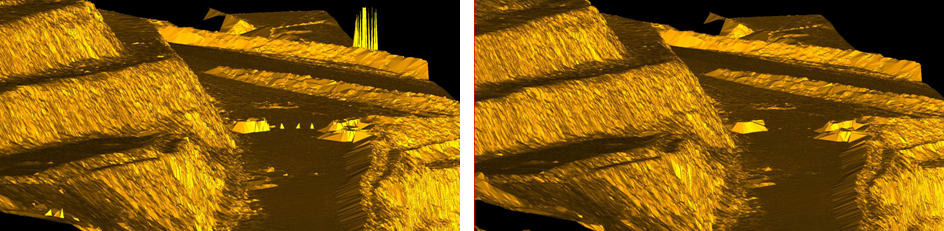
To despike a triangulation surface
The Despike
option removes spikes caused by dust or vegetation that may appear when
creating a data model.
- Select the triangulation to despike.
- Select
Edit > Fix >
 Despike
If unwanted points remain after running the despike
tool, these must be manually deleted.
- Select facet selection mode.
- Manually draw clipping boxes around problem triangles (hold the SHIFT key down to select multiple areas).
- Once the problem facets have been highlighted, press the DELETE key and they will be removed.
- Select
Edit
> Fill holes to fill the holes that remain. This will repair
any holes present in the model.
The example
below shows a data model before and after the despike function.