To create stereonet contours
Stereonet
contours are used to help identify discontinuity sets once a stereonet
has been created. The contours represent density distributions of poles
and can be set as either wireframe or flat shaded regions. The user can
adjust custom bandwidths of pole distribution and assign custom colours
to these bandwidths. Smoothing and Terzaghi weighting are also options.
- Select
Geotechnical >
 Stereonet contours...
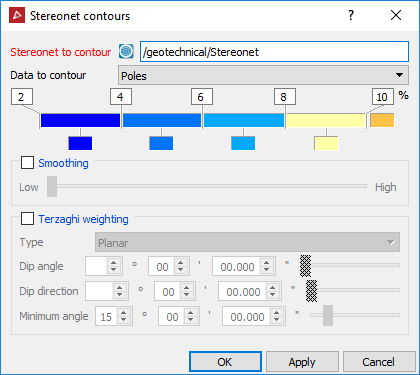
- Drag and drop the stereonet into the Stereonet to contour field.
- Select whether you want contours around poles or intersections. Select the colours and values for the percentage bandwidths to represent the data concentration.
- Check Smoothing if required.
- Check Terzaghi weighting if required.
Terzaghi weighting uses the measurement orientation to counteract the sampling bias.
The Minimum angle is the lowest angle between the measurement orientation and the discontinuity that will be used for weighting.
- Click OK to generate contours. The contours are saved in the stereonet container.
Note: Contours can be displayed as wireframe or flat
shaded. Select the contours, then
select Color
>  Surface appearance to
change the contour display mode.
Surface appearance to
change the contour display mode.
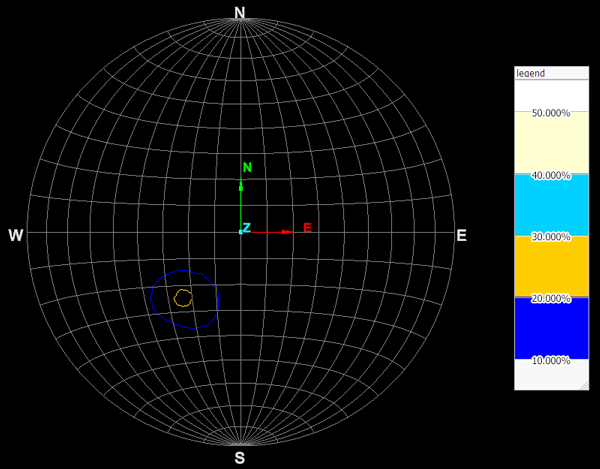
Stereonet contour (wireframe) and legend.
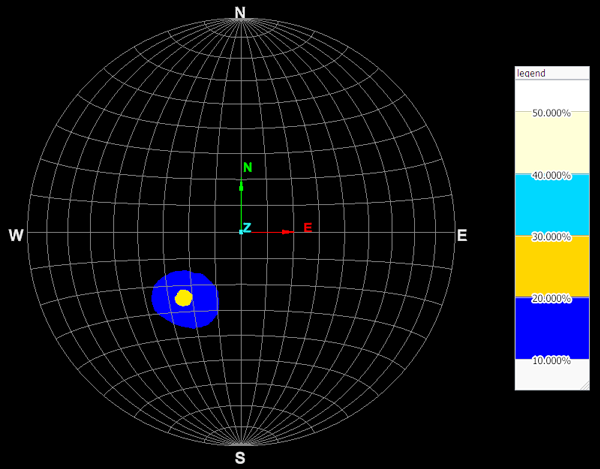
Stereonet contour (solid) and legend.