New Weight
Apply a weighting scheme to the data.
Instructions
On the Data tab, in the Create Data Modifiers group, click New Weight.
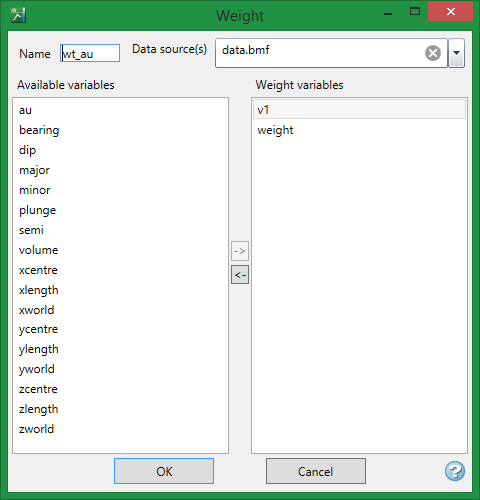
Name
Provide a name for the weighting scheme.
Data source(s)
Choose the data source from the drop-down list. The data source can be from either a composite database <*.cmp.isis> or a block model (.bmf).
Note: A data source must already be opened within VDA to be available for selection. See Opening a Database.
Available variables
This column contains a list of numeric variables found in the data source will be listed. Highlight any variables that will be used as weighting variables, then click the left arrow -> to populate the Weight variables list.
Weight variables
This column contains a list of current variables that will be used a weighting variables.
Click OK when finished to close the Weight panel.
Important: The OK button will not be active if there is an error somewhere on the panel that needs to be resolved. Hovering the mouse over the OK button will generate a tip showing what needs to be resolved before leaving the panel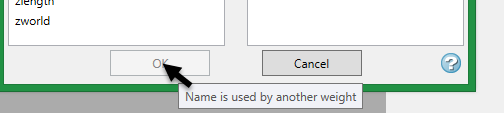
Applying the weighting scheme
To apply weighting to a dataset follow these steps:
-
Highlight the data selection in the Data Explorer pane.
-
On the Data tab, in the Apply Data Modifiers group, select the weighting scheme from the drop-down list next to Apply Weight.
-
Click Apply Weight.

