Output Settings
Use the Output Settings option to choose the report file that will be used to store the resulting report information. The Output Settings section can also be used to save the configuration settings in a different Cubic reserving specification file.
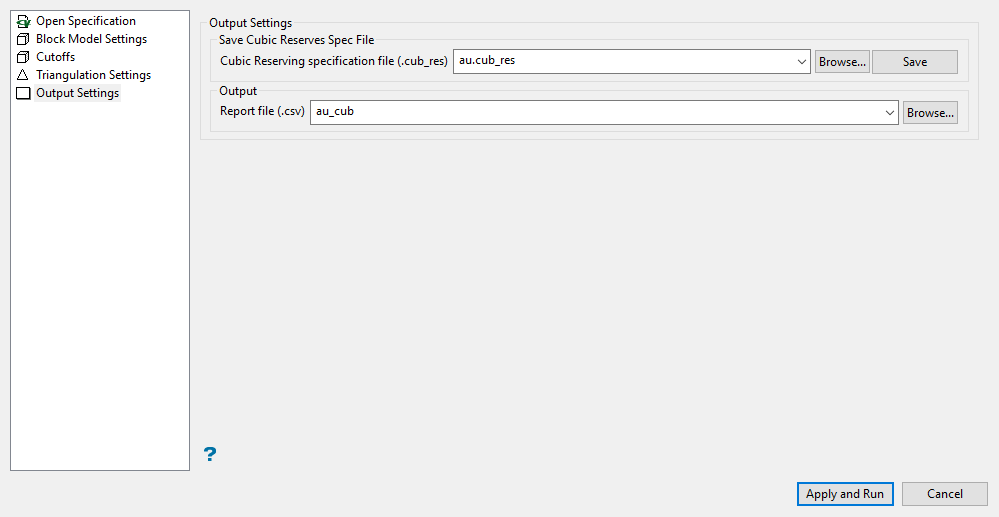
Output Settings
Cubic Reserving specification file
Select the Cubic reserving specification file (.cub_res) for saving the current configuration settings. The specification file nominated through the Open Specification section displays by default. The drop-down list contains all .cub_res files found in the current working directory. Click Browse to select a file from another location. If an existing file is selected, the values in the chosen file will be overwritten with the new specifications.
To create a new file, enter the file name and file extension.
Report file
Select the report file used to store the resulting report information. The drop-down list contains all CSV files found in the current working directory. Click Browse to select a file from another location. If an existing file is selected, the values in the chosen file will be overwritten with the new specifications.
To create a new file, enter the file name and file extension.
Select the Apply and Run option to start the reserving process.
To modify existing configuration settings but retain the original settings, it is recommend the modified settings be saved to a different file.
Related topics

