Filter by Range
Use Filter by range to specify upper
and lower distance extents from the scanner, and whether to keep points
inside or outside of this range. This option is mainly used to filter
points close to the scanner, as there are more points recorded closer
to the scanner, which are not always required. This is especially the
case when scanning from the pit floor.
-
On the Position and Filter ribbon tab navigate to the Filter group. From the Filters drop-down list select
 Range.
-
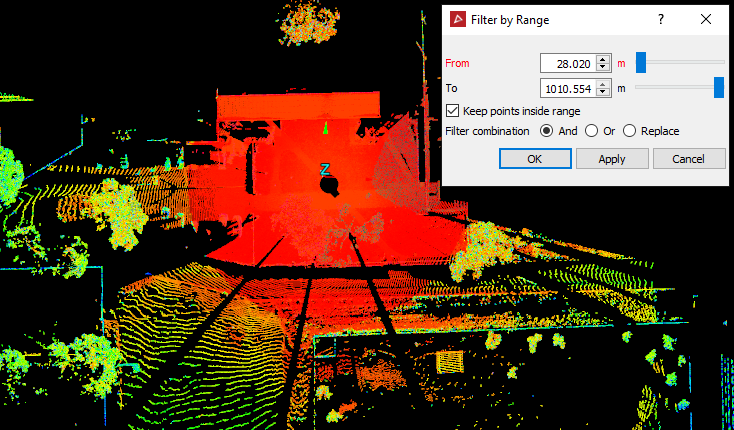
Specify the From and To distances and determine whether you want to keep the points inside or outside this range. In the example above, all points from 28.020m to 1010.554m from the scanner will be retained, while any points closer than 28.020m will be filtered out.
-
Select the required Filter combination.
-
Click OK or Apply.
Result of filter by range.
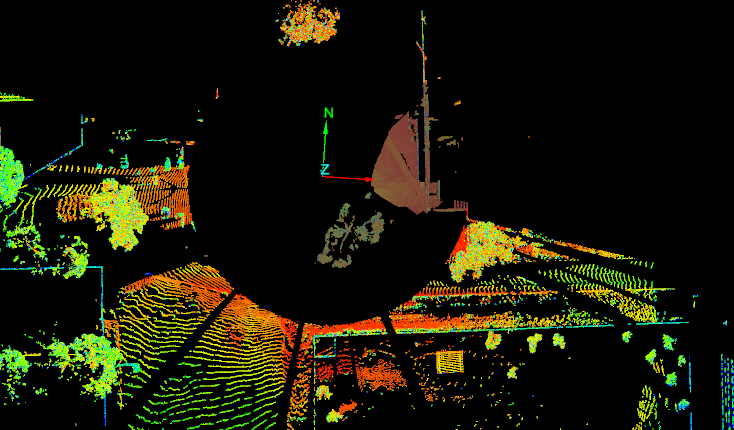
Note: The points can be recovered using the Show All option.