Skip to main content
Maptek Account
Support
All Files
Home
Vulcan Quick Start Guide
Installation
Vulcan Installation and Configuration
Installing a Network Licence
Flexnet Licence Administrator
Borrowing a Licence from the FlexNet Server
Maptek Floating License Server (FLS)
Product Support
Technical Support
Office Locations
Copyright Notice
Vulcan Troubleshooting
Getting Started
Introduction to Vulcan
Overview
Starting Vulcan
Accessing Help Topics
Different Methods to Start Vulcan Software
Vulcan Menus
Setting Up Vulcan
Creating a Project File (dg1)
Primary Window
Colours
Patterns
Line Types
Design Defaults
Desktop Icons
Viewing Design Work
Opening a Design Database
Selecting Layers
Using the Mouse
Keyboard Shortcuts
Selecting Design Data
Viewing Data
Rotating the View
Saving Views
Full Screen Mode
Load View Toolbar
Looking From Different Points
Overview Window
Perspective Mode
Editing Design Data
Entering Design Data
Digitising
Indicate Mode
Snap to Objects
Smart Snap
Snap to Grids
Snap to Points
Property Editor
Fonts
Saving Your Work
Exiting Vulcan
Data Structures
Data Hierarchy
Design Files
Layers
Objects
Additional Organisation
Coordinate Points
Structuring Your Data
System Wide Files By Module
System Wide Files By File Extension
Specification and Parameter Files
Database Management
Contents
ODBC Interface
Recovering a Database
Compressing a Database
Unlocking a Database
Scanning a Database
Repairing a Database
Restoring a Backup
Crash Reports
Toolbars
Overview
Advanced Object Label toolbar
Analyse toolbar
Angle Input toolbar
Animation
Bearing Input toolbar
Custom Cursor Properties toolbar
Delete toolbar
Design toolbar
Digitise Toolbar
Dragline toolbar
Dragline - Move Block toolbar
Draw by Hand toolbar
Drill and Blast Create toolbar
Drill and Blast Edit toolbar
Drill and Blast Files toolbar
Drill and Blast Report toolbar
Screen Dump toolbar
Dynamic Volume Settings toolbar
Effects Toolbar
Window : Exaggeration Toolbar
FixDHD Fix Strat from DB
Gaussian Transformations toolbar
Geology Drilling toolbar
Geology Section toolbar
Grade Control Display toolbar
Grade Control toolbar
Graphics Toolbar
Grid Properties
Grid Calc Advanced toolbar
Grid Calc toolbar
Haulage toolbar
History toolbar
Insert toolbar
Keyboard Input toolbar
Load View toolbar
Look At Toolbar
Macro Control Toolbar
Merge toolbar
Modify toolbar
Move toolbar
Open toolbar
Open Cut Design toolbar
Phase Design toolbar
Point Clouds toolbar
Predefined Solids toolbar
Primitives toolbar
Ramps toolbar
Relimit toolbar
Rotate Mode toolbar
Rsvute toolbar
Sequence toolbar
Slice toolbar
Standard toolbar
Status toolbar
Texture Detail toolbar
Translucent Factor toolbar
UG Explosives toolbar
UG Ring Design toolbar
Visibility toolbar
Zoom To Toolbar
Menu Topics
File
File menu contents
New
Open
Design Files
Design Files menu contents
Directory
List Files
Open
Convert
Layers
Layers menu contents
List
Load
Load All
Load By Polygon
Reload
Remove
Underlays
Underlays menu contents
Overview
Load Layer
Remove Layer
Convert/Display Coloured Points
Convert To Object
Remove
Remove All Underlays
Symbols
Symbols menu contents
Overview
New
Load
Save
Save As
Delete
Inherit Colour
Line Styles
Line Styles menu contents
Overview
New
Load
Save
Save As
Delete
Repeat Distance
Set Invariance
Remove Invariance
Sine/Cosine Wave
Convert
Convert menu contents
Overview
Block To Pexel
Image To PostScript
Save
Save Layer
Save Layer To
Load Screen
Save Screen
Archive
Load Archive
Load Recovered Layers
Plot
Plot Builder
Plot All
Batch Plotting
Plot File
Page Setup
Data Extent
Multiple Page Setup
Cutting Planes
Drawing Order
Display Scheme
Plot Elements
Plot Elements
Borders
Views
Gridlines
Gridlines
Absolute
Relative
Centreline
Absolute
Title Block
Legends
User Notes
Scale Bar
North Point
Data Elements
Data Elements
Database Fields
Digitised Drafting
Grid Models
Triangulation Models
Surface Model Clipping
Block Model
Block Annotation
Block Selection
Examples
Plan with DGD Data
Plan with Border Style and DGD Data
Section with Border Style and Block Model
Rotated Plan with DGD Data
Section with Drilling, Triangulations
Section with Drilling and Assay Colour Bars
Section with Drilling and Paired Grid Surfaces
Long-Section (flexed) with Drilling and Paired Grid Surfaces
Plot Existing Files
Plot Edit
Plot Edit menu contents
Overview
Load
Open Plot-Edit Window
Create
Sheet Template
Clip
Drafting Sheets
Drafting Sheets menu contents
Overview
Drafting Sheet Builder
Drafting Sheet Editor
Drafting Sheet Editor: View
Drafting Sheet Editor: Scale Bar
Drafting Sheet Editor: North Arrow
Drafting Sheet Editor: Title Block
Drafting Sheet Editor: Design Line
Drafting Sheet Editor: Permanent Text
Drafting Sheet Editor: Text Field
Drafting Sheet Editor: Post Element
Drafting Sheet Editor: Legend
Drafting Sheet Editor: Image
Drafting Page Size
New
Load
Save
Save As
Delete
Import
Import
Import 3d Dig Triangulations
ASCII
Import ASCII Data
Import ASCII Grid
Import Vulcan ASCII Triangulations
AutoCAD (dwg, dxf, dxb)
Import From AutoCAD
ICF Tables Setup
CSV (Databases)
Import CSV (Databases) - Databases
Import CSV (Databases) - Databases (update)
Synonym Assignment
Datamine
Import Datamine Block Models
Import Datamine Block Models (Reblocked)
Import Datamine Database
Import Datamine Design Strings
Import Datamine Triangulations
DTED Elevation Data
Import Data from a DTED Elevation Data File
Easimine
Import Easimine Data
Esri (shape, grid, tin)
Import Esri Shape File Data
Import Esri Grids
Import Esri TIN Triangulations
Gemcom
Import Gemcom Triangulations
Geocomp
Import Geocomp Data
Geosoft
Import Grids From Geosoft
Import Voxel From Geosoft
KML
Import KML Design Strings
LIDAR
Import LIDAR Data
Import LIDAR Data : Load ArcInfo ASCII Grid Using Reduce Method
Import LIDAR Data : Load ArcInfo ASCII Grid Using Decimate Method
Import LIDAR Data : Load Point Data Using Sampling Method
Import LIDAR Data : Load Point Data Into Layer
Micromine
Import Micromine Database
Import Micromine Data
MicroStation
Import MicroStation Data
MineSight
Import MineSight Block Models
Import MineSight Data
Import MineSight Triangulations
Import MineSight Triangulations (ASCII)
Minex
Grids ASCII
Import Minex Triangulations
Optech
Import Optech Triangulations
Phodat
Import Phodat Data
STL
Import STL Triangulations
Surpac
Import Surpac Data
Import Surpac Data
Import Surpac Triangulations
Whittle 4X
Import Data from Whittle Results File
Export
Export
Export Triangulations to 3d Dig
ASCII
Export ASCII (Design Strings)
Export ASCII Grids
Export ASCII (Minex)
AutoCAD (dwg, dxf, dxb)
Export AutoCAD
ICF Tables Setup
Export AutoCAD
CSV (Databases)
Export CSV (Databases)
Datamine
Export Data Mine - Design Strings
Export Datamine - Triangulations
Easimine
Export Easimine
Esri (shape, grid, tin)
Export Data To Esri Shape File
Export Grids To Esri
Export Triangulations to TIN
Inventor
Export Triangulations To Inventor
KML
Export KML Design Strings
Micromine
Export Micromine
MicroStation
Export to MicroStation
NGRAIN
Export Data to NGRAIN - Block Model
Export Data to NGRAIN - Design Data
Export Data to NGRAIN - Grids
Export Data to NGRAIN - Triangulations
PDF
Export Block Model Data to PDF
Export Design Data to PDF
Export Triangulations Data to PDF
Pitboss
Export Pitboss
Export Pitboss
STL
Export STL Triangulations
Export Topcon Design Strings
Trimble
Export Trimble
Ventsim
Export Ventsim Design Strings
VRML
Export Data to VRML Block Model
Export Data to VRML - Design Data
Export Data to VRML - Grids
Export Data to VRML - Triangulations
Whittle 4X
Export Block Model to Whittle 4X (Model)
Export Block Model to Whittle 4X (Opti Cut)
Export Block Model to Whittle 4X (Pit List)
Colour Table
Colour Table menu contents
Colours
Save Colour Table
Rename
Delete
Upgrade
Macro Create
Lava
Lava menu contents
Introduction
Lava
Functions
LAVA CLASSES
Lava Scripting Support for VGS
Gantt SDK Scripting Functions
Example Scripts for Automated VGS Testing
GPAN
Example
Python
Python Script
Writing Python Scripts
Index of Python Class Libraries
Run Stored Procedure
Run Command
Quit Vulcan
Design
Design Menu Overview
Design menu contents
WinTab Digitiser
WinTab Digitiser menu contents
Overview
Attach Viewport
Detach Viewport
Set Up Transformation
Configure WinTab Context
Create
Create menu contents
Layer
Point
Line
In Plane
Polygon
Paste Object
Polygon Textured
Rectangle
Grid
Arc
Ellipse
Arrow 2D
Arrow 3D
Spline
Symbol
Line draw by hand
Polygon draw by hand
Configure draw by hand
Create Text
Import Text
Create 3D Text
Import 3D Text
Features
Dimension
Dimension menu contents
Line
Line Components
Radius
Angle
Arc
Attributes
Move
Swap Points
Mirror Horizontal
Mirror Vertical
Mirror Both
Colour
Reposition
Construction Points
Construction Points menu contents
Overview
Distance
Equal Parts
Intersect
Digitise
Z Cut
Compass
Ruler
Insert By Distance
Insert By Point
Insert By Line
Delete
Delete All
Selection Criteria
Selection Criteria menu contents
Select By Polygon
Create Boundary
Enable Boundary
Disable Boundary
Group
Ungroup
Enable
Disable
Metadata
Metadata menu contents
Overview
Create/Edit Specification
Assign Metadata
Delete Metadata
Get Object Metadata
Setup Display Attributes
Apply Display Attributes
Reporting
Templated Attributes
Templated Attributes menu contents
Edit DGD Templates
Assign Data
Get Object Data
Colour By
Visible By
Import CSV
Delete Attributes
Edit Resource Templates
DGD Template to Resources
Resource Template to DGD
Operators and Functions
Layer Edit
Layer Edit menu contents
Using the Identify Tool in Vulcan
Name
Copy
Delete
Transfer
Unify
Make Current
Multi-Object Filter
Object Edit
Object Edit menu contents
Using the Identify Tool in Vulcan
Delete
Delete By Poly
Clip by Multi-Poly
Clip By Solid
Clip By Triangulation
Trim
Move / Copy
Offset
Split
Intersection Split
Paste
Join Point
Join Lines
Coalesce
Reverse
Reverse Advanced
Sort
Consistent
Point Name
Connection
Cross Check
Grid Snap
Filter
Register
Z Value
Register by Plane
W Tag
Grade
Delete End Point
Explode
Transform
Colour By Gradient
Polygon Edit
Polygon Edit menu contents
Area
Expand
Boolean
Boolean By Plane
Build
Polygon Morph
Partition
Impose
Pairs
Radii
Polygon Boundaries
Tessellate
Skeleton
Network
Remove Crossovers
Delete Bridges
Point Edit
Point Edit menu contents
Resequence
Move
Move To Intersection
Multi-Move Points
Grid Snap
Name
Z Edit
W Tag
Weight Point Values
Symbol
Colour By Attribute
Remove Attribute Colouring
Delete
Delete Duplicate
Disconnect
Connect
Cut
Append
Best Fit
Move By Distance
Move By Point
Move By Line
Point Insert
Point Insert menu contents
Insert
Replace String
Dynamic Replace String
Multi-Replace String
Plane Insert
Insert At Intersection
Multi-Insert at Intersection
Insert At Distance
Interpolate
Measure
Apply Curve
Intersection At Elevation
Intersection With Triangulation
Attribute Edit
Attribute Edit menu contents
Name
Description
Group
Ungroup
Group By Attribute
Value
Close Polygon
Open Polygon
Feature
Graphics
Segment Colour
Attribute to Value
Attribute Editor
Along Line
Assign W Tag
Edit
Clear
Label
Interpolate
Create/Edit Primitives
Primitive Visibility
Remove Primitive
Polygon Texture Primitive
Apply Spline
Remove Spline
Insert Points on Spline
Relimit
Relimit menu contents
By Distance
To A Point
To A Line
Multi Line Relimit
To a Plane
To Surface
Transformation
Transformation menu contents
Translate
Rotate 2D
Rotate 3D
Rotate Arbitrary
Scale
Calculate
Matrix
Mirror
Geographic
GDA Conversion
Text Edit
Text Edit menu contents
Edit
Move
Drag
Substitute
Delete
Text To Point
Attributes
Font
Font Size
Angle
Text Rotate
Colour
Convert to 3D Text
Text 3D Edit
Text 3D Edit menu contents
Edit
Attributes
Colour
Convert to 2D Text
Arrow Edit
Arrow Edit menu contents
End Points
Attributes
Colour
Line Type
Line Style
Line Style menu contents
Apply Style
Remove Style
Symbolise Line
Symbol At A Point
Symbolise Points
Unsymbolise Points
Feature Edit
Feature Edit menu contents
Default
Feature Editor
Feature Editor
Feature Editor
Feature Editor
Intelligent Objects
Intelligent Objects Editor
Open Specification
Database
Labels
Types
Save Specification
Control Points
Map Section To Plan
Data Posting
Undo
Redo
View
View Menu Contents
Overview
Visibility
Visibility Menu Contents
Visible
All Visible
Shadow
All Shadow
Invisible
All Invisible
Freeze
Freeze All
Design Visibility
Triangulation Visibility
Grid Visibility
Visible By Feature
Shadow By Feature
Invisible By Feature
Section Shadow Visible
Section Shadow Invisible
Change View
Change View Menu Contents
Set View
By Object
Section
Section Strat
Vertical Exaggeration
Walk
View Point Walk
Look From
Look
Flyby
Windows
Windows Menu Contents
Open
Create
Delete
Edit
Select
Fit Layer
Shaft View
Shaft View Menu Contents
Overview
Create
To Shaft View
From Shaft View
Animation
Animation Menu Contents
Overview
Create
Frames
Load
Run
Path
Create Section
Section Definition
Primary Section Shadows
Delete Section
Move Sections
Save View Settings
Switch To East Section
Switch To North Section
Switch To Plan Section
Sections Toolbar
Analyse
Analyse menu contents
Overview
Details
Details menu contents
Coordinate
Distance
Perpendicular/Shortest Distance
Along String
Total Length
Area
Centroid
Polygon Area
Full
Curvature
Strike/Dip
List
List Objects
Find Objects
Layer Range
Angle/Distance
Grid
Grid menu contents
Apply
Grid Properties
Geographic
UTM Grid
Remove
Label
Label menu contents
Point Label
Point Label to Text
Step-by-Step: Labelling Objects in Vulcan
Advanced Object Label
Annotate String Z Value
Underlay Label Colour
Remove
Attribute Data
Attribute Data menu contents
Inquire
Create
Modify
Delete
External Data
External Data menu contents
Set Up
Inquire
Set Up
Export from Selection
Export from Point
Data Analyser
Vulcan Data Analyser
Preferences
File
File Menu
Project Templates
Data
Replacing a Data Source
Filter Manager
New Transformation
New Weight
Domain Manager
Assigning Downhole Depth Field
The Database
Data Explorer
Filtering Data
Chart Explorer
Domain Manager
Specify Direction Grid
Filter Manager
New Weight
New Transformation
Viewing Data Points in Vulcan
Stats
General Statistics
Histogram
Define Bins
Boxplot
Cumulative Frequency
Scatter / Line Plot
QQ Plot
PP Plot
Correlation Matrix
Pie Chart
Create a Swath Plot
Contact Profile
Data Spacing
Analysis
Grade Capping
Variography
Creating a Semivariogram
Fan Variograms
Creating an Orthogonal Variogram
Creating a Cross Variogram
Creating a Cross Orthogonal Variogram
Creating a Variogram from a Block Model
Editing & Modelling a Semivariogram
Editing / Modelling a Fan Variogram
Editing & Modelling an Orthogonal Variogram
Editing & Modelling a Cross Variogram
Editing a Cross Orthogonal Variogram
Editing a Variogram Created from a Block Model
Specify Direction for Single Variogram of Block Model
Specify Directions for Multiple Variograms of a Block Model
Save and Load Variogram Properties
Downhole Variography
Configure Autofit
Export
Chart Grid
Tab View
Exporting Charts
Connectivity
Viewing Data Points in Vulcan
Visualization
Visualization
Charts
Tab View
Chart Grid
Multiple Charts of Mixed Types
Exporting Charts
Statistics
Statistics menu contents
Overview
Advanced Statistics
Open Specification
General Setup
Data Elements
Global Conditions
Graph Type
Output Display
Display
Output
Terminology
Legend Editor
Draw Legend
Display Legend
Model
Model menu contents
Overview - Model Menu
Grid Mesh Surfaces
Grid Mesh Surfaces menu contents
List
Load
Remove by Name
Create Simple
Mask
Invert Mask
Unmask
Contour
Drape
Min/Max
Patch
Set Value
Node Edit
Triangulate
To Object
Create Mapfile
Remove
Triangle Files
Triangle Files menu contents
List
Rename
Load
Load by Location
Display by Colour
Properties
Remove by Name
Remove by Location
Remove
Triangle Utility
Triangle Utility menu contents
Relimit
Intersect
Cut
Cut by Lines
Merge
Poly Boolean
Boolean
Multi-Boolean
Delete Internal Walls
Fill Holes
Repair
Auto Expand
Expand
Smooth
Display Colour Scheme
Create Selection File
Append
Check
Minimum/Maximum
Register
Fault
Strip
Footprint
Shrink Wrap
Plane
Bench Profile
Section Profile
Section by Line
Find Path
Scale
Translate
Rotate
GDA Conversion
Triangle Surface
Triangle Surface menu contents
Create
Two Polygons
Grid Mesh
Interactive Creator
Relimit by Polygon
Relimit by Solid
Surface Area
Triangulation Volumes
Add
Subtract
Colour by Orientation
Offset Distance
Extrapolate Points
Extrapolate Triangulation
Extrapolate Two Triangulations
Vertex Z Edit
Move Vertex
Add Vertex
Delete Vertex
Insert Triangle
Delete Triangle
Swap Triangles
Arithmetic
Thickness Between
Triangle Solid
Triangle Solid menu contents
Create
End Plate
Tri Polygons
Split
Auto Split
Split by Horizons
Close Solid
Delete
Triangle Delete
Repair by Voxelation
Shells
Surface Levels
Polygons
Thin Solid Mid-Surface
Split Underground Drive
Volume
Reserves
Differential Volumes
Create Sphere
Troubleshooting Guide
Triangle Edit
Triangle Edit menu contents
Overview
Analyse Triangles
Analyse Vertices
Problem Areas
Dump
Filter
Simple Outlier
Small Triangles
Clip By Polygon
Snap Vertices
Connect Vertices
Delete Crossing Triangles
Interpolate
Extrapolate
Line Split
Add Vertex
Delete Vertex
Flip Triangles
To Grid Mesh
From Triangles
Update with Points
Triangle Attributes
Attributes
Colour by Attribute
CSV Import Attributes
Export Attributes
Triangulation Visibility
Remove Attributes
Edit Attributes
Image Registration
Image Registration menu contents
Overview
Create or Open
Close
Add Point
Move Point
Delete Point
Clear All Points
Create Bounding Triangulation
Loading into 3D Window
Remap Loaded Triangulation
Import Georeferenced Image
Primitives
Primitives menu contents
Create/Edit Primitives
Triangulate Primitive
Contouring
Contouring menu contents
Contour
Annotate String
Delete
Delete
Move
Connect
Disconnect
Replace
Recondition
Graded Contour
Remove
Modflow Grid
Modflow Grid menu contents
Overview
Edit Row Height
Edit Column Width
Insert Row
Insert Column
Delete Row
Delete Column
New Entry
Remove
Merge Surface Models
Grid Calc
Grid Calc menu contents
Introduction
Overview
Grids
Mapfiles
Naming and Referencing Grids
Naming and Referencing Masks
Modifying Mask Files
Grid Calc Commands
MASK () Function
Mask Modes
Coordinate Range
Starting Grid Calc
Model Validation Techniques
Streamlined Stratigraphy
Integrated Stratigraphic Modelling
Integrated Stratigraphic Modelling menu contents
Validate Data
Validate
Validation Specifications
Select Database
Collar Checks
Unique Collar Location
Collar on Surface
Downhole Checks
Empty Table
Total Depth
Overlapping Intervals
Increasing and Decreasing
Maximum Variation
Unique Values
Sequence
Derived Value
Along Record Checks
Field Sum
Individual Field Checks
Minimum and Maximum Values
Translations
Case Of
Mandatory
Expression
Report
Save and Run
Fault Solid Creator
Fault Solid Creator
Base Solid
Set Up
Fault Design Data
Fault Surfaces
Edit
Preview
Fault Surface Creator
Fault Surface Creator
Database
Triangulations
Extents
Results
Interpolate Drillhole Data (FixDHD)
Interpolate Drillhole Data (FixDHD)
Drillhole Database
Drillhole Scheme
Drillhole Selection
Horizons
Horizon Control
Lithology
Reliability
Interpolation Control
Partings
Limit Strings
Survey Data
Fault Zones
Output
Preferences
Model Stratigraphy
Model Stratigraphy
Load Specification
Extents
Horizons
Data Source
Database
Drillhole Selection
Additional Design Data
Faulting
Zones
Throw
Crest and Toe
Blocks
Method
Seam Existence
Cropping
Masking
Save
Composite and Model Qualities
Create HARP Model
Create HARP Model
Update HARP Model Qualities
Update HARP Model Qualities
Load Specifications
Horizons
Qualities/Default Density
Save
Quality and Mining Parameters
Quality and Mining Parameters
Load Specifications
Quality Parameters
Mining Parameters
Output
Run of Mine Model
Run of Mine Model
Load Specifications
Horizons
Options
Output
Strip Ratios
Strip Ratios
Load Specifications
Horizons
Options
Output
Export Block Model Surfaces and Solids
Export Block Model Surfaces and Solids
Load Specification
Block Model
Horizons
Average Qualities
Save
Coal Plot Batcher
Coal Plot Batcher
Specification
Template Details
Seams
Qualities
Outputs
Compare Stratigraphic Models
Create Surface
Create Surface
Extents
Data Source(s)
Faulting
Faulting
Zones
Throw
Crest and Toe
Blocks
Method
Masking
Save
Create Multiple Surfaces
GridCalc_GridCalculator
Mapfile Generation
Mapfile Generation
Drillhole Database
Drillhole Scheme
Drillhole Selection
Horizons
Lithology
Output
Preferences
Edit Modelling Defaults
Edit Modelling Defaults menu contents
Project Defaults
Create Grid Specifications
Access Grid Specifications
Save Grid Specifications
Horizon Table
Splits Definition
Strata File
Define Method
Define Variables
Access Design Database
Close Design Database
Grid Display Defaults
Data Display Defaults
Clear Replay File
Grids
Grids menu contents
Load/Calculate Grid
Triangulate Grid
Save Grid
Define Level Grid
Transform Grid
Re-interpolate Grid
Import ASCII Grid
Close All Grids
Data
Data menu contents
Load Design Database Information
Pick Design
Load Mapfile Data
Load DEM
Load Triangulation
Select Triangulation
Transform Data
Filter Data
Trend
Filter Grid
Data Statistics
List
Clear Data
Tri Parameters
Clear Triangles
Dump Triangulation
Faults
Faults menu contents
Load Fault Strings
Load Fault Zones
Set Fault Zones
Query Fault Zones
Model
Model menu contents
Model
Triangulate
Save Triangulation
Smooth
LSQ Smooth
Derivatives
Scale
Verify Model
Clip Grids
Grid Fill
Mask
Mask Multiple
Unmask
Calculate True Thickness
Macros
Macros menu contents
Overview
Invoke Macro
Create Stacking Macro
Modelling Table
Create Model Table Macro
Edit Macro
Save Macro
Composite Models
Composite Models menu contents
Create Ratio and Burden Grids
Define ROM Quality Parameters
Define ROM Mining Parameters
Create Run Of Mine Model
Grid Query
Grid Query menu contents
Defaults
Header
Statistics
Inquire
Maximum
Minimum
Type
Value
Cell
Grid
Register
Histogram
Area
Contour and Limit Generation
Contour and Limit Generation menu contents
Contour
Spline Contour
Create Polygon Limits
Display
Display menu contents
Dynamic Display Grid
Static Display Grid
Display Data
Display Triangulation
Display Grid Scale Bar
Remove
Clear All Grid Calc Underlays
Preferences
Start Console
Rsvute
Rsvute menu contents
Overview
Starting Rsvute
Simple Reserving Procedure
Ratio and Overburden Calculations
Files
File menu contents
Select Polygons
Pick Polygons
Highlight Polygons
Deselect Polygons
Deselect All
Save Sequence
Load Sequence
No Table
Table
Save Table
Save Defaults
Load Defaults
Invoke Macro
Save Macro
Edit Macro
Reserves
Reserves menu contents
Load Derived Variables
Reset Selection
Report Reset
Report Reserves
Project Reserves
Property Reserves
Block Reserves
Period Labels
Define Periods
Target
Deselect Target
Query
Query menu contents
Model
Defaults
Statistics
Tools
Tools menu contents
Selection
Reserve
Direction
Selection by Rubberband
Reserve by Rubberband
Direction by Rubberband
Setup Defaults
Load Specification
Horizons and Masking
Variable Parameters
Derived Variables
Report
Units
Reload Model
Display Polygons
Display Quad Tree
Remove
Clear All Rsvute Underlays
Block
Block
Overview
Open
Close
Header
History List
Construction
Construction
Overview
New Definition
Open Definition
Display
Create Model
Viewing
Viewing
Overview
Inquire
Blocks
Contour
Grade Shells
Pits
Intersect Triangulation
Slice
List Slice
Load Slice
Remove Slice
Colour
Image Slice
Load Image
Modify Dynamic Model
Load Dynamic Model
Display Regular Model
Remove
Manipulation
Manipulation
Overview
Edit Cell
Calculate
Mine
Flag 2D Polygon
Polygon Flag
Flag by Triangulations
Edit Script
Edit Script
Maptek Evolution Model
Execute Script
CommandEditor
Add models
Add/remove variable
Add text variable
Advanced Grade/Tonne Report
Assign to model
Check duplicated
Classic to extended convert
Command List
Comments
Convert to pexel image
Create block model
Create regular model from ASCII
Create strat from grids
Create strat from triangulations
Create subblocked model from ASCII
Delete blocks
Edit variable attributes
Estimation ID
Export model to ASCII
Export to CSV
Extract Cells
Flag by Triangulation
Grade Estimation
Grade shells
Sequential Gaussian Simulation
Header to file
Implicit Modelling
Index model
Intersect with triangulation
Mine blocks
Model from CSV
Pit Optimiser Analysis
Pit Optimiser Optimisation
Pit Optimiser Viewer Output
Reblock model
Regularise model
Reserve report
Reset to Defaults
Run Script
Command Editor
Stope Optimiser
Update from ASCII
User commands
Add Variable
Delete Variable
Edit Variable
Edit Translation Table
Edit Description
Edit Block
Reset to Defaults
Translate
Rotate
Index
Fill
Assign Values
Distance
Extract Definition File
Categorical Smoothing
Transfer
Transfer
Overview
Import ASCII
Export ASCII
Export Mask
Export to Drilling
Addition Parameters
Regularise Model
Tri-Block Parameters
Delete Blocks
Extract Blocks
Convert Classic to Extended
Model to CSV
CSV to Model
Archive
Load Archive
Coalesce
Reserves
Reserves
General
By Polygon
Cubic Reserves
Reserves to Attributes
Advanced Reserves Editor
Process Dump File
Advanced Grade/Tonne Report
Category Definitions
Category Population
Category Reserves
Dynamic Reserves
Variography
Variography
Overview
Variogram Model Types
Directional Variogram
Directional Variography
Basic Interface
Directional Variography
Samples Database
Sample Database
Select using Numeric tag
Select using Character tag
Select using Solid triangulations
Select using Field restrictions
Variograms directions
Variogram type
Directional Autofit
Autofit
Constraints
Save and Run
Create Variogram
Cube
Cube Editor
Cube Interactive
Cube Multi Display
Block Model Variogram
Auto Fit
Display
Multi Display
Output
Edit
Zonal
Remove
Unfolding
Unfolding contents menu
Create Unfolding Model
Create Anisotropy Model
Grade Estimation
Overview
Univariate Estimation Editor
Multivariate Estimation Editor
Validation Estimation Editor
Post Estimation
Herco Analysis
Kriging Neighborhood Analysis (KNA)
Run
Batch
Codes
Explain
New Estimation File
Open Estimation File
Run Estimation
Multi-ID Grade Estimation
Estimation Summary Report
Rotation Angles
Display Ellipsoid
Remove Ellipsoid
Delete Estimation ID
Gaussian Transformations
Gaussian Transformations
Normal Score
BM Normal Score
Stepwise Gaussian
BM Stepwise Gaussian
Normal Score Back
Block_GausTransform_StepwiseGaussianBack
Simulation
Simulation
Sequential Gaussian
Multi-Gaussian Simulation
Sequential Indicator
Run MGS Multi
Variogram Average
Validate Simulation
Post Simulation
Pit Optimiser
Pit Optimiser
Edit
Run
Batch
Viewing
Floating Cone
Cut Off Grade Optimiser
Overview
COG Optimiser Editor
Cut-Off Grade Optimiser Editor
Open Specification
Optimisation
Reserves
Financials
Products
Combinations
Capacities
Reports
Charts
Save & Run
Sequencing Accumulation and Reporting
Introduction
Specification File
Periods
Block Models
Products
Process Plant
Tonnage and Bench
Filter Selection
Target
Region Selection
Output Triangulation Options
Accumulation
Reporting
Reporting
Display Blocks
Display Triangulations
Generate Triangulations for Period
Solids Animation
Sequencing Accumulation and Reporting
Grade Control Optimiser
Grade Control Optimiser
Grade Control Polygons
Edit Grade Control Polygons
Whittle 4D
Whittle 4D
Overview
Set Up
Edit fd.ini
Edit Whittle Parameters
Export Model
Export Polygon
Import Results
Perform Run
Re-Block
Create Arcs
Optimise
Print Blocks
Analyse Results
Utility
Edit Model Parameters
Iroad
Iroad menu contents
Overview
Data Structure
Quick Reference
Terminology
Files
Files menu contents
Overview
Load
Remove
Set Up
Topography
Subsurface
Bulking Factor
Haul Costs
Edit
Edit menu contents
Intersection Points
Design Alignment
Long Section
Balance
Mark
Road Sections
Conditional Sections
Apply Sections
Connect Sections
Design Superel
Define Bridge
Topography
Subsurface
View
View menu contents
Plan
Long
Road
Drive
Quantities
Quantities menu contents
End Area
Triangle
Mass Haul
Balance Line
Bulking Factor
Haul Costs
Plotting
Plotting menu contents
Label
Sections
Survey
Survey menu contents
Display Stations
Remove Stations
Radiate
List
Survey
Survey menu contents
Overview
Surveying
Surveying menu contents
Overview
Set Up
Create
Upload
Download
Convert
Edit
Resection
Reduction
Coordinates
Traverse
Edit Codes
Lava
Import Vulcan Field File
Create Station Library
Edit Station Library
List Station Library
Maintain Station Library
Display Stations
Remove Stations
Radiations
Adjustments
List Survey
Create Triangulation
Load Triangulation
Contour
Remove
Blast Setout
Blast Setout menu contents
Overview
Load
Create Survey
Report Survey
Edit Ticket
Label On Ticket
Label Off Ticket
Survey Volumes
Survey Volumes menu contents
Overview
Working Section
Create Section
Insert Section
Delete Section
Generate Profile
Area
Volume
Part Volume
Plan View
Section View
Create Triangulation
Load Triangulation
Contour
Remove
UG Survey
UG Survey menu contents
Overview
Traverse
Traverse by Single
New Traverse
Radiations
Report Offsets
Laser Offsets
Create UG Drive
Create Solid
Create Survey Triangulation
Create Survey Triangulation
Load or create new specification file
DGD and Layer
Floor objects
Back objects
Save
Build 3D Drive
Generate UG Drive Strings
Over/Under Break
Transformations
Transformations menu contents
Overview
Lat/Long To XYZ
XYZ To Lat/Long
UTM To Lat/Long
Set Up Local
Local to UTM
Geology
Geology menu contents
Introduction
Drilling
Drilling menu contents
Overview
Open Database Multi Label Properties
Load and Display Drillholes
Remove Drillholes
Multiple Trace Display
Selection Filter
Report Filter
Run Report
Flag
Register
Model
Mapfile
Bench Plans
Identify
Label On
Multi-Label On
Multi-Label Properties
Label Off
Radius Labelling
Remove Labels By Radius
Toggle Disc Display
Colour
Composite
Intersect
Selection Properties
Data Tips
Load Structures
Load Desurvey
Edit Desurvey
Report Desurvey
Drilling Utilities
Drilling Utilities menu contents
Overview
Database Record Definition
Horizon List
CoreViewer
Check Drillholes
Create/Modify Locate
Run Locate Definition
Delete Locate Definition
Synthetic Holes
Mapfile Build Macro
Mapfile Build Macro
Database
Record
Horizon
Standard Mapfile
Horizon Criteria
Mapfile Parameters
Composite Mapfile
Variable Selection
Composite Parameters
Mapfile Run Macro
Drillhole Planning
English Log Translation Setup
English Log Generation
Specifications
Database
Schema
Hole Selection
Report Setup
Headings
Header Tables
Interval Table
Footer Tables
Output Options
Plot Available Pattern Table
Coal Borehole Graphics Pattern Definition
Coal Borehole Graphics Specifications
Coal Borehole Graphics Plot
Drilling Section
Drilling Section menu contents
Display Settings
Create Section
Create Grid Section
Load Section
Save Section
Reverse View
View Next Segment
Apply Display Settings
Add Hole
Remove Hole
Align Holes
Reset Holes
Database Correlation
Clear All Database Correlations
Grid Correlation
Clear All Grid Correlations
Select Intervals
Select Intervals by Field
Select Bore
Select All
Deselect Bore
Deselect All
Edit Intervals
Save Edits
Drillhole Planning
Drillhole Planning menu contents
Evaluate Drill Density
Create Drill Targets
Create Drillholes
Edit Drillholes
Drillhole Planning Reporting
Deviation Calculation Manager
Drill Rig Setup Specification
Cost Estimation Specification
Reposition Hole
Drillhole Optimiser
Drillhole Optimiser menu contents
Drill Rigs Library
Drillhole Optimiser
Downhole Geophysics
Downhole Geophysics menu contents
Interactive Editor
Overview
Geophysical Settings
Geophysical Settings
Data Source
Trace Selection
Lithology
Window Settings
Open Window
Import LAS Files
Edit Trace Specifications
View Traces
Label Traces
Remove
Remove All
Geophysics
Geophysics menu contents
Import From DB2
Edit And Display
View Traces
Remove
Remove All
Load
Rename/Flip
Depth Conversion
Null Value
Convert
Generate
Invoke Macro
Save Macro
Edit Macro
Fault Manipulation
Fault Manipulation menu contents
Overview
Projection
Generate Fault Mask
Fault
Dynamic Edit
Grid Reserves
Grid Reserves menu contents
Overview
In Situ
Reserves
Bench
Resource Polygons
Compositing
Compositing menu contents
Compositing
Run
Selection
Display
Remove
Sampling
Sampling menu contents
Overview
Open Database
Load
Edit Sample
Remove
Check/Remove Duplicates
Colour
Identify
Annotation On
Annotation Off
Contour
Symbols On
Symbols Off
Flag Samples
Flag Samples
Samples Database
Triangulation
Block Model
Polygon
Script
Cell Decluster
Database Drift Analyser
Database Drift Analyser
Samples Database
Select using numeric tag
Select using character tag
Select using field restriction
Select using solid triangulation
Block Model
Block Selection
Define Moving Window
Output
Vulcan Options
Excel Options
Contact Profile Analyser
Contact Profile Analyser
General
Samples Database 1
Select using numeric tag
Select using character tag
Select using field restriction
Select using solid triangulation
Samples Database 2
Select using a numeric tag
Select using character tag
Select using field restriction
Select using solid triangulation
Output
Vulcan options
Excel options
Save & Run
Multivariate Transformation
Multivariate Transformations Overview
Forward Transformation
Select Using Numeric Tag
Select Using Character Tag
Select Using Solid Triangulation
Select Using Field Restrictions
Report
Backward Transformation
Block Selection
Import Points
Import Attributes
Export ASCII
Setup Display
Set Up Display
Custom Database Format
Set Up Display - Sample Display Attributes
Sample Restrictions
Select Using Numeric Tag
Select Using Character Tag
Select Using Solid Triangulations
Select Using Field Restrictions
Labelling
Channel Sampling
Channel Sampling menu contents
Channel Sampling
Open Database
Datasheet
Location
Attributes
Associate Channel
Move Channel
Rotate Channel
Rotate Channel Dip
Rotate Channel Bearing
Load Channel
Identify
Annotation On
Annotation Off
Composite
Remove Samples
Implicit Modelling
Implicit Modelling Editor
Implicit Modelling
Open Specifications
Parameters
Samples Database
Select Using Numeric Tag
Select Using Character Tag
Select Using Solid Triangulations
Select Using Field Restrictions
Block Model
Domains
Polygons
Advanced
Geological
Pre Drilling Process
Synthetic Drillholes
Implicit Solids
Steep Horizon Modeller
Steep Horizon Modeller
Database
Horizons
Design Data
Data Extent
Method
Relimit
Triangulations
Block Model
Save Points
Change Log
3D Geological Sculpting
Washability
Washability menu contents
Overview
Setup
Setup menu contents
Source Database Setup
Delete Source Database Setup
Analyse Washability Data
Standardisation Settings
Delete Standardisation Settings
Waste/Missing-Interval Defaults
Delete Waste Defaults
Import/Export Custom Settings
Product Graph Settings
Standardise Tables
Generate Models from Standardised Tables
Open Generated Models Group
Interrogate Generated Models
Report from Washability Table
Combine Washability Tables
Close Models Group
Delete Models Group
Import Table
Export Table
Geotech
Geotech menu contents
View
View menu contents
Overview
Primary
Stereonet
Rose Diagram
Display
Display menu contents
Overview
Open Database
Set Up 3D Display
Load To 3D
Remove From 3D
Set Up Stereonet
Load To Stereonet
Remove From Stereonet
Set Up Rose Diagram
Load To Rose
Remove From Rose
Set Up Multiple Rose Diagrams
Load To Multiple Rose
Remove From Multiple Rose
Set Up Tadpole Display
Load To Tadpole
Remove From Tadpole
Set Up Stick Display
Load To Stickplot
Remove From Stickplot
Analysis
Analysis menu contents
Overview
Assign
Contour
Create
Create Triangulation Plane
Daylight Windows
Group
Ungroup
Slope
Transfer
Identify
Highlight
Zone
Annotate
Utilities
Utilities menu contents
Overview
Database Import
Convert
Annotation On
Annotation Off
ASCII Import
ASCII Export
CSV Export
Edit Codes
Edit Structures
Data Entry Setup
Digitise
Select new observation locations
Define structure locations along a scan line
Edit an existing observation location
Delete
Plot
Plot
Use an existing drafting sheet
Using a default template
Map Image to Drillhole
Section
Section menu contents
Overview
Set Up
Open Working Layer
Close Working Layer
Create Section
Create Profile
Create Slice
Strat Profile
Surface Profile
Section View
Plan View
Section Visibility
Profile Visibility
Full
Axes
Annotate
Rename Section
Delete
Edit Point
Open Pit
Open Pit menu contents
Introduction
Open Cut Design
Open Cut Design menu contents
Flag Toe/Crest string
Tolerance
Assign Berm/Batter values
Condition String
Project String
Shadow Tool
Berm string
Auto Pit
Incline
Multi Incline
Pairs
Toes And Crests
Update Toe
Blocks
Interactive Cut Planner
Cut Reporting
Progress Maps
Dump Design
Rehab Design
Pit Topography
Update Topography
Define Angles
Planes
Move Pit/Dump Wall
Relimit
Make Mask
Phase Generator
Performance by Phase-Bench
Compliance
SawTooth Plot
Integrated Stratigraphic Planning
Create Pit/Highwall Surfaces
Pit Topography
Split Pit Setup
Split Pit
Clip Solids
Update Solids
Simplify
Triangulation Visibility
Export Triangulation Attributes
Schedule Solids
Mining Blocks Generation
Mining Solids
Mining Blocks Generation Setup
Edit Polygons
Mining Blocks Generation Create Blocks
Rename Blocks by Ramp Distance
Ramps
Ramps menu contents
Overview
Conventions
Problem Solving Guide
Design Pit/Dump
Road Parameters
Road Parameters
Highwall Road Parameters
Assign Berm/Batter values
Graphics Toe/Crest/Road
Visibility Toe/Crest/Road
Condition String
Build Road
Insert road to Pit/Dump
MKRD
Road Line
Cut and Fill Roads
Simple Line
Solid Ramps
Talpac Export
Talpac Start
Phase Design
Contents
Phase Design
Pit Difference/Union
Triangulate/Reserve
Pit Layout
Pit Layout menu contents
Overview
Create Strips and Blocks
Offset Strips
Fan Strips
Crop Strips
Slice Strips
Block Layout
Join
Split
Limit Strip/Block
Naming
Reverse
Terrace Mining
Terrace Mining menu contents
Set Up
Specification
Run Reserves
Report
Benching and Batters
Benching and Batters menu contents
Overview
Set Up
Direction
Toggle Marks
Marker Size
Change Wall
Reverse Wall
Create Macro
Edit Macro
Assign Macro
Inquire
Auto Project (Mesh)
Auto Project
Manual Project
Seed From Wall
Block From Wall
Block Number
Solids from Projections
Section
Map File
Annotate
Horizon Legend
Horizons Visibility
Blocks Visibility
Batvol
Batvol menu contents
Overview
Specification
Run Batvol
Inquire
Report
Plot RIN Data
Vertical Reserves Specifications
Run Vertical Reserves
Dump File Reporting
Contents
Create from RIN
Reports
Page Setup
Tables
Save and Report
Pit Volumes
Pit Volumes menu contents
Create Sections
Insert Sections
Create Profiles
Working
Volume
Dragline Spoil
Dragline Surface
Bench Volumes
Haulage Profile
Haulage profile menu contents
Overview
Truck Library
Build Route Network
Route Cycle Estimation
Model Route Calculation
View Bench
Route Combinations
Section Design
Section Design menu contents
Overview
Working
Create Sections
Insert Sections
XS On LSection
Strat Profiles
Surface Profiles
C&F Volume
Section View
Plan View
Long Section View
Stack Sections
Axes/Grid
Template
Cut & Fill
Annotate
Range Diagram
Monitoring
Monitoring menu contents
Data Mapping
Display Settings
Select Data
Deselect Data
Identify
Annotate
Filter
Report
Export
Model
Dozer2000
Contents
Convert File
Create/Edit Plan File
Create/Edit Vehicle File
Dig Limits
Contents
New Entry
Edit
Display
Run
Script
Oilsands Options
Oilsands Options menu contents
Total Volume In Place
Block Area Averaging
Block Selection
Dilution Modelling
Ring It
Automated Pit Designer
Strategic Designer
Create Pit Design
Automated Pit Designer
Schedule Progress
Grade Control
Grade Control menu contents
Setup
Define Data Sources
Grade Control Database Setup
Specifications
Blast Header
Blast Solid
Blast Boundary Strings
Grade-Block
Grade-Block Solid
Options
Blast Holes
Reconciliation
Face Points
Boundary String Triangles
Samples Source Setup
Data Source Correlation
Calculation Rules
Calculation Rules
Assignment Rules
Block Model Weight Rules
Estimation ID
Holes/Samples Weight Rules
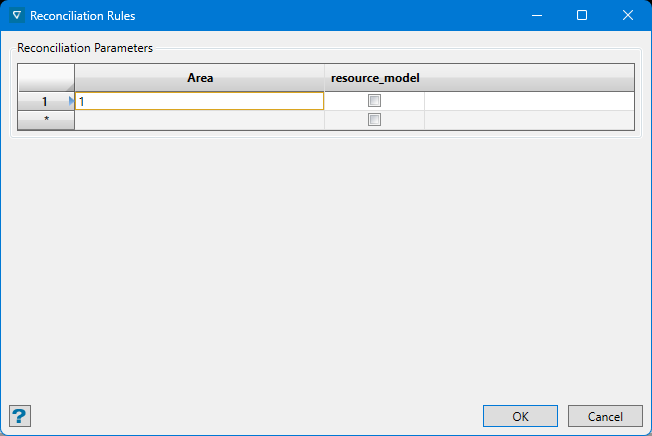
s_GradeControl_Setup_ReconciliationRules
Display Configuration
Material Report Setup
Grade Control Preferences
Validate Current Specifications
Convert Specifications
Legacy Blast Solids Validation
Load Specifications
Save Specifications
New Blast
Save Blast
Save Blast As
Load Samples
Load Blast
Remove Blast
Set Current Blast
Define Blast Solid
Solid Triangulation
Surfaces
Levels
Dynamic Reblock Blast
Polygonal Blast Generation
Create Grade Blocks
Create Grade Blocks
Specify Method for Creating Cutting Surfaces
Triangulations & Whole Blast
Reblock Blast
Edit Grade Blocks
Edit Blast Holes
Selection Criteria
Edit table
Reposition Centroid
Delete/Replace User Polygon
Import Blast Holes
Source tab
CSV Column Mappings tab
Import Options panel
Select Holes to Import panel
Import Grade Block Solid
Blast Report
Create Bench Plan
Blast Selection Parameters
Select Blasts
Blast Selection
Grade Block Display
Grade Block Data
Reconciliation Grade Block
Reconciliation Block Model Grades
Design Data
Material Report
Export Data
Triangulations tab
Design Objects tab
Underground
Underground menu contents
Introduction
Coal Development
Coal Development menu contents
Overview
Open Mine Workings
Graphical Attributes
Feature Visibility
Create Heading
Create Crosscut
Convert To Heading
Convert To Crosscut
Delete Drivage
Define Panel Type
View Panel Type
Edit Definition
Delete Definition
Create Panel
Modify Panel
Delete Panel
Pillars/LT Outlines
Area
Roadway Blocks
LS/SW Pillar Convert
Create Outline
Combine Blocks
Clip Blocks
Delete Blocks
Coal Reserves
Coal Reserves menu contents
Overview
Open Mine Workings
Geology Setup
Project
Reserve Setup
Run Reserve
Delete Projected
Development
Development menu contents
Overview
Set Up
Automatic Ramp
Automatic Ramp Overview
Open Specification
Constraints
Block Model
Exclusion Zones
Primitives
Reserves
Interactive Edit Ramp
Level Layout
Centre Line
Cross Cuts
Wall Outline
Merge Walls
Union Walls
Project Backs/Floors
Generate UG Drive Strings
Apply Curve
Corner Peel
Costing
Define Ring
Expand Ring
Partial Gradient
Information
Model Backs/Floors
Point(s) Annotation
Line(s) Annotation
Analyse
Analyse menu contents
Cost Benefit Analysis
Global Gradient
Drill Hole Warning
Proximity Alert
Find Entry Point
Stope Analyser
Stope Optimiser
Stope Optimiser Overview
Open Specification
Input
Restriction
Block Selection
Output
Verifications
Stope Framework
Dimensions
Optimisation Control
Cutoff
Slice Method
Slice Method: Slice Definition
Slice Method: Stope Geometry
Slice Method: Post Processing
Section Method
Section Method: Slice Definition
Section Method: Stope Geometry
Section Method: Post Processing
Restrictions
Prism Method
Risk
Explain
Over/Under Break
Stope Design
Stope Design menu contents
Overview
Directory
Open
Create Stope
General Reserves
Backfill Planning
Mine
Ring Design
Ring Design menu contents
Overview
Create/Edit Blast Specification File
Edit Display Preferences
Templated Ring Design
Create/Edit Blast Database Design
Create/Open Blast Database
Create Rings Index
Rename Rings
Auto Profile
Calculate Ring Reserves
Display Rings
Remove Rings
Navigate Rings
Display Ring Name and Dump Angle
Change Ring Dump Angle
Display Characteristics
Create Hole
Create/Edit Five-Spot Hole
Move Hole
Copy Hole
Delete Hole
Edit Diameter
Shuffle Holes
Adjust Hole Length
Comment Hole
Layout Pattern
Fill Hole Pattern
Change Hole Sequence
Explosives Loading
Explosives Loading menu contents
Load Hole
Load Ring
Edit Hole Loading
Edit Hole Capping
Explosives Timing
Edit Ring Report Format
Edit Ring Report Format
Layout Format
Drilling Format
Explosives Format
Sorting Columns Format
Report on Rings
Plot Rings
Export to IREDES
Ventilation
Ventilation menu contents
Open/Create Network
Save Network
Close Network
Defaults
Open Fan File
Add Fan
Edit Fan
Delete Fan
Display Attributes
Create Branch
Edit Branch
Edit All Branches
Reverse Branch
Delete Branch
Insert Node
Move Node
Execute Simulation
Report
Panel Caving Designer
Dragline
Dragline menu contents
Overview
Files
Files menu contents
Open
Save
Save As
Close
Delete
Dragline Equipment
Ancillary Equipment
Block Report
Operation Report
Volume Report
Sections
Contents
Working
Define
Create
Delete
Set Current
Advance Current
View Current
Define Origin
Edit Label
Attributes
Change Section Line RLs
Horizons
Horizons menu contents
Create/Edit Horizons
Create or Delete Surfaces
Strips
Strips menu contents
Create
Delete
Edit Extents
Translate All
Highwall Profile
Edit Labels
Label Attributes
Create Maximum Spoil Profile
Create Spoil Fit Report
Generate Toes and Crests
Points
Points menu contents
Create Points
Delete Points
Edit Point Names
Line Intersection
Blocks
Blocks menu contents
Create
Delete
ID Block
Set Swell Table
Edit Repose
Edit Swell
Edit Rehandle
Reset Log File
Reset Undo Stack
Reset Section
Edit Label
Drag Label
Rotate Label
Recentre Labels
Unrotate Labels
Label Attributes
Move Blocks
Move Blocks menu contents
Overview
Start/End Sequence
Begin/End Macro
Dragline - Right Toe
Dragline - Centre
Dragline - Left Toe
Bulldoze - Left
Bulldoze - Right
Bulldoze - Uphill
Bulldoze to Bench
Area Balance
Area Reshape
Area Cut & Fill
Split Block
Merge Blocks
Create Block
Remove Block
Export Block
Nullify Block
Select Dragline
Set Position
Unset Position
Undo
Redo
Animate
Templates
Templates menu contents
Overview
Create
Create From Surface
Create Dragline Bench Template
Delete
Convert Profile
Import
Lines
Lines menu contents
Create
Delete
Edit Label
Attributes
View
View menu contents
Setup
View Current Section
Change View
Reverse View
Coordinate
Distance
Link Strings
Horizon Legend
Dragline Legend
Reset Visibility
Toggle Sections
Toggle Surfaces
Toggle Strips
Toggle Block Labels
Toggle Templates
Toggle Lines
Toggle Points
Toggle Other
Dragnav
Dragnav menu contents
New
Preview
Save
Plan Surfaces
Plan Data
Interactive Sections
Multiple Sections
Drill and Blast
Drill and Blast menu contents
Files
Drill Rig Library
Explosives Library
Specifications
Specifications
Explosive Loading Styles
Pattern specifications
Reporting specifications
Posting specifications
Display Characteristics Settings
Load
Remove
Create
Create
Create Holes At Points
Create Holes Along Line
Create Holes Along Collar and Toe
Create Blast to Free Face
Create Registered Outline
Create Blast Solid
Explosives Tie-ins
Create Timing Model
Create Timing Animation
Edit
Rename Blast
Edit Visibility
Edit Display Attributes
Apply Display Characteristics
Split Blast by Polygons
Merge Blasts
Edit Holes
Rename Holes
Rename All Holes By Object
Modify Hole Name
Reverse Row Direction
Recalculate
Move Holes
Translate Holes
Rotate Holes
Minimum Burden Adjustment
Delete Holes
Delete Holes by Polygon
Insert Hole
Double Stitching
Design Charge Depths
Analysis and Reporting
Constrained Hole Selection
Compare Holes
Offset to Face
Export Intercepts
Sample Interval Specifications
Export to Database
Hole Clearance Check
Hole Separation Report
Reporting
Tritronics Export
Posting
Export to IREDES
Gantt
Vulcan Gantt Scheduler
Vulcan
Open
Activity
Create
Delete Activity
Update From Design
Precedences
Manual Precedences
Display
Hide
Display Settings
Colour by Period
Colour by Attribute
Mining Direction
Generate Directions
Flip Directions
Select and Reverse
Generate Directions
Generate Directions
Transfer from STP Module
Check VGSKEY
Vulcan Gantt Scheduler
Gantt Scheduler Interface
Keyboard Shortcuts
Quick Access Toolbar
Gantt Chart Window
Summary Report Window
Notification Center Window
VGS Home
Home Tab
New
Delete Activity
Properties
Update Activities
Update Reserves
Percent Complete Update
Split
Remove Split
Join All Bars
VGS Setup
Setup Tab
Project Options
Reserve Attributes
Attributes
Activity Types
Lookup Tables
Calendars
Plan Start Date
Periods
Current Period
VGS Layout
Layout Tab
Groups
Current Group
Sorting
Column Format
Column Order Manager
Current Column Order
Update Column Order Definition
Save/Load/Reset
To Move / Move Here
VGS View
View Tab
Vulcan Selection
Vulcan Zoom
Vulcan Hide
Vulcan Shadow
Select in Vulcan
Zoom in Vulcan
Colour by Period
Colour by Attribute
Animation
Current Colour
Caption Manager
Filters
Current Filter
Select Multiple Filters
Display Resource Calendar
VGS Precedences
Precedence Tab
Group Manager
Current Precedence Group
New Group
Spatial Precedences
Create
Remove
Properties
Precedence Arrow Visibility
VGS Report
Report Tab
Report Setup
Sync Report
Pivot Table Report Manager
Pivot Table Report Manager
Activity Grid
Current Report
Export Activity Chart To Excel
Activity By Period
Critical Path
VGS Resources
Resources Tab
Resource Settings
Allocate Resources
Open Resource Chart
Export Resource Chart To Excel
VGS Levelling
Levelling Tab
Resource Levelling Setup
Levelling by Capacity
Activity Levelling Setup
Current Levelling
Labs
Face Mapper
Setup
Create Resources
Create Feature Files
Configuration
Create Plot Resources
Tools
Key Toolbar
Import GSI Station
Freeze Grids Back Walls
Load Drillholes
Remove Drillholes
Display Comment Labels
Remove Comment Labels
Display Structures
Section View
Grid On
Grid Off
Mapping
Load Drive Layer
Add Station
Rename User Station
Station Section
Walls Mapping
Backs Mapping
Lines To Samples
Feature Lines
Lines To Polygons
Feature Replace
Feature Structures
Face Reserve Grades
Face Grades
Wall Grades
Back Grades
Digitise Grades
Calculate Rock Mass Classification
Add Comment
Pictures
Picture Display
Picture Crop
Picture Scale
Picture Translate
Picture Rotate
Post Processing
Register Face
Fold Profile
Unfold Profile
Design To Actual
Flag Contact Points
Extract Contact Points
Plot Face
Export Face Comments
Export Face Summary
Picture Copy
Pre-Setup Process
Intended Workflow – Backs/Walls Mapping
Intended Workflow – Face Mapping
FAQ/Troubleshooting
Appendices
Workbench
Workbench Menu Contents
Load Layout
Save Layout
Initial Layout
Customise
Localisation
Context Menus
Maptek Account Hotswap
Isis Database
Introduction
Introduction to Isis
Database Designs
Database Elements
Databases
Common ODBC Problems
Database Recovery
File
New Database
Open Database
New Design
Open Design
Example Database Designs
Close
acQuire
Vega ODBC
Save
Save As
Save Design As
Delete Database
Delete Design
Quit Isis
Exit Workbench
Edit
Cut
Copy
Paste
Select All
Delete
Find
Find Next
Preferences
View
Data View
Design View
Object
Insert
Delete
Table
Insert
Append
Delete
Insert Records
Sort Ascending/Descending
Utilities
Import
Database
Tables
Export
Database
Tables
Convert ODBC .dsf to Headered ODBC
Convert Headered ODBC to .dsf
Convert Database to Legacy Database
Field Calculation
Script
Edit
Run Script
Validate
Validation Specifications
Select Database
Collar Checks
Unique Collar Location
Collar on Surface
Downhole Checks
Empty Table
Total Depth
Overlapping Intervals
Increasing and Decreasing
Maximum Variation
Unique Values
Sequence
Derived Value
Along Recod Checks
Field Sum
Individual Field Checks
Minimum and Maximum Values
Translations
Case Of
Mandatory
Expression
Report
Save and Run
Database Generation
Dbgl Script Structure
Dbgl Directives
Dbgl Definitions and Generators
Dbgl Conditional and Logical Expressions
Dbgl Command Lists
Dbgl Input and Output
Dbgl Examples
Inquisitor
Introduction
Running Inquisitor
Language Syntax
Using the Language
Record Statement
Record Variable
Data Statement and Data Variable
Expressions
Exec Statements
Control Statements
Reference
Examples
Commandline Programs
Overview
Analysis
ASCII2TRI
APD
BADD
BASSIGN
BBENCH
BCALC
BCHOP
BCHNAME
BCONVERT
BCSVTO
BDECOPMRESS
BDELETE
BEDTAB
BEDVAR
BEFSUMREP
BEXPORT
BEXPR
BEXTENT
BEXTRACT
BFILL
BHEAD
External_BHISTORY
BIMPORT
BINDEX
BINSERT
BLOCK_TO_PEXEL
BM_DOUBLE_TEST
BMARCH
BMARCHv2
BMASK
BMERGE
BMINE
BMODEL
BOPTIMISE
BORIGIN
BPITVIEW
BREBLOCK
BRESERVE_V2
BRESET
BREVERSE
BRIMPORT
BSTRAT
BSTRAT2
BTOCSV
BTRANSFORM
BTRIANGLE
BTRIBLOCK
BTRIFLAG
BUNCHOP
BUPGRADE
CompareBlockmodels
CompareDGDs
CompareGrids
CompareTris
Compliance
COMPRESS_DGD
CopyDGDLayerTo
DATUPD
DBCMPT
DBLIST
DBLOAD
DBMERG
DBSCRIPT
DBTABL
DECLUSTER
DGD2DGN
DGD2DWG
DGDDUMP
DGN2DGD
DJBMEST
DJBMESTMULTI
DSF_A2B
DSF_B2A
DWG2DGD
EXEBMNSCORE
EXEBMSCTRAN
EXEDJSISIMMR
EXENSBACK
EXENSCORE
EXEPOSTSIM
EXESCBACK
EXESCTRAN
EXESGSIM
FIXDHD
FLAGDRILLDB
FLAGSAMPDB
GCOPT
GEOTECH_CONVERT
Usage:
ImportCSV
level_layout
MERGE_DGDS
MVTRANSFORM
RGB_TO_PEXEL
RGB_TO_PS
RGB2RTL
SPEC_MERGE
TIF2IREG
TRI2IV
TRIADJPOINTSDGEN
TRIAPPEND
TRIBENCH
TRIBOOL2
TRIBOOLEAN
TRICLEAN
TRICLOSE
TRICUTFILL
TRICVOLUME
TRIDISPLAY
TRIDM
TRIDUMP
TRIFAULT
TRIFILTER
TRIGEMCOM
TRIGRID
TRILOAD
TRIMAKE
TRIMINESIGHT
TRIPRODUCE
TRIREGISTER
TRIRELIMIT
TRISHELL
TRISIMPLIFY
TRISNAP
TRISPLIT
TRISUBTRACT
TRITEST
TRITRANS
TRITVOLUME
TRIVOLUME
TRIVOXELATE
UNCOMP
VDA
vulc_stopeopt
Block Model Utility
Overview
Starting the Block Model Utility
File
New
Close
Open
Save
Save As
Quit Block Model Utility
Exit Workbench
Model
Create Model
Estimation
New Estimation Run File
Open Estimation Run File
Execute Estimation Run File
Run Estimation
Rapid Pit Design
Rapid Pit Design menu contents
Rapid Pit Design
Properties Window
File
File menu contents
Load Specification
Edit Specification
Components
Benches
Pit Design
Reserving
Preferences
Quit Rapid Pit Design
Exit Workbench
Utilities
Utilities menu contents
New Component
Projection Method
Create Polygon
Insert Ramp
Insert Switchback
Flag Ramp
Project
Polygon Offset
Replace String
Move Point
Delete Point
Delete Polygon
Delete Multiple Polygons
Join Components
Intersect Components
Clip Phases
Clip Components
Generate Reserves
Next Bench
Previous Bench
Measure Distance
Measure Angle
Reacquire Attributes
Plotting Utility
File
Open
Close
Close All
Save As Image
Page Setup
Print
Print All
Batch Print
Quit Plot Utility
Exit Workbench
Troubleshooting Guide
Tutorials
Tutorials
Vulcan Data Analyser
Creating a Variogram
Creating a Fan Variogram
Filtering Data
Transforming Data
Chart Viewing and Exporting
Block Menu
Opening a Block Model Parameter File
Building a New Block Model
Load Dynamic Model
Polygon Flag
Support Analysis
Ellipsoid Methods
Pit Optimiser Charting and Reporting
Pit Optimiser Visualisation of Pit and Period
Design Menu
Getting Started
Templated Attributes Tutorial
Applying Conditional Attributes
Applying Datatips
Applying User-Defined Vulcan Attribute Datatips
Using the Find Functionality
Creating Moving Objects
Initiating a Vulcan Command
Initiating a Lava Script
Polygon Morph Tutorial
Intelligent Objects Tutorials
File Menu
Import CSV Database
Create 3D PDF
Gantt Scheduler
Creating Activities
Creating Precedences
Resource Allocation and Levelling
Animation
Summary Report
Viewing and Interacting with Activities
Geology Menu
Downhole Geophysics
Multivariate Transformations
Isis Database
Creating a Samples Database.
Open Pit Menu
Designing Highwall Roads
Designing Multiple Roads
Route Cycle Estimation
Rapid Pit Designer
Rapid Pit Design
Underground Menu
Automatic Ramp
Interactive Edit Ramp
Centre Line
Underground Ring Design
View Menu
Auto Section View
Preferences
Preferences - Vulcan
Preferences - Explorer
Preferences - File Types
Preferences - Triangulations
Preferences - Grids
Preferences - Dialogs and Popups
Preferences - Graphics
Preferences - Input
Preferences - Colours
Preferences - Effects
Preferences - Video Capture
Preferences - Defaults
Preferences - 2D Text
Preferences - 3D Text
Preferences - Arrow
Preferences - Dimension
Preferences - Draw by Hand
Preferences - Triangulation Attributes
Preferences - Load Dynamic Model
Preferences - Miscellaneous
Preferences - Paths/Directories
Preferences - Plot All
Preferences - Dragline
Preferences - Drill and Blast
Preferences - Plot Utility
Preferences - System
Appendices
File Information
Archived Layer File: DIGI.ARCH_D
Colour Scheme: ABC.SCD
DXF Conversion Table: ABCDXF.ICF
Features: ABC.FTD
Vulcan Defaults: ABCENVIS.DEFAULTS
Primitives Specification File: ABC.PGD
Start Up Parameters: ABC.DG1
Statistics Definition File
Tiled Texture Resource: TILED_TEXTURE_INFO
Window Parameters: ABC.WND
ASCII Mapfile: ABCDEF.MAP
Batch Plotting Specifications (Basic Mode): DEMOBASIC2.DH2
Batch Plotting Report (Basic Mode): DEMOBASIC2.DHQ_REPORT
Patterns File: PATTERNS
Peripheral Devices File (Default): PERIF.SETUP
Pitboss Transfer File
Menu Appendices
File
Python Class Libraries for maptek.vulcan
maptek.vulcan.attributes
maptek.vulcan.block_model
maptek.vulcan.callback
maptek.vulcan.dgd
maptek.drillhole_database
maptek.vulcan.grid
maptek.vulcan.isisdb
maptek.vulcan.layer
maptek.vulcan.mapio
maptek.vulcan.metadata
maptek.vulcan.arrow
maptek.vulcan.polyline
maptek.vulcan.dimension
maptek.vulcan.text
maptek.vulcan.text3d
maptek.vulcan.point
maptek.vulcan.section_widths
maptek.vulcan.tri_attributes
maptek.vulcan.triangulation
maptek.vulcan.variant
Python Class Libraries for maptek.vulcan_gui
maptek.vulcan_gui
maptek.vulcan_gui_options
maptek.vulcan_gui.gpan
maptek.vulcan_gui.panel
maptek.vulcan_gui.pick_point
maptek.vulcan_gui.selection
maptek.vulcan_gui.temp_object
Model
Model Appendix A
Stratigraphic Horizons File: ABCSTRATA.HZL
Modflow Control File: NEWMODEL3.NAM
Model Appendix B
Boundary Conditions
Grid Calc
Grid Calc_Appendix A
File Information
Fixmap Split Definitions File : FIXMAPSPEC
Fixmap Setup Specification File - Example
Database Conditions File: ABCFLAG.DCF
Macro Command Files : Several
Grid Calc Global Specifications File: ABC.GDC_GLOB
Addtdlitho File : ADDTDLITHO.DBG
Stratigraphic Horizon File : ABCSTRATA.HZL
Grid Calc Appendix B
GridCalc Appendix B Contents: Grid Model Scripts
Grid Calc Appendix C
Overview
Fixmap
Common Fixmap Problems
Creating a Fixmap Database
Hand Editing Mapfiles
Rsvute
Rsvute Appendix A
Appendix A - File Information
Reserves Specification Files: Several
Table File: TMP001.RSU_TABL
Polygon Reserves Sequences File: ABC_SEQ.RSU_CMND
Reserve Macros: Several
Grid Calc Global Specifications File: NARO.GDC_GLOB_RES
Grid Calc Macro: CHST_NITROGEN.GDC_CMND
Rsvute Appendix B
Using Benching and Batters
Reserve Calculation Techniques/Using Benching and Batters
Using Benching and Batters - Step 1
Bench Grid Creation
Limit Polygon Creation
Wall Projection
Specifications
Using Limit Polygons
Using Grid Masks
Block
File Information
File Information
ASCII Block Model File (Regular): BLOCK.ASC
ASCII Block Model File (Sub blocked)
ASCII Mapfile
Block Model Definition File - Create Model
Block Model Definition File - Regularise Parameters option
Advanced Reserves Calculation Results File
Advanced Reserves Calculation Specification File
Advanced Reserves Report Specification File
Advanced Reserves Report File
Script File - Script for calculating a dollar field
Script File - Script for assigning waste type
Script File - Script for assigning character ore types
Script File - Assign Values to Variable
Stratigraphic Horizons File
Variogram Model Parameter File
Variogram Parameter File
Variogram Results File
Variogram Fitting/Editing/Conversion File
Variogram Display Parameters File
Variogram Block Definition File
Block Variables Assignment File
Block Identifier File
Tri-Blocking Parameters File
Whittle 4D Interface
Overview
Exporting to Whittle 4D
Importing from 4D
Terminology
Whittle 4D/Errors
Geostatistics
Introduction
Regionalised Variables
Structural Analysis - Variography
Semi-Variogram Properties
Continuity
The Zone of Influence
Anisotropies - 1
Anisotropies - 2
Model Variograms
Variogram Modelling
Nested Structures
Proportional Effect and Relative Variograms
Origin of Nugget Effect
Regularisation
Auxiliary Functions
Extension and Estimation Variance
Grade Interpolation - Kriging
Geological Modelling Considerations
Iroad
File Information
Default Design Parameters File: RAMP34.RON
Notes on Slopes and Grades
Survey
Survey Appendices
Survey Appendix A
File Information
Least Squares Adjustment Report
Bowditch Adjustment Report
Coordinates Report
Input Observations File
Radiation Report
Reduction Report - SDR22
Reduction Report - TOPCON
Offsets Report
Stations Library File
Survey Codes File
Upload File - GEODAT
Volumes Report
Vulcan/Mining Block Survey Volumes Report
Vulcan/Mining Block Survey Volumes Report
Reduction Report - GEODAT
Traverse Reduction Adjustment Report - Unadjusted
Traverse Reduction Adjustment Report - Adjusted
Traverse Calculations Report (UG Survey)
Vulcan Field Survey File
Survey Appendix B
Least Squares Adjustment Method - Overview
Least Squares Adjustment Method - Input Observation File
Least Squares Adjustment Method - Horizontal Adjustment
Least Squares Adjustment Method - Vertical Adjustment
Survey Appendix C
Overview
CRITERION 400
GEODAT
SOKKIA
TOPCON GTS-7
TRIMBLE GPS
WILD/LEICA
Geology
Geology Appendix A
File Information
ASCII Mapfile: ABCDEF.MAP
Section Resources Parameters File: ABCDEF.PRV
Multiple Label Specifications File: THOR.MLB
Sampling Parameters File - ABC.SMP
Scheme File (Grid Reserves) - RES.SCD
Translation Table: GEO.TAB
Composite Specification File: THORLJE1.CM1
Geology Appendix B
Format of the SMP file
Common SMP sections
File sections used by Block Out and Geology
Geology Appendix C
Inquisitor Template and Metafile Production
Washability Mapfile Structure
Washability
Description of Records and Tokens
Metafile Record Hierarchy
Specimen
Geotech
Geotech Appendix A
Geotechnical Specification File
Galena Parameter File
Stratigraphic Horizons File
Geotech Appendix B
Geotech Display Layers
Open Pit
Open Pit Appendix A
Blast Design Specifications File: BLASTDES.SPC
Blast Reserve Report: W14_Sept_95.REP
Dragline Parameters File: DRAGLINES.SPC
Sampling Parameters File - ABC.SMP
Export File (Network) : DEMOROADS.NET
Haulroad Report: THORREP2.HRF
Hole Report: HOLE.SUM_LIST
Units of Measurement: ENVIS.UNITS
Hole Report: HOLE.TOT_LIST
Network Defaults File: DEMONETWORK.NDF
Macro File: MYPROJ.PROJ
Multi Stripping File: DEMOWORKING_SB01.RH_PRJ
Operations Parameters File: OPERATIONS.SPC
Outline Report: 1PIT1_001BP.REP
Report Specification File: ABC.TAB
Reserves Report (Benching and Batters): OOCG.RIN_LIST
Reserves Report (Terrace Mining): ABCWEST1.RIN_LIST
Reserves Report: THORRESERVES.RRF
Reserves Specification File: ABCPIT1.ST1 (Benching and Batters)
Reserves Specification File: ABCWEST1.ST2 (Terrace Mining)
Stratigraphic File: DEMOSTRATA.HZL
Terrace Mining Log File: TERRACE_VOL.LOG
Stripping Report: AWORKMS_SB0206.LT_LIST (Long Term)
Stripping Report: AWORKMS_SB0206.SB02_LIST (Short Term)
Stripping Report: ATOTAL_WORKMS.SCH_DATA (Rehandles)
Survey Report: 1PIT1_001SP.REP
Volume Report
XPAC Export File: THORXPAC.XPC
XPAC Export File: THORXPAC.PER
Monitor Specifications: OPIT.MON_SPEC
TEXENVIS.DMP - RIN database dump file
Open Pit Appendix B
Format of the SMP file
Common SMP sections
Angled Benches
Open Pit Appendix C
Macro File Commands
Open Pit Appendix D
Grade Control Design
Date Stamping
Grade Control
Grade Control Appendix contents
Grade Control Design
Date Stamping
Underground
Graphical Attributes File
Underground Blast Display Preferences File
Blast Design Specification File
Geology Setup Parameter File
Ring Report Style File
Explosives Report Style File
Expression Handling
Panel Structure Template File
Reserve Parameters File
Underground Development Preferences File
Reserve Calculations File
Dragline
Module Conventions
Dragline Database
Ancillary Database
Example Macro Scripts
Macro Functions
Block History
Named Positions
Dragline Specifications File
Over/Under Break
Isis Appendices
Isis File Information
Database Listing File
Field Calculation Scripting File
Database Validation File Error Example
Database Validation File
Core Appendices
Core Appendices
File Information
Fortran Format Statements
Operators and Functions
Operators and Functions - Statistics (old)
Script File Format
RGB Colour Reference List
Macro File
GEOSTAT
Contents
Concepts
Data Input Processes
Organisation of Databases
Borehole Compositing
Statistical Analysis
Geostatistical Analysis
Economic Evaluation
Reserve Calculations
Other Comments
AMS Stope Shape Optimiser Manual
CONTENTS
Appendices_Purpose
STOPE SHAPE OPTIMISER
2 SLICE METHOD
3 PRISM METHOD
4 OPTIMISATION OPTIONS (SLICE & PRISM)
5 GEOLOGICAL RISK (SLICE & PRISM)
6 RUNNING STOPE SHAPE OPTIMISER EXTERNAL TO INTERFACES
APPENDIX A
Glossary
Glossary
References
Vulcan
You are here:
Was this page helpful?
Leave a comment (optional)
Submit
Vulcan Index
Home
Vulcan Quick Start Guide
Installation
Vulcan Installation and Configuration
Installing a Network Licence
Flexnet Licence Administrator
Borrowing a Licence from the FlexNet Server
Maptek Floating License Server (FLS)
Product Support
Technical Support
Office Locations
Copyright Notice
Vulcan Troubleshooting
Getting Started
Introduction to Vulcan
Overview
Starting Vulcan
Accessing Help Topics
Different Methods to Start Vulcan Software
Vulcan Menus
Setting Up Vulcan
Creating a Project File (dg1)
Primary Window
Colours
Patterns
Line Types
Design Defaults
Desktop Icons
Viewing Design Work
Opening a Design Database
Selecting Layers
Using the Mouse
Keyboard Shortcuts
Selecting Design Data
Viewing Data
Rotating the View
Saving Views
Full Screen Mode
Load View Toolbar
Looking From Different Points
Overview Window
Perspective Mode
Editing Design Data
Entering Design Data
Digitising
Indicate Mode
Snap to Objects
Smart Snap
Snap to Grids
Snap to Points
Property Editor
Fonts
Saving Your Work
Exiting Vulcan
Data Structures
Data Hierarchy
Design Files
Layers
Objects
Additional Organisation
Coordinate Points
Structuring Your Data
System Wide Files By Module
System Wide Files By File Extension
Specification and Parameter Files
Database Management
Contents
ODBC Interface
Recovering a Database
Compressing a Database
Unlocking a Database
Scanning a Database
Repairing a Database
Restoring a Backup
Crash Reports
Toolbars
Overview
Advanced Object Label toolbar
Analyse toolbar
Angle Input toolbar
Animation
Bearing Input toolbar
Custom Cursor Properties toolbar
Delete toolbar
Design toolbar
Digitise Toolbar
Dragline toolbar
Dragline - Move Block toolbar
Draw by Hand toolbar
Drill and Blast Create toolbar
Drill and Blast Edit toolbar
Drill and Blast Files toolbar
Drill and Blast Report toolbar
Screen Dump toolbar
Dynamic Volume Settings toolbar
Effects Toolbar
Window : Exaggeration Toolbar
FixDHD Fix Strat from DB
Gaussian Transformations toolbar
Geology Drilling toolbar
Geology Section toolbar
Grade Control Display toolbar
Grade Control toolbar
Graphics Toolbar
Grid Properties
Grid Calc Advanced toolbar
Grid Calc toolbar
Haulage toolbar
History toolbar
Insert toolbar
Keyboard Input toolbar
Load View toolbar
Look At Toolbar
Macro Control Toolbar
Merge toolbar
Modify toolbar
Move toolbar
Open toolbar
Open Cut Design toolbar
Phase Design toolbar
Point Clouds toolbar
Predefined Solids toolbar
Primitives toolbar
Ramps toolbar
Relimit toolbar
Rotate Mode toolbar
Rsvute toolbar
Sequence toolbar
Slice toolbar
Standard toolbar
Status toolbar
Texture Detail toolbar
Translucent Factor toolbar
UG Explosives toolbar
UG Ring Design toolbar
Visibility toolbar
Zoom To Toolbar
Menu Topics
File
File menu contents
New
Open
Design Files
Design Files menu contents
Directory
List Files
Open
Convert
Layers
Layers menu contents
List
Load
Load All
Load By Polygon
Reload
Remove
Underlays
Underlays menu contents
Overview
Load Layer
Remove Layer
Convert/Display Coloured Points
Convert To Object
Remove
Remove All Underlays
Symbols
Symbols menu contents
Overview
New
Load
Save
Save As
Delete
Inherit Colour
Line Styles
Line Styles menu contents
Overview
New
Load
Save
Save As
Delete
Repeat Distance
Set Invariance
Remove Invariance
Sine/Cosine Wave
Convert
Convert menu contents
Overview
Block To Pexel
Image To PostScript
Save
Save Layer
Save Layer To
Load Screen
Save Screen
Archive
Load Archive
Load Recovered Layers
Plot
Plot Builder
Plot All
Batch Plotting
Plot File
Page Setup
Data Extent
Multiple Page Setup
Cutting Planes
Drawing Order
Display Scheme
Plot Elements
Plot Elements
Borders
Views
Gridlines
Gridlines
Absolute
Relative
Centreline
Absolute
Title Block
Legends
User Notes
Scale Bar
North Point
Data Elements
Data Elements
Database Fields
Digitised Drafting
Grid Models
Triangulation Models
Surface Model Clipping
Block Model
Block Annotation
Block Selection
Examples
Plan with DGD Data
Plan with Border Style and DGD Data
Section with Border Style and Block Model
Rotated Plan with DGD Data
Section with Drilling, Triangulations
Section with Drilling and Assay Colour Bars
Section with Drilling and Paired Grid Surfaces
Long-Section (flexed) with Drilling and Paired Grid Surfaces
Plot Existing Files
Plot Edit
Plot Edit menu contents
Overview
Load
Open Plot-Edit Window
Create
Sheet Template
Clip
Drafting Sheets
Drafting Sheets menu contents
Overview
Drafting Sheet Builder
Drafting Sheet Editor
Drafting Sheet Editor: View
Drafting Sheet Editor: Scale Bar
Drafting Sheet Editor: North Arrow
Drafting Sheet Editor: Title Block
Drafting Sheet Editor: Design Line
Drafting Sheet Editor: Permanent Text
Drafting Sheet Editor: Text Field
Drafting Sheet Editor: Post Element
Drafting Sheet Editor: Legend
Drafting Sheet Editor: Image
Drafting Page Size
New
Load
Save
Save As
Delete
Import
Import
Import 3d Dig Triangulations
ASCII
Import ASCII Data
Import ASCII Grid
Import Vulcan ASCII Triangulations
AutoCAD (dwg, dxf, dxb)
Import From AutoCAD
ICF Tables Setup
CSV (Databases)
Import CSV (Databases) - Databases
Import CSV (Databases) - Databases (update)
Synonym Assignment
Datamine
Import Datamine Block Models
Import Datamine Block Models (Reblocked)
Import Datamine Database
Import Datamine Design Strings
Import Datamine Triangulations
DTED Elevation Data
Import Data from a DTED Elevation Data File
Easimine
Import Easimine Data
Esri (shape, grid, tin)
Import Esri Shape File Data
Import Esri Grids
Import Esri TIN Triangulations
Gemcom
Import Gemcom Triangulations
Geocomp
Import Geocomp Data
Geosoft
Import Grids From Geosoft
Import Voxel From Geosoft
KML
Import KML Design Strings
LIDAR
Import LIDAR Data
Import LIDAR Data : Load ArcInfo ASCII Grid Using Reduce Method
Import LIDAR Data : Load ArcInfo ASCII Grid Using Decimate Method
Import LIDAR Data : Load Point Data Using Sampling Method
Import LIDAR Data : Load Point Data Into Layer
Micromine
Import Micromine Database
Import Micromine Data
MicroStation
Import MicroStation Data
MineSight
Import MineSight Block Models
Import MineSight Data
Import MineSight Triangulations
Import MineSight Triangulations (ASCII)
Minex
Grids ASCII
Import Minex Triangulations
Optech
Import Optech Triangulations
Phodat
Import Phodat Data
STL
Import STL Triangulations
Surpac
Import Surpac Data
Import Surpac Data
Import Surpac Triangulations
Whittle 4X
Import Data from Whittle Results File
Export
Export
Export Triangulations to 3d Dig
ASCII
Export ASCII (Design Strings)
Export ASCII Grids
Export ASCII (Minex)
AutoCAD (dwg, dxf, dxb)
Export AutoCAD
ICF Tables Setup
Export AutoCAD
CSV (Databases)
Export CSV (Databases)
Datamine
Export Data Mine - Design Strings
Export Datamine - Triangulations
Easimine
Export Easimine
Esri (shape, grid, tin)
Export Data To Esri Shape File
Export Grids To Esri
Export Triangulations to TIN
Inventor
Export Triangulations To Inventor
KML
Export KML Design Strings
Micromine
Export Micromine
MicroStation
Export to MicroStation
NGRAIN
Export Data to NGRAIN - Block Model
Export Data to NGRAIN - Design Data
Export Data to NGRAIN - Grids
Export Data to NGRAIN - Triangulations
PDF
Export Block Model Data to PDF
Export Design Data to PDF
Export Triangulations Data to PDF
Pitboss
Export Pitboss
Export Pitboss
STL
Export STL Triangulations
Export Topcon Design Strings
Trimble
Export Trimble
Ventsim
Export Ventsim Design Strings
VRML
Export Data to VRML Block Model
Export Data to VRML - Design Data
Export Data to VRML - Grids
Export Data to VRML - Triangulations
Whittle 4X
Export Block Model to Whittle 4X (Model)
Export Block Model to Whittle 4X (Opti Cut)
Export Block Model to Whittle 4X (Pit List)
Colour Table
Colour Table menu contents
Colours
Save Colour Table
Rename
Delete
Upgrade
Macro Create
Lava
Lava menu contents
Introduction
Lava
Functions
LAVA CLASSES
Lava Scripting Support for VGS
Gantt SDK Scripting Functions
Example Scripts for Automated VGS Testing
GPAN
Example
Python
Python Script
Writing Python Scripts
Index of Python Class Libraries
Run Stored Procedure
Run Command
Quit Vulcan
Design
Design Menu Overview
Design menu contents
WinTab Digitiser
WinTab Digitiser menu contents
Overview
Attach Viewport
Detach Viewport
Set Up Transformation
Configure WinTab Context
Create
Create menu contents
Layer
Point
Line
In Plane
Polygon
Paste Object
Polygon Textured
Rectangle
Grid
Arc
Ellipse
Arrow 2D
Arrow 3D
Spline
Symbol
Line draw by hand
Polygon draw by hand
Configure draw by hand
Create Text
Import Text
Create 3D Text
Import 3D Text
Features
Dimension
Dimension menu contents
Line
Line Components
Radius
Angle
Arc
Attributes
Move
Swap Points
Mirror Horizontal
Mirror Vertical
Mirror Both
Colour
Reposition
Construction Points
Construction Points menu contents
Overview
Distance
Equal Parts
Intersect
Digitise
Z Cut
Compass
Ruler
Insert By Distance
Insert By Point
Insert By Line
Delete
Delete All
Selection Criteria
Selection Criteria menu contents
Select By Polygon
Create Boundary
Enable Boundary
Disable Boundary
Group
Ungroup
Enable
Disable
Metadata
Metadata menu contents
Overview
Create/Edit Specification
Assign Metadata
Delete Metadata
Get Object Metadata
Setup Display Attributes
Apply Display Attributes
Reporting
Templated Attributes
Templated Attributes menu contents
Edit DGD Templates
Assign Data
Get Object Data
Colour By
Visible By
Import CSV
Delete Attributes
Edit Resource Templates
DGD Template to Resources
Resource Template to DGD
Operators and Functions
Layer Edit
Layer Edit menu contents
Using the Identify Tool in Vulcan
Name
Copy
Delete
Transfer
Unify
Make Current
Multi-Object Filter
Object Edit
Object Edit menu contents
Using the Identify Tool in Vulcan
Delete
Delete By Poly
Clip by Multi-Poly
Clip By Solid
Clip By Triangulation
Trim
Move / Copy
Offset
Split
Intersection Split
Paste
Join Point
Join Lines
Coalesce
Reverse
Reverse Advanced
Sort
Consistent
Point Name
Connection
Cross Check
Grid Snap
Filter
Register
Z Value
Register by Plane
W Tag
Grade
Delete End Point
Explode
Transform
Colour By Gradient
Polygon Edit
Polygon Edit menu contents
Area
Expand
Boolean
Boolean By Plane
Build
Polygon Morph
Partition
Impose
Pairs
Radii
Polygon Boundaries
Tessellate
Skeleton
Network
Remove Crossovers
Delete Bridges
Point Edit
Point Edit menu contents
Resequence
Move
Move To Intersection
Multi-Move Points
Grid Snap
Name
Z Edit
W Tag
Weight Point Values
Symbol
Colour By Attribute
Remove Attribute Colouring
Delete
Delete Duplicate
Disconnect
Connect
Cut
Append
Best Fit
Move By Distance
Move By Point
Move By Line
Point Insert
Point Insert menu contents
Insert
Replace String
Dynamic Replace String
Multi-Replace String
Plane Insert
Insert At Intersection
Multi-Insert at Intersection
Insert At Distance
Interpolate
Measure
Apply Curve
Intersection At Elevation
Intersection With Triangulation
Attribute Edit
Attribute Edit menu contents
Name
Description
Group
Ungroup
Group By Attribute
Value
Close Polygon
Open Polygon
Feature
Graphics
Segment Colour
Attribute to Value
Attribute Editor
Along Line
Assign W Tag
Edit
Clear
Label
Interpolate
Create/Edit Primitives
Primitive Visibility
Remove Primitive
Polygon Texture Primitive
Apply Spline
Remove Spline
Insert Points on Spline
Relimit
Relimit menu contents
By Distance
To A Point
To A Line
Multi Line Relimit
To a Plane
To Surface
Transformation
Transformation menu contents
Translate
Rotate 2D
Rotate 3D
Rotate Arbitrary
Scale
Calculate
Matrix
Mirror
Geographic
GDA Conversion
Text Edit
Text Edit menu contents
Edit
Move
Drag
Substitute
Delete
Text To Point
Attributes
Font
Font Size
Angle
Text Rotate
Colour
Convert to 3D Text
Text 3D Edit
Text 3D Edit menu contents
Edit
Attributes
Colour
Convert to 2D Text
Arrow Edit
Arrow Edit menu contents
End Points
Attributes
Colour
Line Type
Line Style
Line Style menu contents
Apply Style
Remove Style
Symbolise Line
Symbol At A Point
Symbolise Points
Unsymbolise Points
Feature Edit
Feature Edit menu contents
Default
Feature Editor
Feature Editor
Feature Editor
Feature Editor
Intelligent Objects
Intelligent Objects Editor
Open Specification
Database
Labels
Types
Save Specification
Control Points
Map Section To Plan
Data Posting
Undo
Redo
View
View Menu Contents
Overview
Visibility
Visibility Menu Contents
Visible
All Visible
Shadow
All Shadow
Invisible
All Invisible
Freeze
Freeze All
Design Visibility
Triangulation Visibility
Grid Visibility
Visible By Feature
Shadow By Feature
Invisible By Feature
Section Shadow Visible
Section Shadow Invisible
Change View
Change View Menu Contents
Set View
By Object
Section
Section Strat
Vertical Exaggeration
Walk
View Point Walk
Look From
Look
Flyby
Windows
Windows Menu Contents
Open
Create
Delete
Edit
Select
Fit Layer
Shaft View
Shaft View Menu Contents
Overview
Create
To Shaft View
From Shaft View
Animation
Animation Menu Contents
Overview
Create
Frames
Load
Run
Path
Create Section
Section Definition
Primary Section Shadows
Delete Section
Move Sections
Save View Settings
Switch To East Section
Switch To North Section
Switch To Plan Section
Sections Toolbar
Analyse
Analyse menu contents
Overview
Details
Details menu contents
Coordinate
Distance
Perpendicular/Shortest Distance
Along String
Total Length
Area
Centroid
Polygon Area
Full
Curvature
Strike/Dip
List
List Objects
Find Objects
Layer Range
Angle/Distance
Grid
Grid menu contents
Apply
Grid Properties
Geographic
UTM Grid
Remove
Label
Label menu contents
Point Label
Point Label to Text
Step-by-Step: Labelling Objects in Vulcan
Advanced Object Label
Annotate String Z Value
Underlay Label Colour
Remove
Attribute Data
Attribute Data menu contents
Inquire
Create
Modify
Delete
External Data
External Data menu contents
Set Up
Inquire
Set Up
Export from Selection
Export from Point
Data Analyser
Vulcan Data Analyser
Preferences
File
File Menu
Project Templates
Data
Replacing a Data Source
Filter Manager
New Transformation
New Weight
Domain Manager
Assigning Downhole Depth Field
The Database
Data Explorer
Filtering Data
Chart Explorer
Domain Manager
Specify Direction Grid
Filter Manager
New Weight
New Transformation
Viewing Data Points in Vulcan
Stats
General Statistics
Histogram
Define Bins
Boxplot
Cumulative Frequency
Scatter / Line Plot
QQ Plot
PP Plot
Correlation Matrix
Pie Chart
Create a Swath Plot
Contact Profile
Data Spacing
Analysis
Grade Capping
Variography
Creating a Semivariogram
Fan Variograms
Creating an Orthogonal Variogram
Creating a Cross Variogram
Creating a Cross Orthogonal Variogram
Creating a Variogram from a Block Model
Editing & Modelling a Semivariogram
Editing / Modelling a Fan Variogram
Editing & Modelling an Orthogonal Variogram
Editing & Modelling a Cross Variogram
Editing a Cross Orthogonal Variogram
Editing a Variogram Created from a Block Model
Specify Direction for Single Variogram of Block Model
Specify Directions for Multiple Variograms of a Block Model
Save and Load Variogram Properties
Downhole Variography
Configure Autofit
Export
Chart Grid
Tab View
Exporting Charts
Connectivity
Viewing Data Points in Vulcan
Visualization
Visualization
Charts
Tab View
Chart Grid
Multiple Charts of Mixed Types
Exporting Charts
Statistics
Statistics menu contents
Overview
Advanced Statistics
Open Specification
General Setup
Data Elements
Global Conditions
Graph Type
Output Display
Display
Output
Terminology
Legend Editor
Draw Legend
Display Legend
Model
Model menu contents
Overview - Model Menu
Grid Mesh Surfaces
Grid Mesh Surfaces menu contents
List
Load
Remove by Name
Create Simple
Mask
Invert Mask
Unmask
Contour
Drape
Min/Max
Patch
Set Value
Node Edit
Triangulate
To Object
Create Mapfile
Remove
Triangle Files
Triangle Files menu contents
List
Rename
Load
Load by Location
Display by Colour
Properties
Remove by Name
Remove by Location
Remove
Triangle Utility
Triangle Utility menu contents
Relimit
Intersect
Cut
Cut by Lines
Merge
Poly Boolean
Boolean
Multi-Boolean
Delete Internal Walls
Fill Holes
Repair
Auto Expand
Expand
Smooth
Display Colour Scheme
Create Selection File
Append
Check
Minimum/Maximum
Register
Fault
Strip
Footprint
Shrink Wrap
Plane
Bench Profile
Section Profile
Section by Line
Find Path
Scale
Translate
Rotate
GDA Conversion
Triangle Surface
Triangle Surface menu contents
Create
Two Polygons
Grid Mesh
Interactive Creator
Relimit by Polygon
Relimit by Solid
Surface Area
Triangulation Volumes
Add
Subtract
Colour by Orientation
Offset Distance
Extrapolate Points
Extrapolate Triangulation
Extrapolate Two Triangulations
Vertex Z Edit
Move Vertex
Add Vertex
Delete Vertex
Insert Triangle
Delete Triangle
Swap Triangles
Arithmetic
Thickness Between
Triangle Solid
Triangle Solid menu contents
Create
End Plate
Tri Polygons
Split
Auto Split
Split by Horizons
Close Solid
Delete
Triangle Delete
Repair by Voxelation
Shells
Surface Levels
Polygons
Thin Solid Mid-Surface
Split Underground Drive
Volume
Reserves
Differential Volumes
Create Sphere
Troubleshooting Guide
Triangle Edit
Triangle Edit menu contents
Overview
Analyse Triangles
Analyse Vertices
Problem Areas
Dump
Filter
Simple Outlier
Small Triangles
Clip By Polygon
Snap Vertices
Connect Vertices
Delete Crossing Triangles
Interpolate
Extrapolate
Line Split
Add Vertex
Delete Vertex
Flip Triangles
To Grid Mesh
From Triangles
Update with Points
Triangle Attributes
Attributes
Colour by Attribute
CSV Import Attributes
Export Attributes
Triangulation Visibility
Remove Attributes
Edit Attributes
Image Registration
Image Registration menu contents
Overview
Create or Open
Close
Add Point
Move Point
Delete Point
Clear All Points
Create Bounding Triangulation
Loading into 3D Window
Remap Loaded Triangulation
Import Georeferenced Image
Primitives
Primitives menu contents
Create/Edit Primitives
Triangulate Primitive
Contouring
Contouring menu contents
Contour
Annotate String
Delete
Delete
Move
Connect
Disconnect
Replace
Recondition
Graded Contour
Remove
Modflow Grid
Modflow Grid menu contents
Overview
Edit Row Height
Edit Column Width
Insert Row
Insert Column
Delete Row
Delete Column
New Entry
Remove
Merge Surface Models
Grid Calc
Grid Calc menu contents
Introduction
Overview
Grids
Mapfiles
Naming and Referencing Grids
Naming and Referencing Masks
Modifying Mask Files
Grid Calc Commands
MASK () Function
Mask Modes
Coordinate Range
Starting Grid Calc
Model Validation Techniques
Streamlined Stratigraphy
Integrated Stratigraphic Modelling
Integrated Stratigraphic Modelling menu contents
Validate Data
Validate
Validation Specifications
Select Database
Collar Checks
Unique Collar Location
Collar on Surface
Downhole Checks
Empty Table
Total Depth
Overlapping Intervals
Increasing and Decreasing
Maximum Variation
Unique Values
Sequence
Derived Value
Along Record Checks
Field Sum
Individual Field Checks
Minimum and Maximum Values
Translations
Case Of
Mandatory
Expression
Report
Save and Run
Fault Solid Creator
Fault Solid Creator
Base Solid
Set Up
Fault Design Data
Fault Surfaces
Edit
Preview
Fault Surface Creator
Fault Surface Creator
Database
Triangulations
Extents
Results
Interpolate Drillhole Data (FixDHD)
Interpolate Drillhole Data (FixDHD)
Drillhole Database
Drillhole Scheme
Drillhole Selection
Horizons
Horizon Control
Lithology
Reliability
Interpolation Control
Partings
Limit Strings
Survey Data
Fault Zones
Output
Preferences
Model Stratigraphy
Model Stratigraphy
Load Specification
Extents
Horizons
Data Source
Database
Drillhole Selection
Additional Design Data
Faulting
Zones
Throw
Crest and Toe
Blocks
Method
Seam Existence
Cropping
Masking
Save
Composite and Model Qualities
Create HARP Model
Create HARP Model
Update HARP Model Qualities
Update HARP Model Qualities
Load Specifications
Horizons
Qualities/Default Density
Save
Quality and Mining Parameters
Quality and Mining Parameters
Load Specifications
Quality Parameters
Mining Parameters
Output
Run of Mine Model
Run of Mine Model
Load Specifications
Horizons
Options
Output
Strip Ratios
Strip Ratios
Load Specifications
Horizons
Options
Output
Export Block Model Surfaces and Solids
Export Block Model Surfaces and Solids
Load Specification
Block Model
Horizons
Average Qualities
Save
Coal Plot Batcher
Coal Plot Batcher
Specification
Template Details
Seams
Qualities
Outputs
Compare Stratigraphic Models
Create Surface
Create Surface
Extents
Data Source(s)
Faulting
Faulting
Zones
Throw
Crest and Toe
Blocks
Method
Masking
Save
Create Multiple Surfaces
GridCalc_GridCalculator
Mapfile Generation
Mapfile Generation
Drillhole Database
Drillhole Scheme
Drillhole Selection
Horizons
Lithology
Output
Preferences
Edit Modelling Defaults
Edit Modelling Defaults menu contents
Project Defaults
Create Grid Specifications
Access Grid Specifications
Save Grid Specifications
Horizon Table
Splits Definition
Strata File
Define Method
Define Variables
Access Design Database
Close Design Database
Grid Display Defaults
Data Display Defaults
Clear Replay File
Grids
Grids menu contents
Load/Calculate Grid
Triangulate Grid
Save Grid
Define Level Grid
Transform Grid
Re-interpolate Grid
Import ASCII Grid
Close All Grids
Data
Data menu contents
Load Design Database Information
Pick Design
Load Mapfile Data
Load DEM
Load Triangulation
Select Triangulation
Transform Data
Filter Data
Trend
Filter Grid
Data Statistics
List
Clear Data
Tri Parameters
Clear Triangles
Dump Triangulation
Faults
Faults menu contents
Load Fault Strings
Load Fault Zones
Set Fault Zones
Query Fault Zones
Model
Model menu contents
Model
Triangulate
Save Triangulation
Smooth
LSQ Smooth
Derivatives
Scale
Verify Model
Clip Grids
Grid Fill
Mask
Mask Multiple
Unmask
Calculate True Thickness
Macros
Macros menu contents
Overview
Invoke Macro
Create Stacking Macro
Modelling Table
Create Model Table Macro
Edit Macro
Save Macro
Composite Models
Composite Models menu contents
Create Ratio and Burden Grids
Define ROM Quality Parameters
Define ROM Mining Parameters
Create Run Of Mine Model
Grid Query
Grid Query menu contents
Defaults
Header
Statistics
Inquire
Maximum
Minimum
Type
Value
Cell
Grid
Register
Histogram
Area
Contour and Limit Generation
Contour and Limit Generation menu contents
Contour
Spline Contour
Create Polygon Limits
Display
Display menu contents
Dynamic Display Grid
Static Display Grid
Display Data
Display Triangulation
Display Grid Scale Bar
Remove
Clear All Grid Calc Underlays
Preferences
Start Console
Rsvute
Rsvute menu contents
Overview
Starting Rsvute
Simple Reserving Procedure
Ratio and Overburden Calculations
Files
File menu contents
Select Polygons
Pick Polygons
Highlight Polygons
Deselect Polygons
Deselect All
Save Sequence
Load Sequence
No Table
Table
Save Table
Save Defaults
Load Defaults
Invoke Macro
Save Macro
Edit Macro
Reserves
Reserves menu contents
Load Derived Variables
Reset Selection
Report Reset
Report Reserves
Project Reserves
Property Reserves
Block Reserves
Period Labels
Define Periods
Target
Deselect Target
Query
Query menu contents
Model
Defaults
Statistics
Tools
Tools menu contents
Selection
Reserve
Direction
Selection by Rubberband
Reserve by Rubberband
Direction by Rubberband
Setup Defaults
Load Specification
Horizons and Masking
Variable Parameters
Derived Variables
Report
Units
Reload Model
Display Polygons
Display Quad Tree
Remove
Clear All Rsvute Underlays
Block
Block
Overview
Open
Close
Header
History List
Construction
Construction
Overview
New Definition
Open Definition
Display
Create Model
Viewing
Viewing
Overview
Inquire
Blocks
Contour
Grade Shells
Pits
Intersect Triangulation
Slice
List Slice
Load Slice
Remove Slice
Colour
Image Slice
Load Image
Modify Dynamic Model
Load Dynamic Model
Display Regular Model
Remove
Manipulation
Manipulation
Overview
Edit Cell
Calculate
Mine
Flag 2D Polygon
Polygon Flag
Flag by Triangulations
Edit Script
Edit Script
Maptek Evolution Model
Execute Script
CommandEditor
Add models
Add/remove variable
Add text variable
Advanced Grade/Tonne Report
Assign to model
Check duplicated
Classic to extended convert
Command List
Comments
Convert to pexel image
Create block model
Create regular model from ASCII
Create strat from grids
Create strat from triangulations
Create subblocked model from ASCII
Delete blocks
Edit variable attributes
Estimation ID
Export model to ASCII
Export to CSV
Extract Cells
Flag by Triangulation
Grade Estimation
Grade shells
Sequential Gaussian Simulation
Header to file
Implicit Modelling
Index model
Intersect with triangulation
Mine blocks
Model from CSV
Pit Optimiser Analysis
Pit Optimiser Optimisation
Pit Optimiser Viewer Output
Reblock model
Regularise model
Reserve report
Reset to Defaults
Run Script
Command Editor
Stope Optimiser
Update from ASCII
User commands
Add Variable
Delete Variable
Edit Variable
Edit Translation Table
Edit Description
Edit Block
Reset to Defaults
Translate
Rotate
Index
Fill
Assign Values
Distance
Extract Definition File
Categorical Smoothing
Transfer
Transfer
Overview
Import ASCII
Export ASCII
Export Mask
Export to Drilling
Addition Parameters
Regularise Model
Tri-Block Parameters
Delete Blocks
Extract Blocks
Convert Classic to Extended
Model to CSV
CSV to Model
Archive
Load Archive
Coalesce
Reserves
Reserves
General
By Polygon
Cubic Reserves
Reserves to Attributes
Advanced Reserves Editor
Process Dump File
Advanced Grade/Tonne Report
Category Definitions
Category Population
Category Reserves
Dynamic Reserves
Variography
Variography
Overview
Variogram Model Types
Directional Variogram
Directional Variography
Basic Interface
Directional Variography
Samples Database
Sample Database
Select using Numeric tag
Select using Character tag
Select using Solid triangulations
Select using Field restrictions
Variograms directions
Variogram type
Directional Autofit
Autofit
Constraints
Save and Run
Create Variogram
Cube
Cube Editor
Cube Interactive
Cube Multi Display
Block Model Variogram
Auto Fit
Display
Multi Display
Output
Edit
Zonal
Remove
Unfolding
Unfolding contents menu
Create Unfolding Model
Create Anisotropy Model
Grade Estimation
Overview
Univariate Estimation Editor
Multivariate Estimation Editor
Validation Estimation Editor
Post Estimation
Herco Analysis
Kriging Neighborhood Analysis (KNA)
Run
Batch
Codes
Explain
New Estimation File
Open Estimation File
Run Estimation
Multi-ID Grade Estimation
Estimation Summary Report
Rotation Angles
Display Ellipsoid
Remove Ellipsoid
Delete Estimation ID
Gaussian Transformations
Gaussian Transformations
Normal Score
BM Normal Score
Stepwise Gaussian
BM Stepwise Gaussian
Normal Score Back
Block_GausTransform_StepwiseGaussianBack
Simulation
Simulation
Sequential Gaussian
Multi-Gaussian Simulation
Sequential Indicator
Run MGS Multi
Variogram Average
Validate Simulation
Post Simulation
Pit Optimiser
Pit Optimiser
Edit
Run
Batch
Viewing
Floating Cone
Cut Off Grade Optimiser
Overview
COG Optimiser Editor
Cut-Off Grade Optimiser Editor
Open Specification
Optimisation
Reserves
Financials
Products
Combinations
Capacities
Reports
Charts
Save & Run
Sequencing Accumulation and Reporting
Introduction
Specification File
Periods
Block Models
Products
Process Plant
Tonnage and Bench
Filter Selection
Target
Region Selection
Output Triangulation Options
Accumulation
Reporting
Reporting
Display Blocks
Display Triangulations
Generate Triangulations for Period
Solids Animation
Sequencing Accumulation and Reporting
Grade Control Optimiser
Grade Control Optimiser
Grade Control Polygons
Edit Grade Control Polygons
Whittle 4D
Whittle 4D
Overview
Set Up
Edit fd.ini
Edit Whittle Parameters
Export Model
Export Polygon
Import Results
Perform Run
Re-Block
Create Arcs
Optimise
Print Blocks
Analyse Results
Utility
Edit Model Parameters
Iroad
Iroad menu contents
Overview
Data Structure
Quick Reference
Terminology
Files
Files menu contents
Overview
Load
Remove
Set Up
Topography
Subsurface
Bulking Factor
Haul Costs
Edit
Edit menu contents
Intersection Points
Design Alignment
Long Section
Balance
Mark
Road Sections
Conditional Sections
Apply Sections
Connect Sections
Design Superel
Define Bridge
Topography
Subsurface
View
View menu contents
Plan
Long
Road
Drive
Quantities
Quantities menu contents
End Area
Triangle
Mass Haul
Balance Line
Bulking Factor
Haul Costs
Plotting
Plotting menu contents
Label
Sections
Survey
Survey menu contents
Display Stations
Remove Stations
Radiate
List
Survey
Survey menu contents
Overview
Surveying
Surveying menu contents
Overview
Set Up
Create
Upload
Download
Convert
Edit
Resection
Reduction
Coordinates
Traverse
Edit Codes
Lava
Import Vulcan Field File
Create Station Library
Edit Station Library
List Station Library
Maintain Station Library
Display Stations
Remove Stations
Radiations
Adjustments
List Survey
Create Triangulation
Load Triangulation
Contour
Remove
Blast Setout
Blast Setout menu contents
Overview
Load
Create Survey
Report Survey
Edit Ticket
Label On Ticket
Label Off Ticket
Survey Volumes
Survey Volumes menu contents
Overview
Working Section
Create Section
Insert Section
Delete Section
Generate Profile
Area
Volume
Part Volume
Plan View
Section View
Create Triangulation
Load Triangulation
Contour
Remove
UG Survey
UG Survey menu contents
Overview
Traverse
Traverse by Single
New Traverse
Radiations
Report Offsets
Laser Offsets
Create UG Drive
Create Solid
Create Survey Triangulation
Create Survey Triangulation
Load or create new specification file
DGD and Layer
Floor objects
Back objects
Save
Build 3D Drive
Generate UG Drive Strings
Over/Under Break
Transformations
Transformations menu contents
Overview
Lat/Long To XYZ
XYZ To Lat/Long
UTM To Lat/Long
Set Up Local
Local to UTM
Geology
Geology menu contents
Introduction
Drilling
Drilling menu contents
Overview
Open Database Multi Label Properties
Load and Display Drillholes
Remove Drillholes
Multiple Trace Display
Selection Filter
Report Filter
Run Report
Flag
Register
Model
Mapfile
Bench Plans
Identify
Label On
Multi-Label On
Multi-Label Properties
Label Off
Radius Labelling
Remove Labels By Radius
Toggle Disc Display
Colour
Composite
Intersect
Selection Properties
Data Tips
Load Structures
Load Desurvey
Edit Desurvey
Report Desurvey
Drilling Utilities
Drilling Utilities menu contents
Overview
Database Record Definition
Horizon List
CoreViewer
Check Drillholes
Create/Modify Locate
Run Locate Definition
Delete Locate Definition
Synthetic Holes
Mapfile Build Macro
Mapfile Build Macro
Database
Record
Horizon
Standard Mapfile
Horizon Criteria
Mapfile Parameters
Composite Mapfile
Variable Selection
Composite Parameters
Mapfile Run Macro
Drillhole Planning
English Log Translation Setup
English Log Generation
Specifications
Database
Schema
Hole Selection
Report Setup
Headings
Header Tables
Interval Table
Footer Tables
Output Options
Plot Available Pattern Table
Coal Borehole Graphics Pattern Definition
Coal Borehole Graphics Specifications
Coal Borehole Graphics Plot
Drilling Section
Drilling Section menu contents
Display Settings
Create Section
Create Grid Section
Load Section
Save Section
Reverse View
View Next Segment
Apply Display Settings
Add Hole
Remove Hole
Align Holes
Reset Holes
Database Correlation
Clear All Database Correlations
Grid Correlation
Clear All Grid Correlations
Select Intervals
Select Intervals by Field
Select Bore
Select All
Deselect Bore
Deselect All
Edit Intervals
Save Edits
Drillhole Planning
Drillhole Planning menu contents
Evaluate Drill Density
Create Drill Targets
Create Drillholes
Edit Drillholes
Drillhole Planning Reporting
Deviation Calculation Manager
Drill Rig Setup Specification
Cost Estimation Specification
Reposition Hole
Drillhole Optimiser
Drillhole Optimiser menu contents
Drill Rigs Library
Drillhole Optimiser
Downhole Geophysics
Downhole Geophysics menu contents
Interactive Editor
Overview
Geophysical Settings
Geophysical Settings
Data Source
Trace Selection
Lithology
Window Settings
Open Window
Import LAS Files
Edit Trace Specifications
View Traces
Label Traces
Remove
Remove All
Geophysics
Geophysics menu contents
Import From DB2
Edit And Display
View Traces
Remove
Remove All
Load
Rename/Flip
Depth Conversion
Null Value
Convert
Generate
Invoke Macro
Save Macro
Edit Macro
Fault Manipulation
Fault Manipulation menu contents
Overview
Projection
Generate Fault Mask
Fault
Dynamic Edit
Grid Reserves
Grid Reserves menu contents
Overview
In Situ
Reserves
Bench
Resource Polygons
Compositing
Compositing menu contents
Compositing
Run
Selection
Display
Remove
Sampling
Sampling menu contents
Overview
Open Database
Load
Edit Sample
Remove
Check/Remove Duplicates
Colour
Identify
Annotation On
Annotation Off
Contour
Symbols On
Symbols Off
Flag Samples
Flag Samples
Samples Database
Triangulation
Block Model
Polygon
Script
Cell Decluster
Database Drift Analyser
Database Drift Analyser
Samples Database
Select using numeric tag
Select using character tag
Select using field restriction
Select using solid triangulation
Block Model
Block Selection
Define Moving Window
Output
Vulcan Options
Excel Options
Contact Profile Analyser
Contact Profile Analyser
General
Samples Database 1
Select using numeric tag
Select using character tag
Select using field restriction
Select using solid triangulation
Samples Database 2
Select using a numeric tag
Select using character tag
Select using field restriction
Select using solid triangulation
Output
Vulcan options
Excel options
Save & Run
Multivariate Transformation
Multivariate Transformations Overview
Forward Transformation
Select Using Numeric Tag
Select Using Character Tag
Select Using Solid Triangulation
Select Using Field Restrictions
Report
Backward Transformation
Block Selection
Import Points
Import Attributes
Export ASCII
Setup Display
Set Up Display
Custom Database Format
Set Up Display - Sample Display Attributes
Sample Restrictions
Select Using Numeric Tag
Select Using Character Tag
Select Using Solid Triangulations
Select Using Field Restrictions
Labelling
Channel Sampling
Channel Sampling menu contents
Channel Sampling
Open Database
Datasheet
Location
Attributes
Associate Channel
Move Channel
Rotate Channel
Rotate Channel Dip
Rotate Channel Bearing
Load Channel
Identify
Annotation On
Annotation Off
Composite
Remove Samples
Implicit Modelling
Implicit Modelling Editor
Implicit Modelling
Open Specifications
Parameters
Samples Database
Select Using Numeric Tag
Select Using Character Tag
Select Using Solid Triangulations
Select Using Field Restrictions
Block Model
Domains
Polygons
Advanced
Geological
Pre Drilling Process
Synthetic Drillholes
Implicit Solids
Steep Horizon Modeller
Steep Horizon Modeller
Database
Horizons
Design Data
Data Extent
Method
Relimit
Triangulations
Block Model
Save Points
Change Log
3D Geological Sculpting
Washability
Washability menu contents
Overview
Setup
Setup menu contents
Source Database Setup
Delete Source Database Setup
Analyse Washability Data
Standardisation Settings
Delete Standardisation Settings
Waste/Missing-Interval Defaults
Delete Waste Defaults
Import/Export Custom Settings
Product Graph Settings
Standardise Tables
Generate Models from Standardised Tables
Open Generated Models Group
Interrogate Generated Models
Report from Washability Table
Combine Washability Tables
Close Models Group
Delete Models Group
Import Table
Export Table
Geotech
Geotech menu contents
View
View menu contents
Overview
Primary
Stereonet
Rose Diagram
Display
Display menu contents
Overview
Open Database
Set Up 3D Display
Load To 3D
Remove From 3D
Set Up Stereonet
Load To Stereonet
Remove From Stereonet
Set Up Rose Diagram
Load To Rose
Remove From Rose
Set Up Multiple Rose Diagrams
Load To Multiple Rose
Remove From Multiple Rose
Set Up Tadpole Display
Load To Tadpole
Remove From Tadpole
Set Up Stick Display
Load To Stickplot
Remove From Stickplot
Analysis
Analysis menu contents
Overview
Assign
Contour
Create
Create Triangulation Plane
Daylight Windows
Group
Ungroup
Slope
Transfer
Identify
Highlight
Zone
Annotate
Utilities
Utilities menu contents
Overview
Database Import
Convert
Annotation On
Annotation Off
ASCII Import
ASCII Export
CSV Export
Edit Codes
Edit Structures
Data Entry Setup
Digitise
Select new observation locations
Define structure locations along a scan line
Edit an existing observation location
Delete
Plot
Plot
Use an existing drafting sheet
Using a default template
Map Image to Drillhole
Section
Section menu contents
Overview
Set Up
Open Working Layer
Close Working Layer
Create Section
Create Profile
Create Slice
Strat Profile
Surface Profile
Section View
Plan View
Section Visibility
Profile Visibility
Full
Axes
Annotate
Rename Section
Delete
Edit Point
Open Pit
Open Pit menu contents
Introduction
Open Cut Design
Open Cut Design menu contents
Flag Toe/Crest string
Tolerance
Assign Berm/Batter values
Condition String
Project String
Shadow Tool
Berm string
Auto Pit
Incline
Multi Incline
Pairs
Toes And Crests
Update Toe
Blocks
Interactive Cut Planner
Cut Reporting
Progress Maps
Dump Design
Rehab Design
Pit Topography
Update Topography
Define Angles
Planes
Move Pit/Dump Wall
Relimit
Make Mask
Phase Generator
Performance by Phase-Bench
Compliance
SawTooth Plot
Integrated Stratigraphic Planning
Create Pit/Highwall Surfaces
Pit Topography
Split Pit Setup
Split Pit
Clip Solids
Update Solids
Simplify
Triangulation Visibility
Export Triangulation Attributes
Schedule Solids
Mining Blocks Generation
Mining Solids
Mining Blocks Generation Setup
Edit Polygons
Mining Blocks Generation Create Blocks
Rename Blocks by Ramp Distance
Ramps
Ramps menu contents
Overview
Conventions
Problem Solving Guide
Design Pit/Dump
Road Parameters
Road Parameters
Highwall Road Parameters
Assign Berm/Batter values
Graphics Toe/Crest/Road
Visibility Toe/Crest/Road
Condition String
Build Road
Insert road to Pit/Dump
MKRD
Road Line
Cut and Fill Roads
Simple Line
Solid Ramps
Talpac Export
Talpac Start
Phase Design
Contents
Phase Design
Pit Difference/Union
Triangulate/Reserve
Pit Layout
Pit Layout menu contents
Overview
Create Strips and Blocks
Offset Strips
Fan Strips
Crop Strips
Slice Strips
Block Layout
Join
Split
Limit Strip/Block
Naming
Reverse
Terrace Mining
Terrace Mining menu contents
Set Up
Specification
Run Reserves
Report
Benching and Batters
Benching and Batters menu contents
Overview
Set Up
Direction
Toggle Marks
Marker Size
Change Wall
Reverse Wall
Create Macro
Edit Macro
Assign Macro
Inquire
Auto Project (Mesh)
Auto Project
Manual Project
Seed From Wall
Block From Wall
Block Number
Solids from Projections
Section
Map File
Annotate
Horizon Legend
Horizons Visibility
Blocks Visibility
Batvol
Batvol menu contents
Overview
Specification
Run Batvol
Inquire
Report
Plot RIN Data
Vertical Reserves Specifications
Run Vertical Reserves
Dump File Reporting
Contents
Create from RIN
Reports
Page Setup
Tables
Save and Report
Pit Volumes
Pit Volumes menu contents
Create Sections
Insert Sections
Create Profiles
Working
Volume
Dragline Spoil
Dragline Surface
Bench Volumes
Haulage Profile
Haulage profile menu contents
Overview
Truck Library
Build Route Network
Route Cycle Estimation
Model Route Calculation
View Bench
Route Combinations
Section Design
Section Design menu contents
Overview
Working
Create Sections
Insert Sections
XS On LSection
Strat Profiles
Surface Profiles
C&F Volume
Section View
Plan View
Long Section View
Stack Sections
Axes/Grid
Template
Cut & Fill
Annotate
Range Diagram
Monitoring
Monitoring menu contents
Data Mapping
Display Settings
Select Data
Deselect Data
Identify
Annotate
Filter
Report
Export
Model
Dozer2000
Contents
Convert File
Create/Edit Plan File
Create/Edit Vehicle File
Dig Limits
Contents
New Entry
Edit
Display
Run
Script
Oilsands Options
Oilsands Options menu contents
Total Volume In Place
Block Area Averaging
Block Selection
Dilution Modelling
Ring It
Automated Pit Designer
Strategic Designer
Create Pit Design
Automated Pit Designer
Schedule Progress
Grade Control
Grade Control menu contents
Setup
Define Data Sources
Grade Control Database Setup
Specifications
Blast Header
Blast Solid
Blast Boundary Strings
Grade-Block
Grade-Block Solid
Options
Blast Holes
Reconciliation
Face Points
Boundary String Triangles
Samples Source Setup
Data Source Correlation
Calculation Rules
Calculation Rules
Assignment Rules
Block Model Weight Rules
Estimation ID
Holes/Samples Weight Rules
s_GradeControl_Setup_ReconciliationRules
Display Configuration
Material Report Setup
Grade Control Preferences
Validate Current Specifications
Convert Specifications
Legacy Blast Solids Validation
Load Specifications
Save Specifications
New Blast
Save Blast
Save Blast As
Load Samples
Load Blast
Remove Blast
Set Current Blast
Define Blast Solid
Solid Triangulation
Surfaces
Levels
Dynamic Reblock Blast
Polygonal Blast Generation
Create Grade Blocks
Create Grade Blocks
Specify Method for Creating Cutting Surfaces
Triangulations & Whole Blast
Reblock Blast
Edit Grade Blocks
Edit Blast Holes
Selection Criteria
Edit table
Reposition Centroid
Delete/Replace User Polygon
Import Blast Holes
Source tab
CSV Column Mappings tab
Import Options panel
Select Holes to Import panel
Import Grade Block Solid
Blast Report
Create Bench Plan
Blast Selection Parameters
Select Blasts
Blast Selection
Grade Block Display
Grade Block Data
Reconciliation Grade Block
Reconciliation Block Model Grades
Design Data
Material Report
Export Data
Triangulations tab
Design Objects tab
Underground
Underground menu contents
Introduction
Coal Development
Coal Development menu contents
Overview
Open Mine Workings
Graphical Attributes
Feature Visibility
Create Heading
Create Crosscut
Convert To Heading
Convert To Crosscut
Delete Drivage
Define Panel Type
View Panel Type
Edit Definition
Delete Definition
Create Panel
Modify Panel
Delete Panel
Pillars/LT Outlines
Area
Roadway Blocks
LS/SW Pillar Convert
Create Outline
Combine Blocks
Clip Blocks
Delete Blocks
Coal Reserves
Coal Reserves menu contents
Overview
Open Mine Workings
Geology Setup
Project
Reserve Setup
Run Reserve
Delete Projected
Development
Development menu contents
Overview
Set Up
Automatic Ramp
Automatic Ramp Overview
Open Specification
Constraints
Block Model
Exclusion Zones
Primitives
Reserves
Interactive Edit Ramp
Level Layout
Centre Line
Cross Cuts
Wall Outline
Merge Walls
Union Walls
Project Backs/Floors
Generate UG Drive Strings
Apply Curve
Corner Peel
Costing
Define Ring
Expand Ring
Partial Gradient
Information
Model Backs/Floors
Point(s) Annotation
Line(s) Annotation
Analyse
Analyse menu contents
Cost Benefit Analysis
Global Gradient
Drill Hole Warning
Proximity Alert
Find Entry Point
Stope Analyser
Stope Optimiser
Stope Optimiser Overview
Open Specification
Input
Restriction
Block Selection
Output
Verifications
Stope Framework
Dimensions
Optimisation Control
Cutoff
Slice Method
Slice Method: Slice Definition
Slice Method: Stope Geometry
Slice Method: Post Processing
Section Method
Section Method: Slice Definition
Section Method: Stope Geometry
Section Method: Post Processing
Restrictions
Prism Method
Risk
Explain
Over/Under Break
Stope Design
Stope Design menu contents
Overview
Directory
Open
Create Stope
General Reserves
Backfill Planning
Mine
Ring Design
Ring Design menu contents
Overview
Create/Edit Blast Specification File
Edit Display Preferences
Templated Ring Design
Create/Edit Blast Database Design
Create/Open Blast Database
Create Rings Index
Rename Rings
Auto Profile
Calculate Ring Reserves
Display Rings
Remove Rings
Navigate Rings
Display Ring Name and Dump Angle
Change Ring Dump Angle
Display Characteristics
Create Hole
Create/Edit Five-Spot Hole
Move Hole
Copy Hole
Delete Hole
Edit Diameter
Shuffle Holes
Adjust Hole Length
Comment Hole
Layout Pattern
Fill Hole Pattern
Change Hole Sequence
Explosives Loading
Explosives Loading menu contents
Load Hole
Load Ring
Edit Hole Loading
Edit Hole Capping
Explosives Timing
Edit Ring Report Format
Edit Ring Report Format
Layout Format
Drilling Format
Explosives Format
Sorting Columns Format
Report on Rings
Plot Rings
Export to IREDES
Ventilation
Ventilation menu contents
Open/Create Network
Save Network
Close Network
Defaults
Open Fan File
Add Fan
Edit Fan
Delete Fan
Display Attributes
Create Branch
Edit Branch
Edit All Branches
Reverse Branch
Delete Branch
Insert Node
Move Node
Execute Simulation
Report
Panel Caving Designer
Dragline
Dragline menu contents
Overview
Files
Files menu contents
Open
Save
Save As
Close
Delete
Dragline Equipment
Ancillary Equipment
Block Report
Operation Report
Volume Report
Sections
Contents
Working
Define
Create
Delete
Set Current
Advance Current
View Current
Define Origin
Edit Label
Attributes
Change Section Line RLs
Horizons
Horizons menu contents
Create/Edit Horizons
Create or Delete Surfaces
Strips
Strips menu contents
Create
Delete
Edit Extents
Translate All
Highwall Profile
Edit Labels
Label Attributes
Create Maximum Spoil Profile
Create Spoil Fit Report
Generate Toes and Crests
Points
Points menu contents
Create Points
Delete Points
Edit Point Names
Line Intersection
Blocks
Blocks menu contents
Create
Delete
ID Block
Set Swell Table
Edit Repose
Edit Swell
Edit Rehandle
Reset Log File
Reset Undo Stack
Reset Section
Edit Label
Drag Label
Rotate Label
Recentre Labels
Unrotate Labels
Label Attributes
Move Blocks
Move Blocks menu contents
Overview
Start/End Sequence
Begin/End Macro
Dragline - Right Toe
Dragline - Centre
Dragline - Left Toe
Bulldoze - Left
Bulldoze - Right
Bulldoze - Uphill
Bulldoze to Bench
Area Balance
Area Reshape
Area Cut & Fill
Split Block
Merge Blocks
Create Block
Remove Block
Export Block
Nullify Block
Select Dragline
Set Position
Unset Position
Undo
Redo
Animate
Templates
Templates menu contents
Overview
Create
Create From Surface
Create Dragline Bench Template
Delete
Convert Profile
Import
Lines
Lines menu contents
Create
Delete
Edit Label
Attributes
View
View menu contents
Setup
View Current Section
Change View
Reverse View
Coordinate
Distance
Link Strings
Horizon Legend
Dragline Legend
Reset Visibility
Toggle Sections
Toggle Surfaces
Toggle Strips
Toggle Block Labels
Toggle Templates
Toggle Lines
Toggle Points
Toggle Other
Dragnav
Dragnav menu contents
New
Preview
Save
Plan Surfaces
Plan Data
Interactive Sections
Multiple Sections
Drill and Blast
Drill and Blast menu contents
Files
Drill Rig Library
Explosives Library
Specifications
Specifications
Explosive Loading Styles
Pattern specifications
Reporting specifications
Posting specifications
Display Characteristics Settings
Load
Remove
Create
Create
Create Holes At Points
Create Holes Along Line
Create Holes Along Collar and Toe
Create Blast to Free Face
Create Registered Outline
Create Blast Solid
Explosives Tie-ins
Create Timing Model
Create Timing Animation
Edit
Rename Blast
Edit Visibility
Edit Display Attributes
Apply Display Characteristics
Split Blast by Polygons
Merge Blasts
Edit Holes
Rename Holes
Rename All Holes By Object
Modify Hole Name
Reverse Row Direction
Recalculate
Move Holes
Translate Holes
Rotate Holes
Minimum Burden Adjustment
Delete Holes
Delete Holes by Polygon
Insert Hole
Double Stitching
Design Charge Depths
Analysis and Reporting
Constrained Hole Selection
Compare Holes
Offset to Face
Export Intercepts
Sample Interval Specifications
Export to Database
Hole Clearance Check
Hole Separation Report
Reporting
Tritronics Export
Posting
Export to IREDES
Gantt
Vulcan Gantt Scheduler
Vulcan
Open
Activity
Create
Delete Activity
Update From Design
Precedences
Manual Precedences
Display
Hide
Display Settings
Colour by Period
Colour by Attribute
Mining Direction
Generate Directions
Flip Directions
Select and Reverse
Generate Directions
Generate Directions
Transfer from STP Module
Check VGSKEY
Vulcan Gantt Scheduler
Gantt Scheduler Interface
Keyboard Shortcuts
Quick Access Toolbar
Gantt Chart Window
Summary Report Window
Notification Center Window
VGS Home
Home Tab
New
Delete Activity
Properties
Update Activities
Update Reserves
Percent Complete Update
Split
Remove Split
Join All Bars
VGS Setup
Setup Tab
Project Options
Reserve Attributes
Attributes
Activity Types
Lookup Tables
Calendars
Plan Start Date
Periods
Current Period
VGS Layout
Layout Tab
Groups
Current Group
Sorting
Column Format
Column Order Manager
Current Column Order
Update Column Order Definition
Save/Load/Reset
To Move / Move Here
VGS View
View Tab
Vulcan Selection
Vulcan Zoom
Vulcan Hide
Vulcan Shadow
Select in Vulcan
Zoom in Vulcan
Colour by Period
Colour by Attribute
Animation
Current Colour
Caption Manager
Filters
Current Filter
Select Multiple Filters
Display Resource Calendar
VGS Precedences
Precedence Tab
Group Manager
Current Precedence Group
New Group
Spatial Precedences
Create
Remove
Properties
Precedence Arrow Visibility
VGS Report
Report Tab
Report Setup
Sync Report
Pivot Table Report Manager
Pivot Table Report Manager
Activity Grid
Current Report
Export Activity Chart To Excel
Activity By Period
Critical Path
VGS Resources
Resources Tab
Resource Settings
Allocate Resources
Open Resource Chart
Export Resource Chart To Excel
VGS Levelling
Levelling Tab
Resource Levelling Setup
Levelling by Capacity
Activity Levelling Setup
Current Levelling
Labs
Face Mapper
Setup
Create Resources
Create Feature Files
Configuration
Create Plot Resources
Tools
Key Toolbar
Import GSI Station
Freeze Grids Back Walls
Load Drillholes
Remove Drillholes
Display Comment Labels
Remove Comment Labels
Display Structures
Section View
Grid On
Grid Off
Mapping
Load Drive Layer
Add Station
Rename User Station
Station Section
Walls Mapping
Backs Mapping
Lines To Samples
Feature Lines
Lines To Polygons
Feature Replace
Feature Structures
Face Reserve Grades
Face Grades
Wall Grades
Back Grades
Digitise Grades
Calculate Rock Mass Classification
Add Comment
Pictures
Picture Display
Picture Crop
Picture Scale
Picture Translate
Picture Rotate
Post Processing
Register Face
Fold Profile
Unfold Profile
Design To Actual
Flag Contact Points
Extract Contact Points
Plot Face
Export Face Comments
Export Face Summary
Picture Copy
Pre-Setup Process
Intended Workflow – Backs/Walls Mapping
Intended Workflow – Face Mapping
FAQ/Troubleshooting
Appendices
Workbench
Workbench Menu Contents
Load Layout
Save Layout
Initial Layout
Customise
Localisation
Context Menus
Maptek Account Hotswap
Isis Database
Introduction
Introduction to Isis
Database Designs
Database Elements
Databases
Common ODBC Problems
Database Recovery
File
New Database
Open Database
New Design
Open Design
Example Database Designs
Close
acQuire
Vega ODBC
Save
Save As
Save Design As
Delete Database
Delete Design
Quit Isis
Exit Workbench
Edit
Cut
Copy
Paste
Select All
Delete
Find
Find Next
Preferences
View
Data View
Design View
Object
Insert
Delete
Table
Insert
Append
Delete
Insert Records
Sort Ascending/Descending
Utilities
Import
Database
Tables
Export
Database
Tables
Convert ODBC .dsf to Headered ODBC
Convert Headered ODBC to .dsf
Convert Database to Legacy Database
Field Calculation
Script
Edit
Run Script
Validate
Validation Specifications
Select Database
Collar Checks
Unique Collar Location
Collar on Surface
Downhole Checks
Empty Table
Total Depth
Overlapping Intervals
Increasing and Decreasing
Maximum Variation
Unique Values
Sequence
Derived Value
Along Recod Checks
Field Sum
Individual Field Checks
Minimum and Maximum Values
Translations
Case Of
Mandatory
Expression
Report
Save and Run
Database Generation
Dbgl Script Structure
Dbgl Directives
Dbgl Definitions and Generators
Dbgl Conditional and Logical Expressions
Dbgl Command Lists
Dbgl Input and Output
Dbgl Examples
Inquisitor
Introduction
Running Inquisitor
Language Syntax
Using the Language
Record Statement
Record Variable
Data Statement and Data Variable
Expressions
Exec Statements
Control Statements
Reference
Examples
Commandline Programs
Overview
Analysis
ASCII2TRI
APD
BADD
BASSIGN
BBENCH
BCALC
BCHOP
BCHNAME
BCONVERT
BCSVTO
BDECOPMRESS
BDELETE
BEDTAB
BEDVAR
BEFSUMREP
BEXPORT
BEXPR
BEXTENT
BEXTRACT
BFILL
BHEAD
External_BHISTORY
BIMPORT
BINDEX
BINSERT
BLOCK_TO_PEXEL
BM_DOUBLE_TEST
BMARCH
BMARCHv2
BMASK
BMERGE
BMINE
BMODEL
BOPTIMISE
BORIGIN
BPITVIEW
BREBLOCK
BRESERVE_V2
BRESET
BREVERSE
BRIMPORT
BSTRAT
BSTRAT2
BTOCSV
BTRANSFORM
BTRIANGLE
BTRIBLOCK
BTRIFLAG
BUNCHOP
BUPGRADE
CompareBlockmodels
CompareDGDs
CompareGrids
CompareTris
Compliance
COMPRESS_DGD
CopyDGDLayerTo
DATUPD
DBCMPT
DBLIST
DBLOAD
DBMERG
DBSCRIPT
DBTABL
DECLUSTER
DGD2DGN
DGD2DWG
DGDDUMP
DGN2DGD
DJBMEST
DJBMESTMULTI
DSF_A2B
DSF_B2A
DWG2DGD
EXEBMNSCORE
EXEBMSCTRAN
EXEDJSISIMMR
EXENSBACK
EXENSCORE
EXEPOSTSIM
EXESCBACK
EXESCTRAN
EXESGSIM
FIXDHD
FLAGDRILLDB
FLAGSAMPDB
GCOPT
GEOTECH_CONVERT
Usage:
ImportCSV
level_layout
MERGE_DGDS
MVTRANSFORM
RGB_TO_PEXEL
RGB_TO_PS
RGB2RTL
SPEC_MERGE
TIF2IREG
TRI2IV
TRIADJPOINTSDGEN
TRIAPPEND
TRIBENCH
TRIBOOL2
TRIBOOLEAN
TRICLEAN
TRICLOSE
TRICUTFILL
TRICVOLUME
TRIDISPLAY
TRIDM
TRIDUMP
TRIFAULT
TRIFILTER
TRIGEMCOM
TRIGRID
TRILOAD
TRIMAKE
TRIMINESIGHT
TRIPRODUCE
TRIREGISTER
TRIRELIMIT
TRISHELL
TRISIMPLIFY
TRISNAP
TRISPLIT
TRISUBTRACT
TRITEST
TRITRANS
TRITVOLUME
TRIVOLUME
TRIVOXELATE
UNCOMP
VDA
vulc_stopeopt
Block Model Utility
Overview
Starting the Block Model Utility
File
New
Close
Open
Save
Save As
Quit Block Model Utility
Exit Workbench
Model
Create Model
Estimation
New Estimation Run File
Open Estimation Run File
Execute Estimation Run File
Run Estimation
Rapid Pit Design
Rapid Pit Design menu contents
Rapid Pit Design
Properties Window
File
File menu contents
Load Specification
Edit Specification
Components
Benches
Pit Design
Reserving
Preferences
Quit Rapid Pit Design
Exit Workbench
Utilities
Utilities menu contents
New Component
Projection Method
Create Polygon
Insert Ramp
Insert Switchback
Flag Ramp
Project
Polygon Offset
Replace String
Move Point
Delete Point
Delete Polygon
Delete Multiple Polygons
Join Components
Intersect Components
Clip Phases
Clip Components
Generate Reserves
Next Bench
Previous Bench
Measure Distance
Measure Angle
Reacquire Attributes
Plotting Utility
File
Open
Close
Close All
Save As Image
Page Setup
Print
Print All
Batch Print
Quit Plot Utility
Exit Workbench
Troubleshooting Guide
Tutorials
Tutorials
Vulcan Data Analyser
Creating a Variogram
Creating a Fan Variogram
Filtering Data
Transforming Data
Chart Viewing and Exporting
Block Menu
Opening a Block Model Parameter File
Building a New Block Model
Load Dynamic Model
Polygon Flag
Support Analysis
Ellipsoid Methods
Pit Optimiser Charting and Reporting
Pit Optimiser Visualisation of Pit and Period
Design Menu
Getting Started
Templated Attributes Tutorial
Applying Conditional Attributes
Applying Datatips
Applying User-Defined Vulcan Attribute Datatips
Using the Find Functionality
Creating Moving Objects
Initiating a Vulcan Command
Initiating a Lava Script
Polygon Morph Tutorial
Intelligent Objects Tutorials
File Menu
Import CSV Database
Create 3D PDF
Gantt Scheduler
Creating Activities
Creating Precedences
Resource Allocation and Levelling
Animation
Summary Report
Viewing and Interacting with Activities
Geology Menu
Downhole Geophysics
Multivariate Transformations
Isis Database
Creating a Samples Database.
Open Pit Menu
Designing Highwall Roads
Designing Multiple Roads
Route Cycle Estimation
Rapid Pit Designer
Rapid Pit Design
Underground Menu
Automatic Ramp
Interactive Edit Ramp
Centre Line
Underground Ring Design
View Menu
Auto Section View
Preferences
Preferences - Vulcan
Preferences - Explorer
Preferences - File Types
Preferences - Triangulations
Preferences - Grids
Preferences - Dialogs and Popups
Preferences - Graphics
Preferences - Input
Preferences - Colours
Preferences - Effects
Preferences - Video Capture
Preferences - Defaults
Preferences - 2D Text
Preferences - 3D Text
Preferences - Arrow
Preferences - Dimension
Preferences - Draw by Hand
Preferences - Triangulation Attributes
Preferences - Load Dynamic Model
Preferences - Miscellaneous
Preferences - Paths/Directories
Preferences - Plot All
Preferences - Dragline
Preferences - Drill and Blast
Preferences - Plot Utility
Preferences - System
Appendices
File Information
Archived Layer File: DIGI.ARCH_D
Colour Scheme: ABC.SCD
DXF Conversion Table: ABCDXF.ICF
Features: ABC.FTD
Vulcan Defaults: ABCENVIS.DEFAULTS
Primitives Specification File: ABC.PGD
Start Up Parameters: ABC.DG1
Statistics Definition File
Tiled Texture Resource: TILED_TEXTURE_INFO
Window Parameters: ABC.WND
ASCII Mapfile: ABCDEF.MAP
Batch Plotting Specifications (Basic Mode): DEMOBASIC2.DH2
Batch Plotting Report (Basic Mode): DEMOBASIC2.DHQ_REPORT
Patterns File: PATTERNS
Peripheral Devices File (Default): PERIF.SETUP
Pitboss Transfer File
Menu Appendices
File
Python Class Libraries for maptek.vulcan
maptek.vulcan.attributes
maptek.vulcan.block_model
maptek.vulcan.callback
maptek.vulcan.dgd
maptek.drillhole_database
maptek.vulcan.grid
maptek.vulcan.isisdb
maptek.vulcan.layer
maptek.vulcan.mapio
maptek.vulcan.metadata
maptek.vulcan.arrow
maptek.vulcan.polyline
maptek.vulcan.dimension
maptek.vulcan.text
maptek.vulcan.text3d
maptek.vulcan.point
maptek.vulcan.section_widths
maptek.vulcan.tri_attributes
maptek.vulcan.triangulation
maptek.vulcan.variant
Python Class Libraries for maptek.vulcan_gui
maptek.vulcan_gui
maptek.vulcan_gui_options
maptek.vulcan_gui.gpan
maptek.vulcan_gui.panel
maptek.vulcan_gui.pick_point
maptek.vulcan_gui.selection
maptek.vulcan_gui.temp_object
Model
Model Appendix A
Stratigraphic Horizons File: ABCSTRATA.HZL
Modflow Control File: NEWMODEL3.NAM
Model Appendix B
Boundary Conditions
Grid Calc
Grid Calc_Appendix A
File Information
Fixmap Split Definitions File : FIXMAPSPEC
Fixmap Setup Specification File - Example
Database Conditions File: ABCFLAG.DCF
Macro Command Files : Several
Grid Calc Global Specifications File: ABC.GDC_GLOB
Addtdlitho File : ADDTDLITHO.DBG
Stratigraphic Horizon File : ABCSTRATA.HZL
Grid Calc Appendix B
GridCalc Appendix B Contents: Grid Model Scripts
Grid Calc Appendix C
Overview
Fixmap
Common Fixmap Problems
Creating a Fixmap Database
Hand Editing Mapfiles
Rsvute
Rsvute Appendix A
Appendix A - File Information
Reserves Specification Files: Several
Table File: TMP001.RSU_TABL
Polygon Reserves Sequences File: ABC_SEQ.RSU_CMND
Reserve Macros: Several
Grid Calc Global Specifications File: NARO.GDC_GLOB_RES
Grid Calc Macro: CHST_NITROGEN.GDC_CMND
Rsvute Appendix B
Using Benching and Batters
Reserve Calculation Techniques/Using Benching and Batters
Using Benching and Batters - Step 1
Bench Grid Creation
Limit Polygon Creation
Wall Projection
Specifications
Using Limit Polygons
Using Grid Masks
Block
File Information
File Information
ASCII Block Model File (Regular): BLOCK.ASC
ASCII Block Model File (Sub blocked)
ASCII Mapfile
Block Model Definition File - Create Model
Block Model Definition File - Regularise Parameters option
Advanced Reserves Calculation Results File
Advanced Reserves Calculation Specification File
Advanced Reserves Report Specification File
Advanced Reserves Report File
Script File - Script for calculating a dollar field
Script File - Script for assigning waste type
Script File - Script for assigning character ore types
Script File - Assign Values to Variable
Stratigraphic Horizons File
Variogram Model Parameter File
Variogram Parameter File
Variogram Results File
Variogram Fitting/Editing/Conversion File
Variogram Display Parameters File
Variogram Block Definition File
Block Variables Assignment File
Block Identifier File
Tri-Blocking Parameters File
Whittle 4D Interface
Overview
Exporting to Whittle 4D
Importing from 4D
Terminology
Whittle 4D/Errors
Geostatistics
Introduction
Regionalised Variables
Structural Analysis - Variography
Semi-Variogram Properties
Continuity
The Zone of Influence
Anisotropies - 1
Anisotropies - 2
Model Variograms
Variogram Modelling
Nested Structures
Proportional Effect and Relative Variograms
Origin of Nugget Effect
Regularisation
Auxiliary Functions
Extension and Estimation Variance
Grade Interpolation - Kriging
Geological Modelling Considerations
Iroad
File Information
Default Design Parameters File: RAMP34.RON
Notes on Slopes and Grades
Survey
Survey Appendices
Survey Appendix A
File Information
Least Squares Adjustment Report
Bowditch Adjustment Report
Coordinates Report
Input Observations File
Radiation Report
Reduction Report - SDR22
Reduction Report - TOPCON
Offsets Report
Stations Library File
Survey Codes File
Upload File - GEODAT
Volumes Report
Vulcan/Mining Block Survey Volumes Report
Vulcan/Mining Block Survey Volumes Report
Reduction Report - GEODAT
Traverse Reduction Adjustment Report - Unadjusted
Traverse Reduction Adjustment Report - Adjusted
Traverse Calculations Report (UG Survey)
Vulcan Field Survey File
Survey Appendix B
Least Squares Adjustment Method - Overview
Least Squares Adjustment Method - Input Observation File
Least Squares Adjustment Method - Horizontal Adjustment
Least Squares Adjustment Method - Vertical Adjustment
Survey Appendix C
Overview
CRITERION 400
GEODAT
SOKKIA
TOPCON GTS-7
TRIMBLE GPS
WILD/LEICA
Geology
Geology Appendix A
File Information
ASCII Mapfile: ABCDEF.MAP
Section Resources Parameters File: ABCDEF.PRV
Multiple Label Specifications File: THOR.MLB
Sampling Parameters File - ABC.SMP
Scheme File (Grid Reserves) - RES.SCD
Translation Table: GEO.TAB
Composite Specification File: THORLJE1.CM1
Geology Appendix B
Format of the SMP file
Common SMP sections
File sections used by Block Out and Geology
Geology Appendix C
Inquisitor Template and Metafile Production
Washability Mapfile Structure
Washability
Description of Records and Tokens
Metafile Record Hierarchy
Specimen
Geotech
Geotech Appendix A
Geotechnical Specification File
Galena Parameter File
Stratigraphic Horizons File
Geotech Appendix B
Geotech Display Layers
Open Pit
Open Pit Appendix A
Blast Design Specifications File: BLASTDES.SPC
Blast Reserve Report: W14_Sept_95.REP
Dragline Parameters File: DRAGLINES.SPC
Sampling Parameters File - ABC.SMP
Export File (Network) : DEMOROADS.NET
Haulroad Report: THORREP2.HRF
Hole Report: HOLE.SUM_LIST
Units of Measurement: ENVIS.UNITS
Hole Report: HOLE.TOT_LIST
Network Defaults File: DEMONETWORK.NDF
Macro File: MYPROJ.PROJ
Multi Stripping File: DEMOWORKING_SB01.RH_PRJ
Operations Parameters File: OPERATIONS.SPC
Outline Report: 1PIT1_001BP.REP
Report Specification File: ABC.TAB
Reserves Report (Benching and Batters): OOCG.RIN_LIST
Reserves Report (Terrace Mining): ABCWEST1.RIN_LIST
Reserves Report: THORRESERVES.RRF
Reserves Specification File: ABCPIT1.ST1 (Benching and Batters)
Reserves Specification File: ABCWEST1.ST2 (Terrace Mining)
Stratigraphic File: DEMOSTRATA.HZL
Terrace Mining Log File: TERRACE_VOL.LOG
Stripping Report: AWORKMS_SB0206.LT_LIST (Long Term)
Stripping Report: AWORKMS_SB0206.SB02_LIST (Short Term)
Stripping Report: ATOTAL_WORKMS.SCH_DATA (Rehandles)
Survey Report: 1PIT1_001SP.REP
Volume Report
XPAC Export File: THORXPAC.XPC
XPAC Export File: THORXPAC.PER
Monitor Specifications: OPIT.MON_SPEC
TEXENVIS.DMP - RIN database dump file
Open Pit Appendix B
Format of the SMP file
Common SMP sections
Angled Benches
Open Pit Appendix C
Macro File Commands
Open Pit Appendix D
Grade Control Design
Date Stamping
Grade Control
Grade Control Appendix contents
Grade Control Design
Date Stamping
Underground
Graphical Attributes File
Underground Blast Display Preferences File
Blast Design Specification File
Geology Setup Parameter File
Ring Report Style File
Explosives Report Style File
Expression Handling
Panel Structure Template File
Reserve Parameters File
Underground Development Preferences File
Reserve Calculations File
Dragline
Module Conventions
Dragline Database
Ancillary Database
Example Macro Scripts
Macro Functions
Block History
Named Positions
Dragline Specifications File
Over/Under Break
Isis Appendices
Isis File Information
Database Listing File
Field Calculation Scripting File
Database Validation File Error Example
Database Validation File
Core Appendices
Core Appendices
File Information
Fortran Format Statements
Operators and Functions
Operators and Functions - Statistics (old)
Script File Format
RGB Colour Reference List
Macro File
GEOSTAT
Contents
Concepts
Data Input Processes
Organisation of Databases
Borehole Compositing
Statistical Analysis
Geostatistical Analysis
Economic Evaluation
Reserve Calculations
Other Comments
AMS Stope Shape Optimiser Manual
CONTENTS
Appendices_Purpose
STOPE SHAPE OPTIMISER
2 SLICE METHOD
3 PRISM METHOD
4 OPTIMISATION OPTIONS (SLICE & PRISM)
5 GEOLOGICAL RISK (SLICE & PRISM)
6 RUNNING STOPE SHAPE OPTIMISER EXTERNAL TO INTERFACES
APPENDIX A
Glossary
Glossary
References