

Regions and Groups
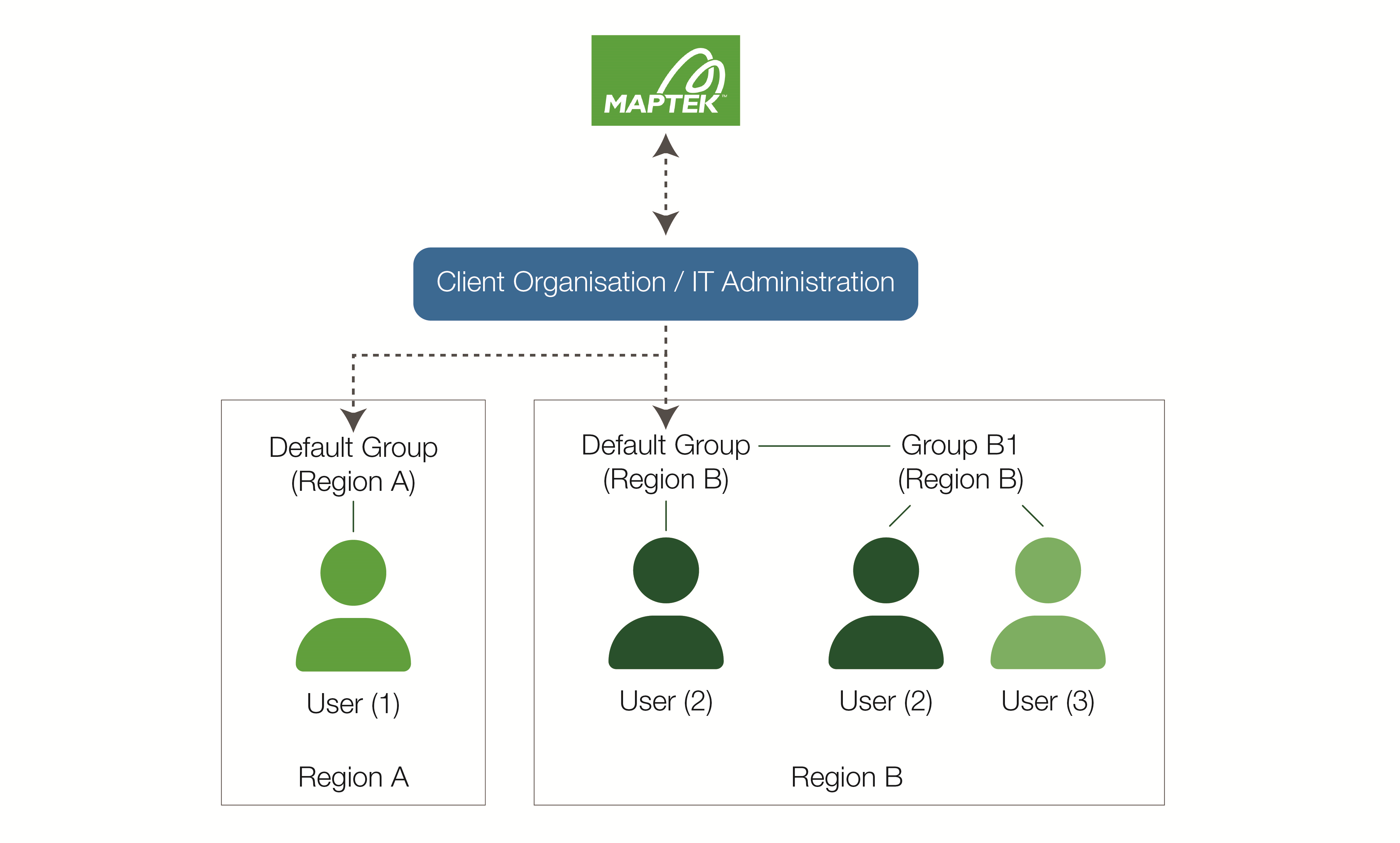
Regions and groups help organise and manage the use of entitlements Entitlements define the Maptek software licences that are available to members of an organisation. according to the needs of the organisation. Users An individual person within an organisation who has Maptek Account access. must be assigned to the same region as any groups they are members of to be able to access the group entitlements. Users can be members of up to 20 groups. Initially, users are automatically added to the default group.
|
|
|
A simple Maptek Account configuration |
Regions
Each group must relate to a Maptek region; users in that group must also belong to that Maptek region. Additionally, entitlements must have the same Maptek region as the group they are allocated to. The organisation IT administrator is responsible for setting up groups and their regions, as well as transferring users between groups in their region.
Note: To change the region of an entitlement, an IT administrator must contact Maptek.
Groups
Groups are sets of users and licence entitlements. Types of groups are described below.
Default groups
Maptek will provide a default group for each region relevant to the organisation. All newly provisioned entitlements will be added to default group(s) until moved by the organisation IT administrator. All newly registered users are initially made members of the default group for their region, but may be removed from the group by the organisation IT administrator.
Custom groups
Default groups may not provide sufficient flexibility in managing entitlements, especially for larger organisations. Administrators can create custom groups to match member users with specific licence requirements. For example, an organisation may have separate groups for mine planning and mine operations. They may also have groups for different mine sites.
Single user groups
Entitlements can be provisioned for use by a single user. Such entitlements can only be allocated to a single user group. If the user does not belong to an existing single-user group, they are automatically placed in a new single-user group, along with the single-user entitlement.
|
|
|
Single user group |

Demo groups
Demo groups are single-user groups that are only available for a limited time to allow a user to evaluate software products before committing to purchase. Maptek creates these groups automatically when providing a single-user demo entitlements; they cannot be modified by the client.
Once the demo period has passed, the demo group will also disappear.
|
|
|
Single user demo group |

Maptek managed groups
As the name suggests, Maptek managed groups cannot be modified by the client, thus preventing accidental modification. Clients must request changes from Maptek.
