User Tasks
Once the client organisation has set up an appropriate account with Maptek and ordered software to be distributed among its employees, its Maptek account can be accessed at account.maptek.com, where the organisation IT administrators create groups and allocate entitlements for licences.
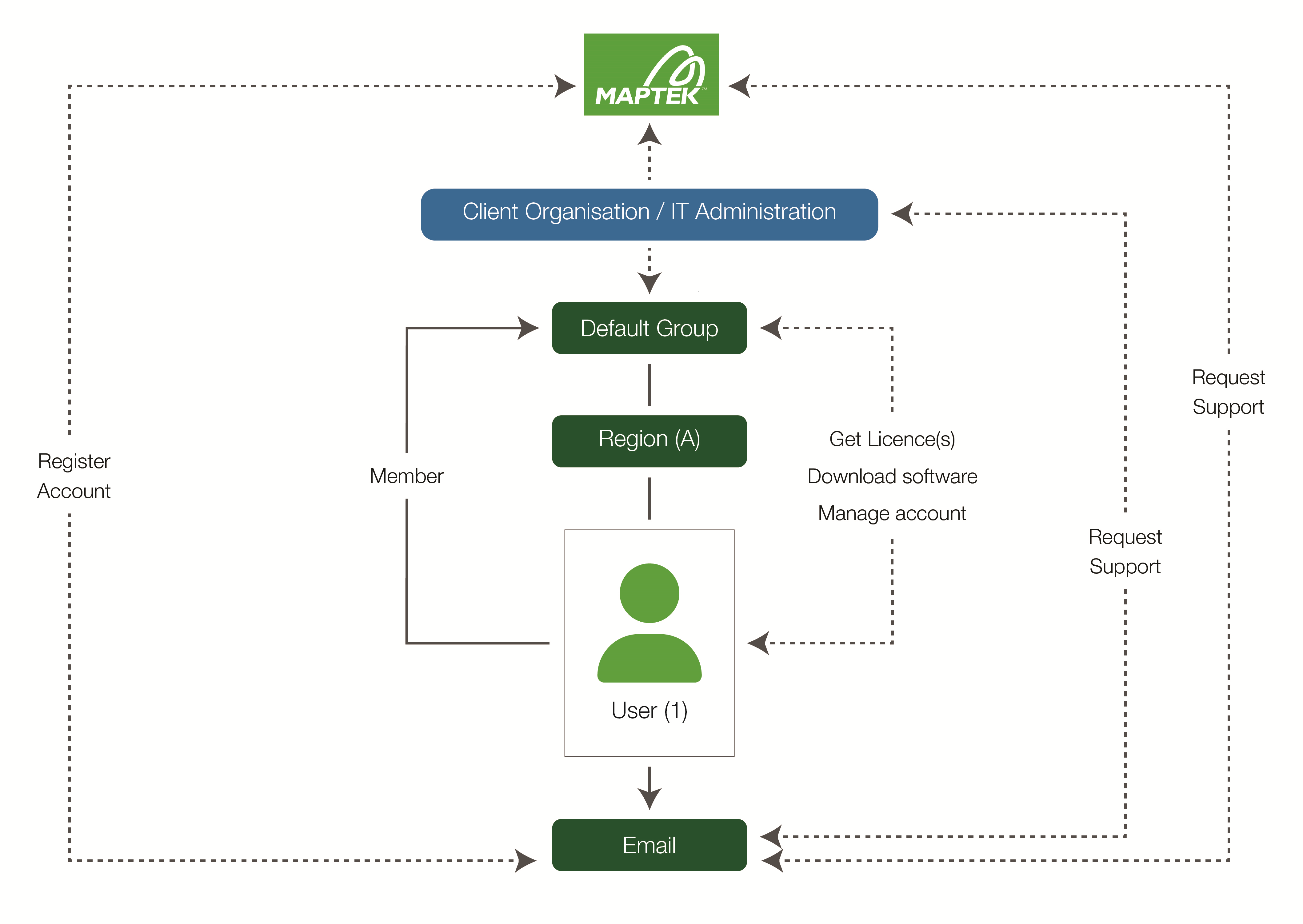
Firstly, the user must register and create a personal account. Initially, Maptek Account assigns the new user membership to the default group. The organisation’s Maptek Account administrators will transfer or add memberships to other groups as appropriate.
Once registered, the user can download software and licences based on their group entitlements. Other common functions include managing the data and settings of the user account, as well as requesting support from either the organisation’s Maptek Account administrators or Maptek.
|
|
|
User-related tasks within Maptek Account |