

Report
Source file: inventory-report.htm
The Report group of the Inventory tab contains tools that allow you to generate reports on the plan and use of the blast products.

Planned Usage
The  Planned Usage tool generates a report on the plan for each product in a selected blast. We recommend generating this report after you have applied charge plans and created tie-ups for the required blast. The report also contains the current stock level. Charged and validated holes, as well as abandoned holes, are ignored from the usage calculations.
To create a planned usage report, follow these steps:
-
Select the required tie-up from the project explorer.
-
On the Inventory tab, in the Report group, select
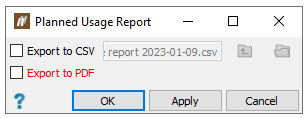
Planned Usage.The Planned Usage Report panel will appear.
-
Export the report as a CSV or PDF file by selecting the Export to CSV and (or) Export to PDF checkboxes.
Note: If you select to export the report as CSV, you can select a location to save the file by clicking
 . If you export the report as PDF, after clicking OK or Apply, BlastLogic will open the PDF report in the view window.
 -
Click OK or Apply.
The PDF report output is shown below:
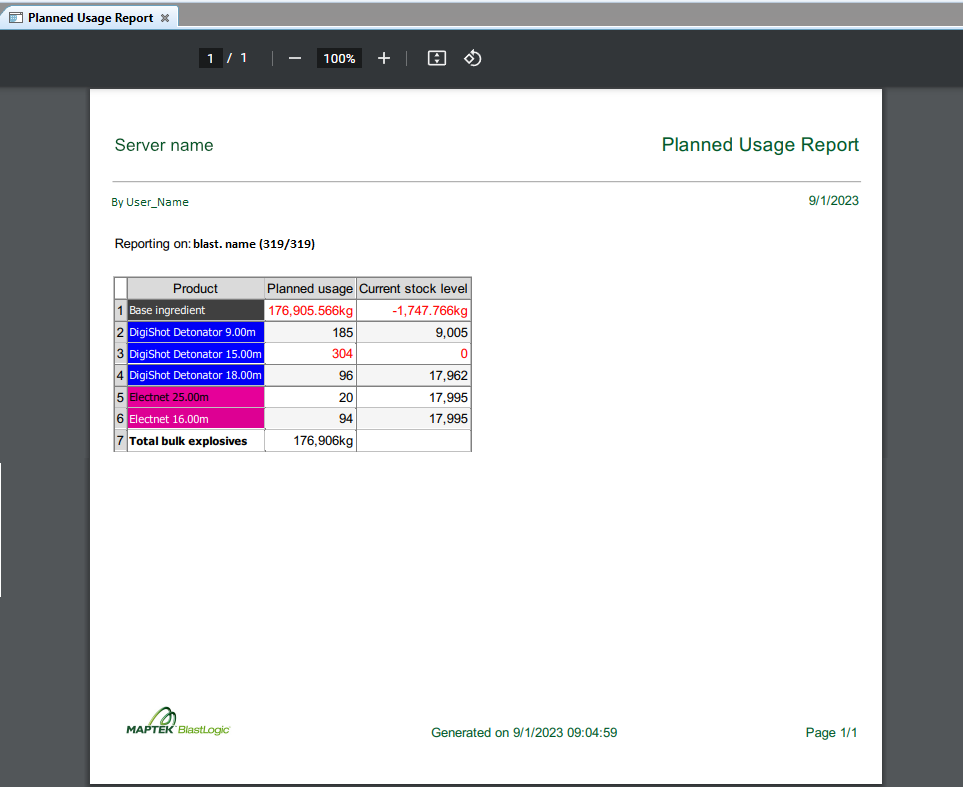
 Expand for more information on the report features.
The planned usage report has the following features:
-
If the blast uses products no longer marked as active in the blast product catalogue, the report will display a warning.
To view the list of blast products, select the
 Blast Product Catalogue tool (Home tab > Setup group). For more information, see Blast product catalogue.
-
BlastLogic will highlight any product with a planned usage quantity that exceeds the stock level in red. BlastLogic displays the planned usage and current inventory stock levels in the report to allow you to put in a new order accordingly.
Blast Product Usage
The  Blast Product Usage tool generates a report detailing the bulk explosive ingredients and blast accessories used in the field over a period of time. BlastLogic only includes charge entries from the BlastLogic Tablet that have been validated in the report.
To generate a blast product usage report, complete the following steps:
-
Select a blast or multiple blasts from the project explorer.
Note: You must first create an Actual tie-up for the selected blasts to report the actual blast accessories used.
-
On the Inventory tab, in the Report group, select
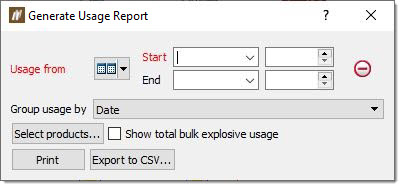
Blast Product Usage. The Generate Usage Report panel will appear.
-
Select the required time range using the Usage from drop-downs.
-
Select how you wish to group the data using the Group usage by drop-down.
-
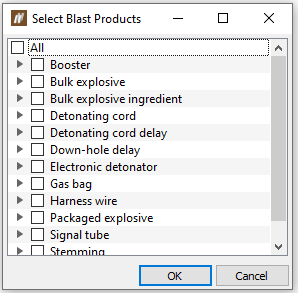
Click Select products.... The Select Blast Products panel will appear.
-
Select the products you wish to include in the report and click OK.
-
Optionally, select the Show total bulk explosive usage checkbox to include a chart depicting the total bulk explosive usage in the report.
-
Click Print to print or export the report as a PDF. Alternatively, click Export to CSV... to export the report as a CSV file.
