Multi-Gaussian Simulation
Simulation Parameters
Instructions
On the Block menu, point to Simulation, and then click Multi- Gaussian Simulation.
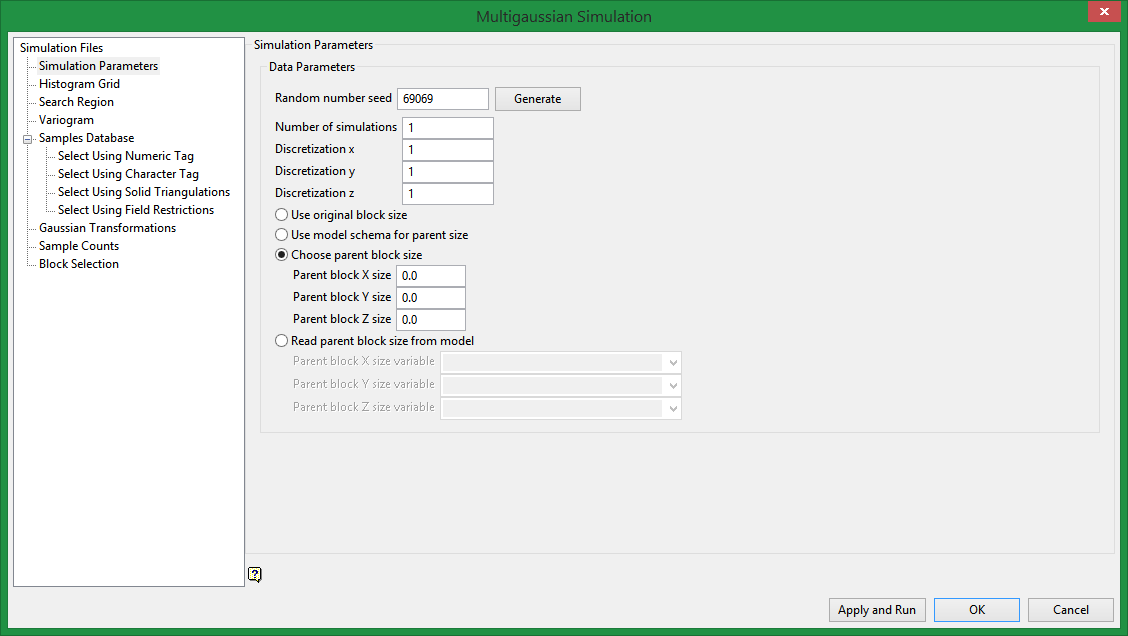
Data Parameters
Random number seed
This is a parameter to initialise the random number generator in Vulcan. The random numbers are used for the random path and for drawing from the conditional distribution.
Number of simulations
Enter the number of simulations (or realisations) you want to perform.
How many realizations should one draw?
The answer is definitely more than one to get some sense of the uncertainty. If two images, although both a priori acceptable, yield widely different results, then more images should be drawn. The number of realizations needed depends on how many are deemed sufficient to model (bracket) the uncertainty being addressed. Note that an evaluation of uncertainty need not require that each realization cover the entire field or site: simulation of a typical or critical subarea or section may suffice. (Deutsch, Journel, 1997)
Discretization x, Discretization y, Discretization z
Enter the discretization steps in all three directions.
Block size
Select the block size to be used.
Tip: If after declustering your data the sample spacing does not allow you to set up a block size small enough to represent the SMU, you can set up the discretization steps sizes to approximate the SMU.
-
Use original block size
-
Use model schema for parent size
-
Choose parent block size
-
Read parent block size from model
Related Topics

