Multi-Gaussian Simulation
Sample Counts
Instructions
On the Block menu, point to Simulation, and then click Multi- Gaussian Simulation.
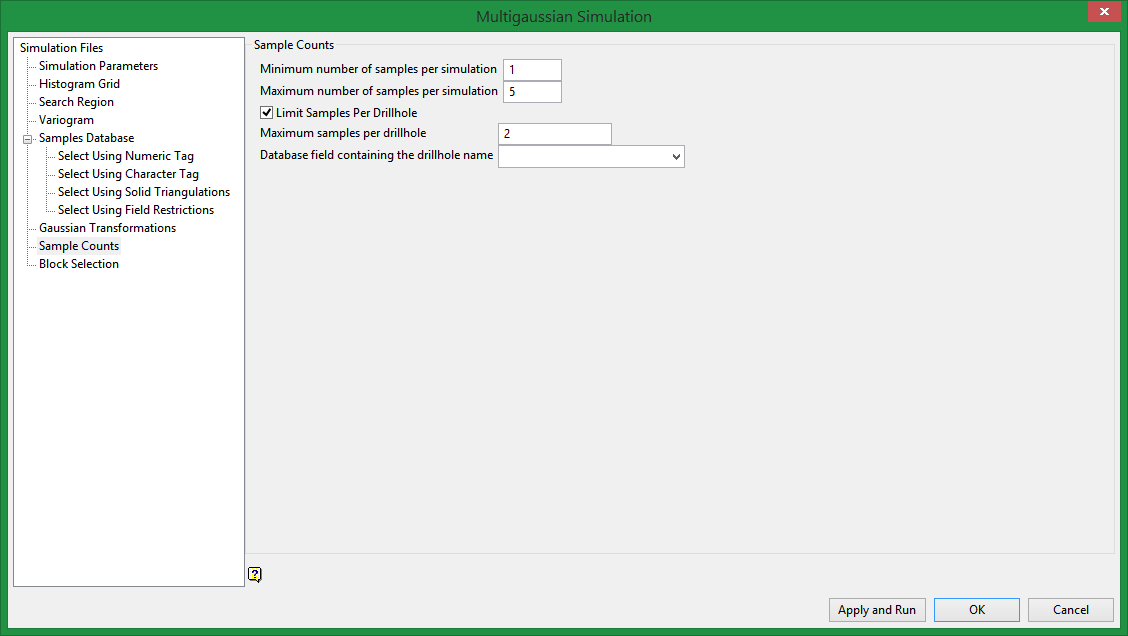
Minimum number of samples per simulation
Enter the minimum number of samples that have to be found to generate an estimate. Blocks with less than this number of samples within the search ellipsoid or box are assigned the default grade value.
Maximum number of samples per simulation
Enter the maximum number of samples to be used in any grade estimation. For example, the estimation program may find 30 samples near a block centre. If you had specified a maximum of 10 samples, then only the 10 samples closest to the block centre are used. The distance to the block centre is calculated by an anisotropic distance based on the search radii. Up to 999 samples per estimate are allowed.
Limit Samples Per Drillhole
Select this option to limit the number of samples to use that come from a single drillhole.
Maximum samples per drillhole
Enter the number of samples that are allowed to come from a single drillhole.
Database field containing the drillhole name
Select the name of the field that contains the drillhole name. The database the drop-down list draws from is the one selected in the Samples Database pane.
Related Topics

