Multi-Gaussian Simulation
Block Selection
Instructions
On the Block menu, point to Simulation, and then click Multi- Gaussian Simulation.
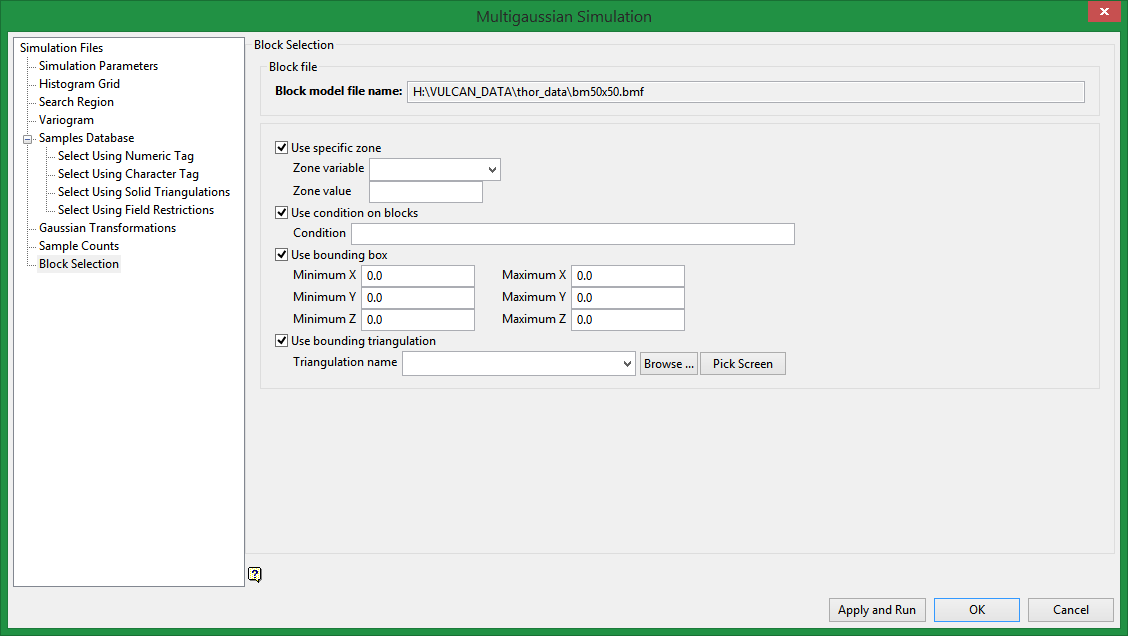
Use specific zone
Select this check box if you want to limit the estimation to those blocks where a specified variable (Zone variable) equals a certain value (Zone value). Both the variable and the value are forced to be lower case.
Use condition on blocks
Select this check box if you only want to apply a condition to the blocks to be estimated. The maximum size of the condition is 132 alphanumeric characters. For any longer conditions you need to edit the.bef file manually. Refer to Appendix B of the Vulcan Core documentation for a list of available operators/functions.
Use bounding box
Select this check box if you want to restrict the estimation to those blocks whose centroids lie within a specified range of coordinates. Enter the minimum and maximum coordinates (in the X, Y and Z directions). These coordinates are offsets from the origin of the block model (that is, block model coordinates).
Use bounding triangulation
Check this box if you want to limit the estimation to those blocks that lie within a specific solid triangulation. The list contains all triangulation in the current working directory. Click Browse to select a file from another location.
Related Topics

