

View
The following table describes the tools in the View section of the Geotechnical tab.
| Tool | Description |
| View Front On | Rotates the view to look at a discontinuity front on. |
| View Side On | Rotates the view to look at a discontinuity side on. |
| Filter Discontinuities | Loads up all discontinuities in a view and then hides or shows one's of interested. |
View Front On
To view a discontinuity front on:
-
Load the discontinuity set into the view.
-
Go to Geotechnical > View > View Front On.
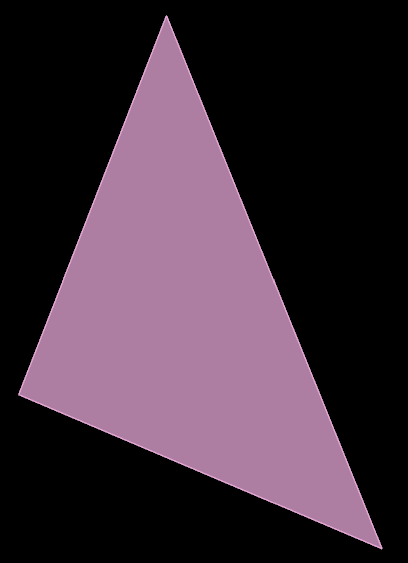
Here is an example of a front on view of a discontinuity:
View Side On
To view a discontinuity side on:
-
Load the discontinuity set into the view.
-
Go to Geotechnical > View > View Side On.
Here is an example of a side on view of a discontinuity:

Filter Discontinuities
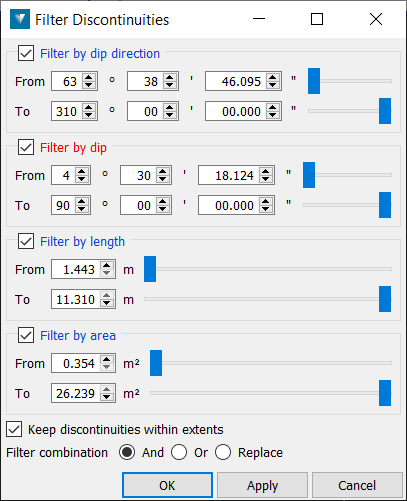
The filter discontinuity tool allows the user to load up all their 10k+ discontinuities in a view and then hide the one's they're not interested in.
It works like a regular point filter but instead of hiding points it hides discontinuity objects based on dip/dip direction/length and area of the discontinuity.
Was this page helpful?
