

Juxtaposition View
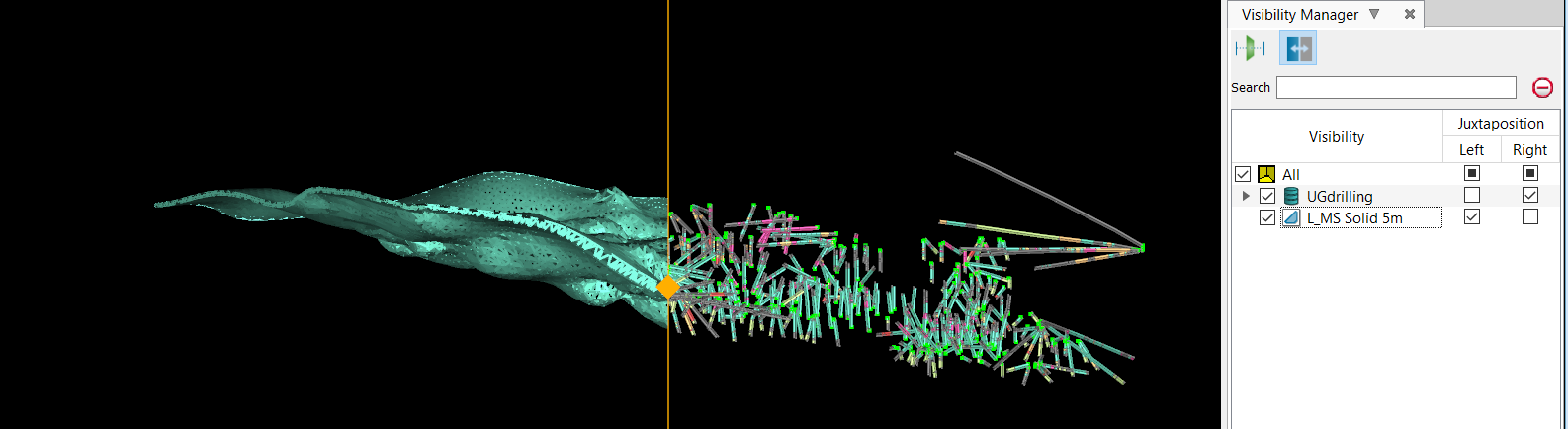
Juxtaposition View allows you to view two different sets of data in the same view window, separated on the left and right sides by a draggable vertical line. The line can be slid sideways to compare the visual difference between both sides.
To use the Juxtaposition View:
-
Open the Visibility Editor by clicking on the
 icon either in the Ribbon Control menu or the View Window toolbar.
 -
Click the Juxtaposition View by clicking on the
 icon at the top of the Visibility Editor.
 -
Add your objects to the View Window.
You can now show and hide part of your object on the left or right side by selecting the checkboxes on the right under the Visibility Editor.
Was this page helpful?
