

View Manipulation
Mouse Keys
To manipulate data in the View Window, hold down the Alt key and:
-
Rotate — Hold down the left-mouse button while moving the mouse.
-
Pan — Hold down the middle-mouse button while moving the mouse..
-
Zoom — Wheel for coarse control, hold down the right-mouse button and move the mouse forwards or backwards for more fine grained control.
Centre of Rotation
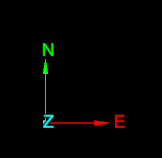
When rotating a view, the centre of rotation is at the position of the axes in the View window. You can change the centre of rotation by clicking on the  icon in the view window toolbar and then clicking at the desired new location.
Set Manipulation Mode
|
Icon |
Description |
Shortcut |
|---|---|---|
|
|
Z up mode – keeps Z axis vertical, this is the default mode. |
Z |
|
|
Look from mode – fixes the viewpoint. Use to maintain a fixed location in space. |
K |
|
|
Plan view mode – sets the view to look down on the data. |
P |
|
|
Screen mode – rotates views in any orientation. |
S |


