

Objects in BlastLogic
Source file: objects-in-blastlogic.htm
To start using BlastLogic, you must first have some data to work with. In BlastLogic, the term objects describes a range of different data types.
Main components of a blast
When you first import a drill pattern design, BlastLogic creates a new blast containing all holes from the original design file. You can find the blast in the blasts container of the project explorer with the naming convention <blast name>. The following images display how the blast named MBT_A_1 appears in the project explorer and in the view window.
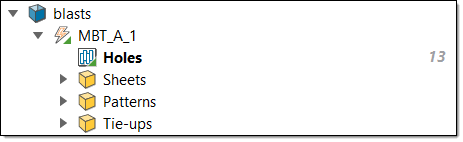
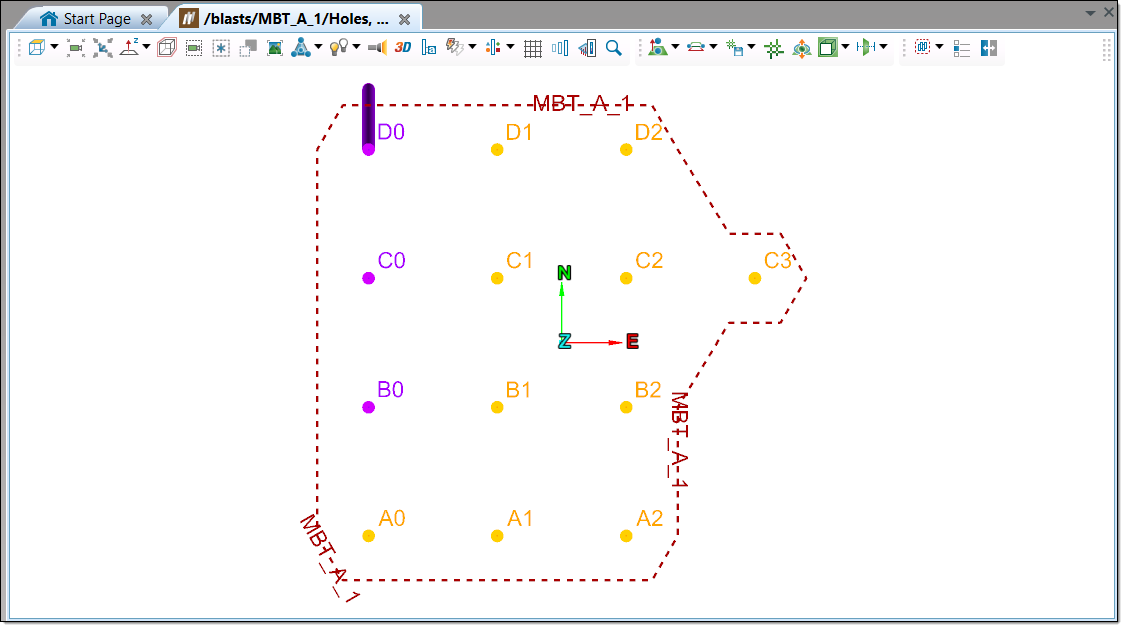
If you expand the blast folder, you can view the following:
-
Holes
The Holes file shows how many holes constitute a given blast.
 Example: In the image below, the number 13 refers to the number of holes in the blast.

See also: Hole
-
Sheets
The Sheets container contains any sheets related to the blast. Creating a sheet allows you to record and manage the dipping, backfilling, and charging data entry. Crews can perform data entry by accessing sheets via the BlastLogic Tablet or by printing the sheets and recording the information by hand.
Example: The image below shows a backfill sheet and a dip sheet that have been created. The related fractions, such as 4/12, refer to how many holes have data recorded for the sheet process. Data entry for all holes is complete when the number of holes that have data entered matches the total number of holes on the sheet, such as 2/2.

See also: Create Survey Sheet, Create Dip Sheet, Create Backfill Sheet, and Create Charge Sheet
-
Patterns
The Patterns container contains the patterns of the blast. A pattern is a user-defined grouping of holes from one or more blasts. Example: The images below display the
Patterns container and a pattern, named PatternTest, in the view window.
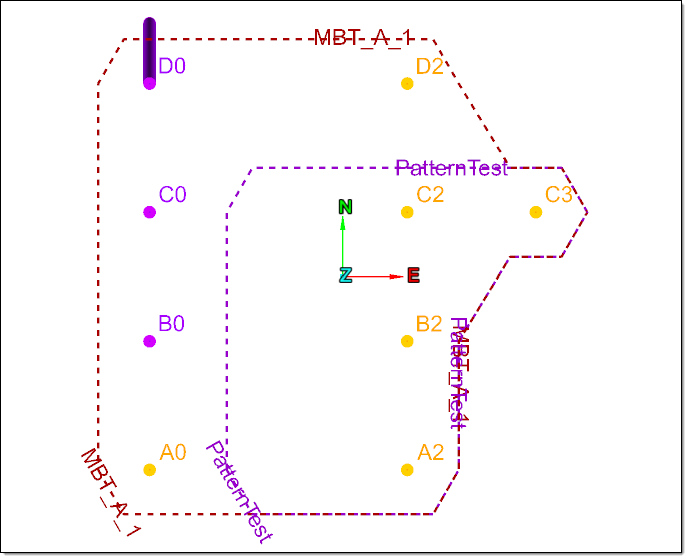
See also: Create Pattern
-
Tie-ups
The Tie-upscontainer contains the tie-ups of a blast. A tie-up is a plan showing detonation times for each hole. You can publish tie-ups as draft, design, or an actual tie-up. A design tie-up uses design and charge plan values, whereas an actual tie-up uses the latest real-world data.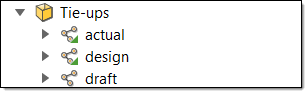
See also: Create Tie-up Design
BlastLogic terminology
The following table provides a description of data types along with how to create them in BlastLogic Help:
| Object | Description | How to import or create in BlastLogic | Location in project explorer |
|---|---|---|---|
| Unpublished blasts | A blast defines a collection of holes that will be fired together. Each hole belongs to exactly one blast, but holes can be moved between blasts. Blasts are uniquely identified within a site by their name (two blasts cannot share the same name). A blast can contain tie-up designs that describe the initiation design for the blast. Unpublished blasts stay in user’s local project and cannot be accessed by others. | To import an unpublished blast into BlastLogic, you can import the data from your local machine. See Data for more information. |
 blasts container |
| Published blasts | A blast defines a collection of holes that will be fired together. Each hole belongs to exactly one last resource, but holes can be moved between blasts. Blasts are uniquely identified within a site by their name (two blasts cannot share the same name). A blast can contain tie-up designs that describe the initiation design for the blast. When an unpublished blast is published to the Server, it can be searched and accessed by other users. |
To import a published blast, you can import the data from the Server using the import instructions in the Load blasts section. Note: You can also publish an imported unpublished blast. See Publishing a Blast for more information. |
blasts container |
| Holes | A hole that exists for the purpose of drilling and blasting. Holes are assumed to be linear, cylindrical, start at the surface and extend into the ground to be blasted. Each hole represents a separately planned and drilled entity. A hole cannot be drilled twice, but instead a new hole tracks the redrilling of a hole. A hole belongs to exactly one blast. Holes are typically identified using the hole ID and the blast. |
Holes are contained in blasts. To import holes, you must import the blast that contains them. See the Load topic for more information. See also: Hole |
 blasts container > <associated blast name> > Holes |
| Sheet | A list of holes grouped according to drill operation applied (survey, dip, backfill, charge). | BlastLogic contains four different types of sheets. See the links below for steps on creating each sheet type:
|
blasts container > <associated blast name> > Sheets |
| Patterns | Defines a named collection of holes within a single site. | To create a pattern, follow the instructions in the Create Pattern section. |
blasts container > <associated blast name> > Patterns |
| Draft tie-up | A tie-up that can be edited. Draft tie-ups are either stored in the local cache or can be published to the Server. |
|
blasts container > <associated blast name> > Tie-ups |
| Design tie-up | The design tie-up for a particular blast that has been published to the Server. Each blast has at most one design tie-up. A design tie-up is not editable. | ||
| Actual tie-up | The actual tie-up for a particular blast that has been published to the Server. Each blast has at most one actual tie-up. An actual tie-up is not editable. | ||
| Charge rules | Describes a set of rules for calculating the charge design for holes based on the available hole information. | To create a charge rule, follow the instructions in the Create Charge Rule section. |
charge rules container
|
| Hole search results | A list of holes matching hole search criteria from the Load Holes panel. | To generate hole search results, navigate to the Load Holes panel (Home tab > Load group >  Holes) and enter the desired search criteria. Holes) and enter the desired search criteria. For more information on creating a hole search, see Load holes. |
search results
container |
