

Update Charge Plans
Source file: update-charge-plans.htm
The  Update Charge Plans tool allows you to update the charge plans of many holes in one bulk operation. If you make changes to the geometry of a hole to which a charge rule has already been applied, you must update the charge plan to reflect that.
To update a charge plan, follow these steps:
-
Select the holes you have made changes to.
-
On the Charging tab, in the Design group, select
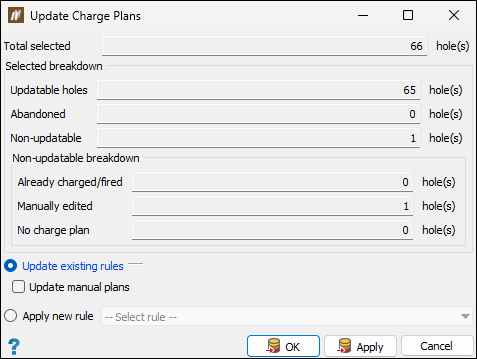
Update Charge Plans. The Update Charge Plans panel will appear. BlastLogic displays the information about the holes, including a breakdown of non-updatable holes.
-
Select how the charge plans should be updated by selecting one of the following radio buttons:
-
Update existing rules. Select to update the existing charge rules linked to the selected holes.
Note: For this option, you can also select the Update manual plans checkbox to overwrite manual changes with the applied charge rule.
-
Apply new rule. Select this option to apply a new charge rule to the selected holes. Choose the required charge rule from the drop-down list.
-
-
Click OK or Apply.
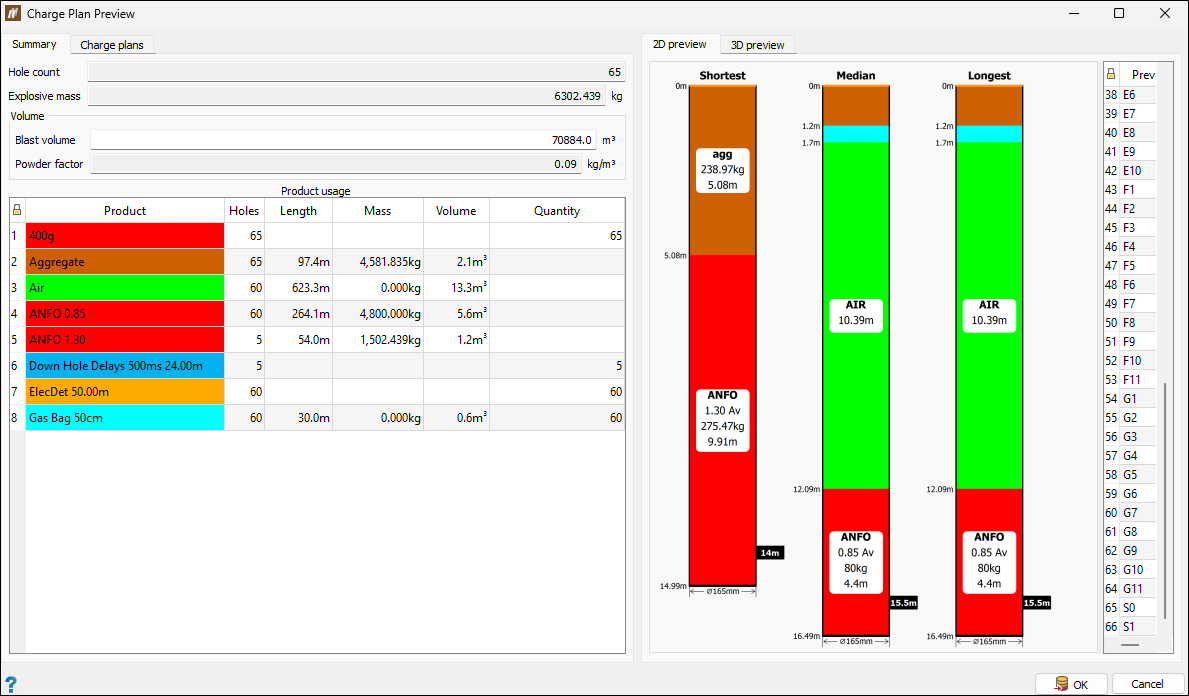
The Charge Plan Preview panel will appear.
-
Review the information in the Summary and Charge plan tabs and click OK to confirm.
-
The following pop-up window asking you to confirm the charge plan update will appear.
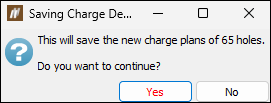
Click Yes to proceed.
-
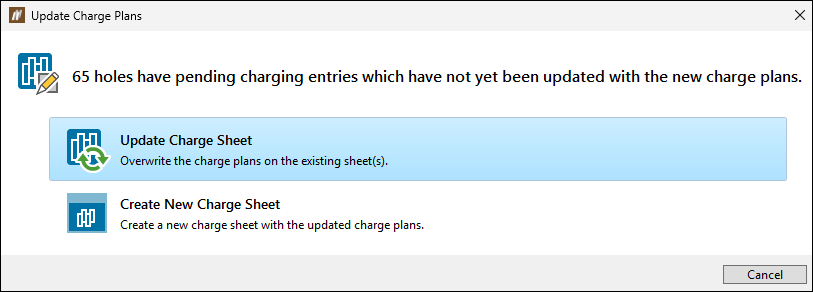
The Update Charge Plans window will appear.
Choose whether to update the existing charging sheets by overwriting the charge plans or to generate a new charge sheet with the updated charge plans.
-
If you have chosen to overwrite the existing charge sheets, BlastLogic will save your changes in the charge sheets saved in the

Sheetscontainer of the corresponding blast. -
If you have chosen to create a new charge sheet, BlastLogic will open theCreate Charge Sheet panel. Set the properties of the charge sheet as required. For details on creating charge sheets, see Create Charge Sheet.
-
