

Introduction to Epoch
Evolution Epoch is designed to create short-term schedules ideal for organising day-to-day mining tasks and activities. Unlike Origin or Strategy modules, Epoch does not use genetic breeding algorithms to generate mining sequences and all setup processing is performed using a client-side evaluator.
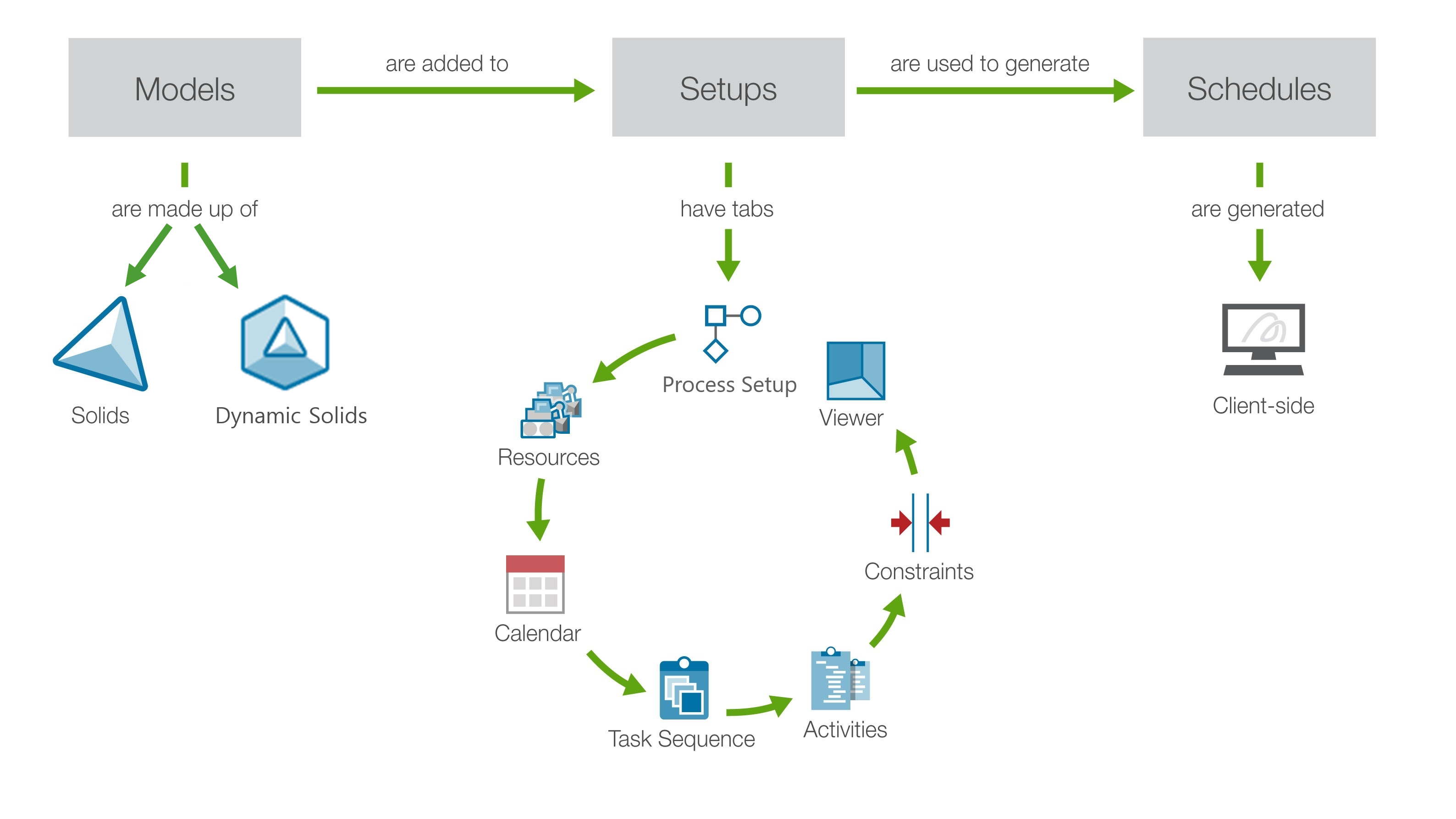
The Epoch workflow establishes the key steps to set up and analyse your short-term schedule. To get started, click on the steps below:
-
Initialise an unconfigured Epoch setup with the following properties: name, reporting period, setup times, optional components, setup mode, equipment productivity downrating, and destination capacity downrating.
-
Add information to each configuration tab of the setup consequentially. The information added is based on the attributes of your imported model(s).
-
Confirm that the right information has been provided in each configuration tab of your setup.
-
Generate and View the Schedule
Generate a partial schedule, view and analyse it in parallel using the Live Dashboard or complete the schedule, save it, and view it later.
-
Analyse your results as they are being generated, or after you save them. To analyse data externally, Evolution provides a number of export tools.
-
Edit the setup or re-configure the task lists and activities to refine the schedule and ensure it produces the results you require.
As noted, steps 4-6 can be performed in parallel. Epoch allows you to view, analyse, and refine your results as solids are being scheduled.
