

Pit Attribute Accumulation
Use the Pit Attribute Accumulation constraint to specify the maximum amount of material that can be mined from pits per period, based on the values for the selected attribute.
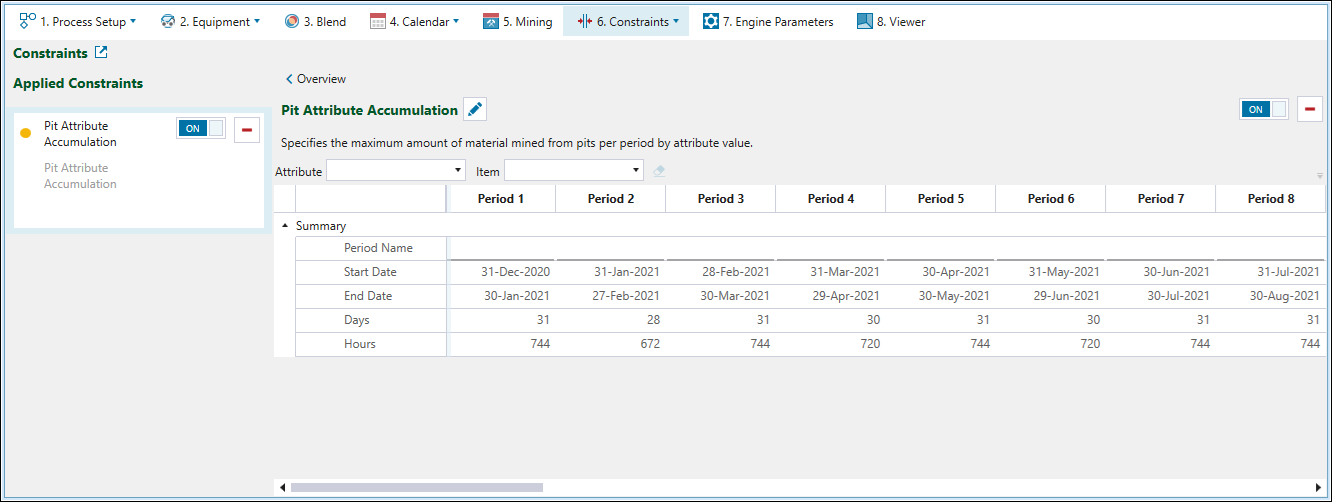
To configure the constraint, proceed as follows:
-
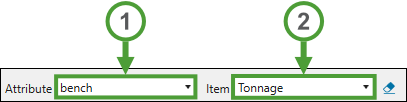
Select the required attribute from the Attribute drop-down.
-
Specify the accumulation item by selecting either Tonnage or Volume from the Item drop-down.
-
In the constraint calendar, set the required maximum values for the selected attribute in each period.
Example The following image shows an example setting of the maximum per-period amount of material that can be mined from each bench.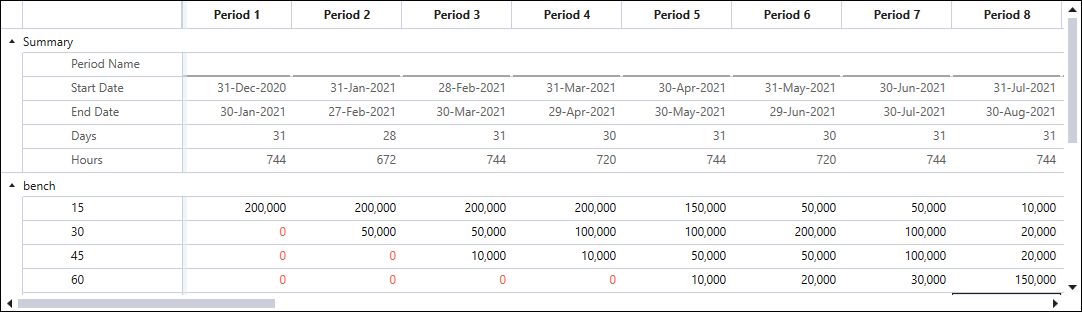
-
Click the
 button once to copy the properties of the current period to the next period.
-
Double-click the
button to copy the properties of the current period to the subsequent periods until the end of the schedule. -
Alternatively, copy a cell's setting by pressing Ctrl+C , then paste it into selected cells with Ctrl+V.
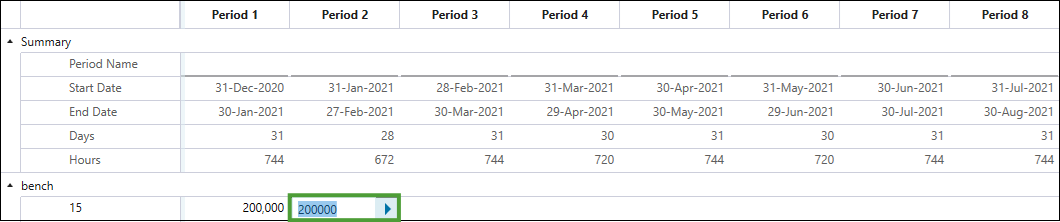
Tip: To remove an entered value from a cell calendar, select the cell and click  (Clear the selected cell) next to the Item drop-down. Alternatively, double-click on the cell and press Backspace or Delete.
