

Viewer in Epoch
Source file: epoch-setups-viewer.htm
After setting any required constraints, you can now finish configuring the setup in the viewer tab. Epoch displays models and resources in the viewer. You can also apply various visualisation modes to the viewer to isolate and highlight different aspects of the data in the setup.
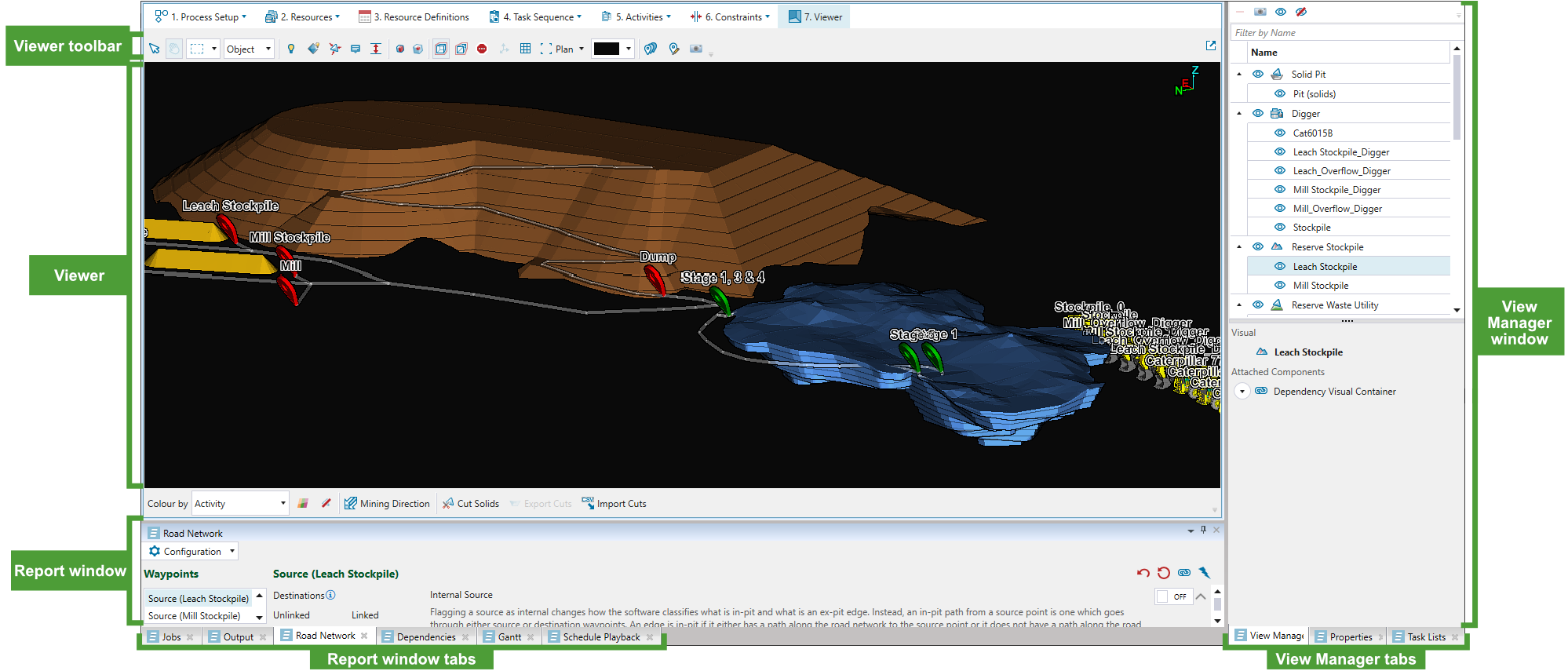
The viewer tab acts as a hub for generating, viewing, analysing and editing schedules in Epoch. However, before interacting with the schedule, we recommend defining the following setup components:
| Road Network | Configure your road network and calculate the time it takes to transport material from one point to another. |
| Dependencies | Define dependencies to specify the order in which the Epoch evaluator can schedule an activity between solids. |
| Step through your schedule and view schedule milestones. | |
| Mining Direction | Visualise the direction in which mining will progress as you step through your Epoch schedule. |
|
Divide dynamic solids models in your Epoch setup into smaller sections to adjust the area of mining to match the operations scheduled for each period. Important: As solid cuts require the underlying block model to reserve the attributes for the solids, the cutting feature is only available in dynamic solids models. See Dynamic Solids Pits and Importing a Dynamic Solids Pit for more information. |
|
| Measurement | Measure distances for point and surface sequences. |
If you wish to view and alter the models, resources, and task lists, see the following:
| Viewer toolbar | Use the toolbar features to customise your view and manage the waypoints. |
| View the elements of your setup—such as models and road networks—and inspect your data with the dedicated tools. | |
| Properties | Check the attributes of the solids selected in the viewer workspace. |
| Task Lists | View and edit task lists. |
See also: Customising the schedule view
