

Introduction to Origin Solids
Source file: origin-solids-intro.htm
Evolution Origin Solids is a detailed mid-term scheduler, which takes into account geometric data to generate mining sequences.
Origin Solids schedule data is generated using genetic breeding algorithms on the server side.
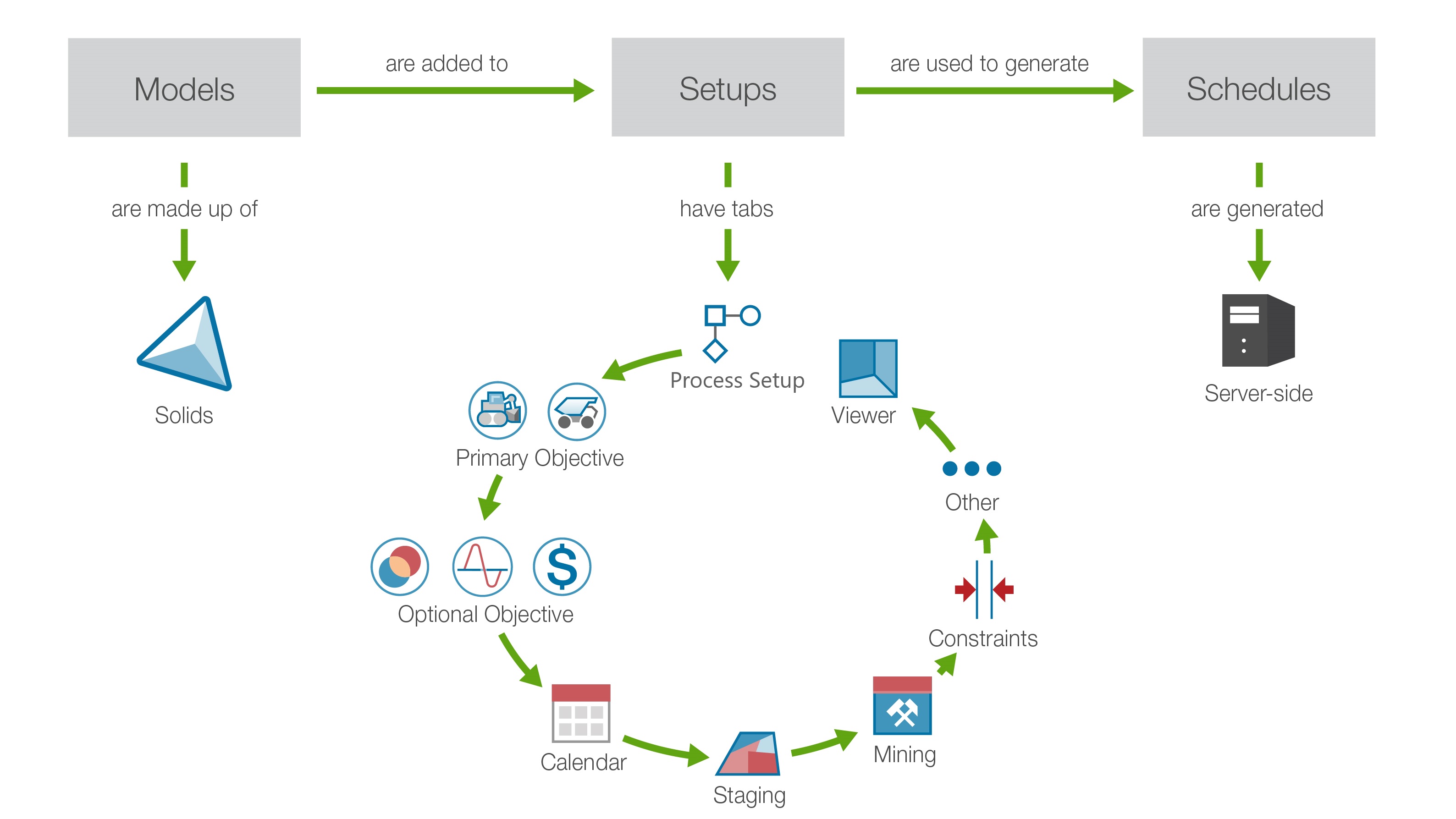
The Origin Solids workflow establishes the key steps to set up and analyse your medium-term schedule. To get started, click on the steps below:
-
Initialise an unconfigured Origin Solids setup.
-
Add information to each configuration tab of the setup consequentially. The information added is based on the attributes of your imported models.
-
Confirm that the right information has been provided in each configuration tab of your setup.
-
Submit your setup to server processing to generate your schedule.
-
Download your schedule and view it in the Schedule Viewer. Read Evolution’s reports.
-
Analyse your results using pivot reporting. To analyse data externally, Evolution provides a number of export tools.
