

Constraints in Origin Blocks
Source file: origin-blocks-setups-constraints.htm
Constraints provide you with advanced ways to refine data.
Click  Constraints > Overview on the setup configuration tab to view the constraints available for your setup. Each constraint tile includes a short description.
Note: The list of available constraints depends on your setup type (Equipment or Material Movement).
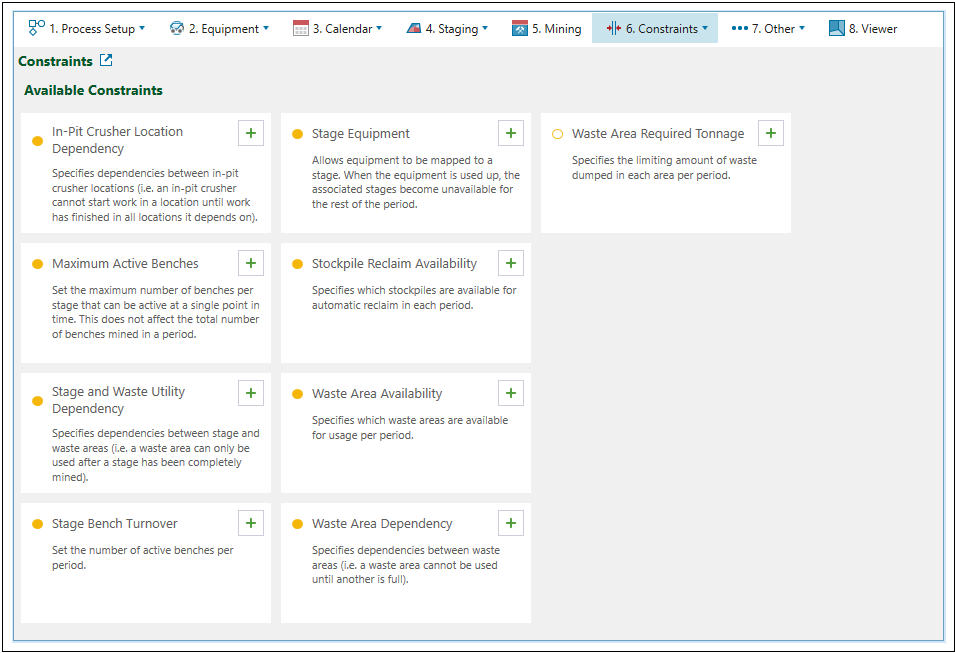
You can apply required constraints by clicking  (Add new constraint). The constraints applied to your setup will appear on the left side of your screen, as well as under the Constraints configuration drop-down.
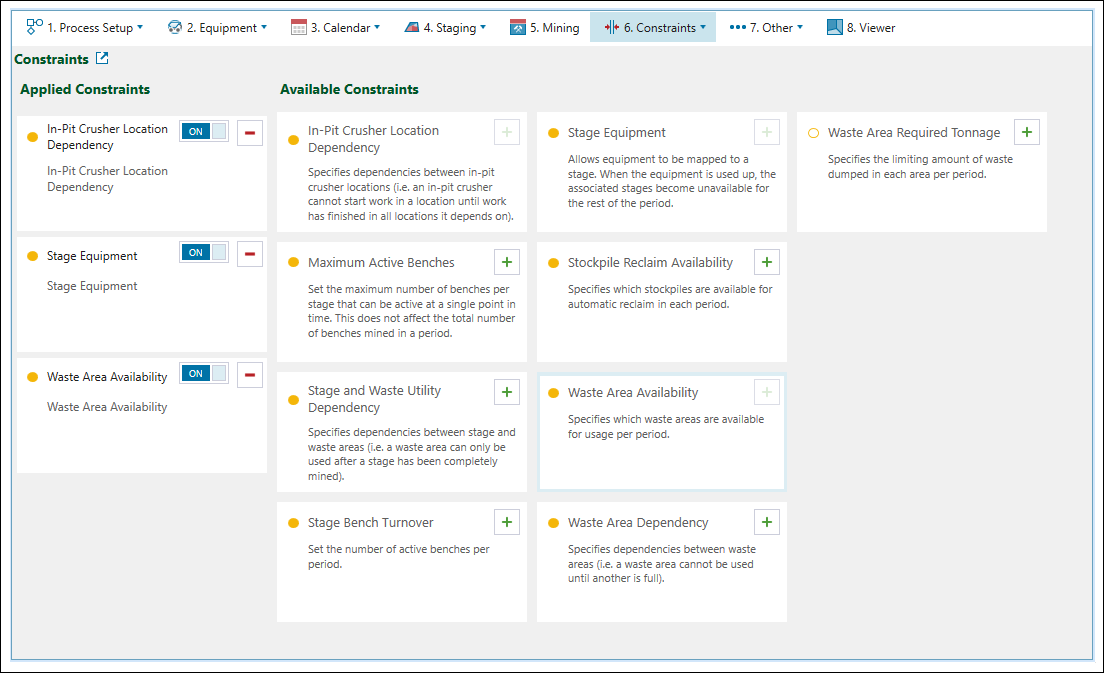
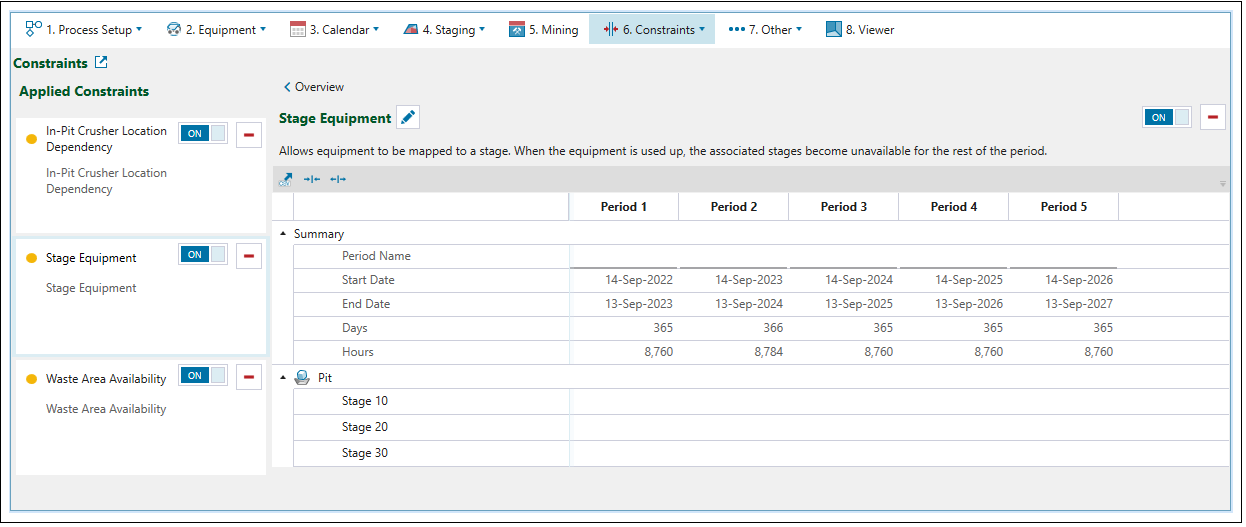
You can enter the constraint detailed setting screen by either:
-
Clicking on the required constraint in the Applied Constraints list.
Or
-
Selecting the required constraint from the
Constraints tab drop-down.
The following buttons appear on all constraints to provide unified and simplified ways of operation:

|
Enable or disable constraint Toggle button that allows you to enable or disable a constraint in your setup. |

|
Delete constraint Removes constraints from your setup. |

|
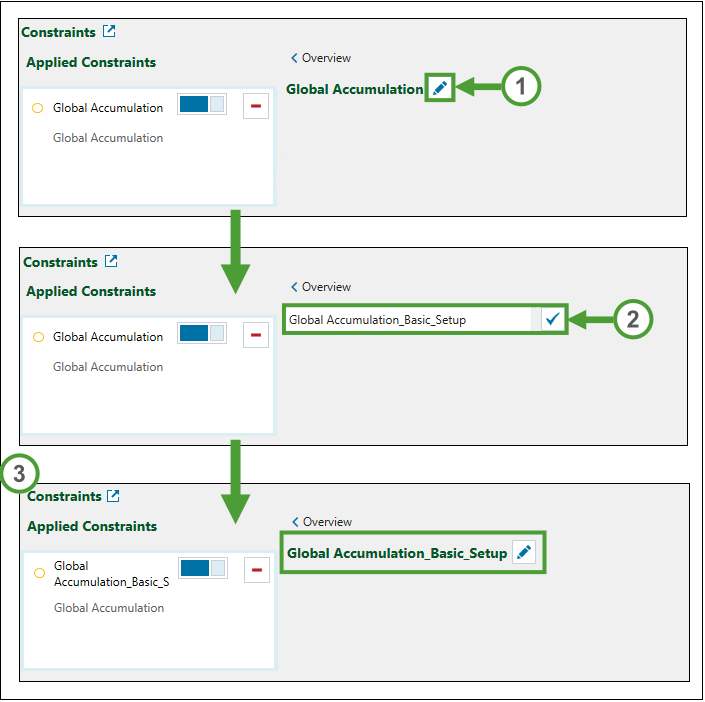
Edit constraint name Allows you to rename a constraint.  Expand for instructions on renaming a constraint. To rename a constraint do the following:
|

|
Clear the selected cell Erases the data from the selected cell. |

|
Overview Goes back to the |
 .
Constraints are classified as  Hard and
 Soft, with the following distinctions:
-
Hard constraints are mandatory for Evolution when it determines a schedule.
-
Soft constraints are taken into account by Evolution when it determines a schedule, but meeting them is optional.
The following table provides a description of each constraint available in Origin Blocks setups.
| Constraint | Type | Description | Setup Applicability | |
|---|---|---|---|---|
| Equipment | Material Movement | |||
| Maximum Active Benches | Hard | Specifies the maximum number of benches that can be mined simultaneously in a stage at a given point in time per period. | ||
| Stage and Waste Utility Dependency | Hard | Specifies dependencies between stage and waste areas, where waste area can only be used after a stage has been completely mined. | ||
| Stage Bench Turnover | Hard | Specifies the overall maximum number of benches that can be mined in a stage per period. | ||
| Stage Equipment | Hard | Allows equipment to be mapped to a stage. When the equipment is used up, the associated stages become unavailable for the rest of the period. | ||
| Stockpile Reclaim Availability | Hard | Flags the availability of a stockpile for automatic reclaim per period. | ||
| Waste Area Availability | Hard | Flags the availability of a waste area for material transfer per period. | ||
| Waste Area Dependency | Hard | Specifies dependencies between waste areas. | ||
| Waste Area Required Tonnage | Soft | Defines the minimum amount of waste that can be transferred to each waste area. | ||
| In-Pit Crusher Location Dependency | Hard | Specifies stage dependencies between in-pit crushers. | ||
