

Max Speed
Source file: epoch-setups-resources-max-speed.htm
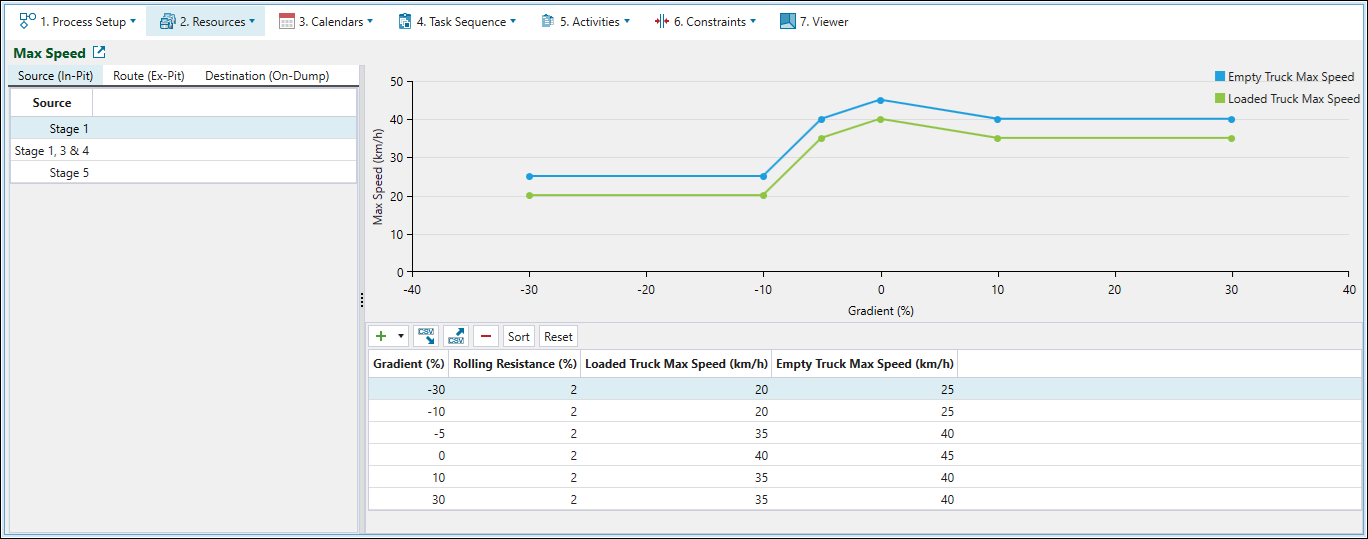
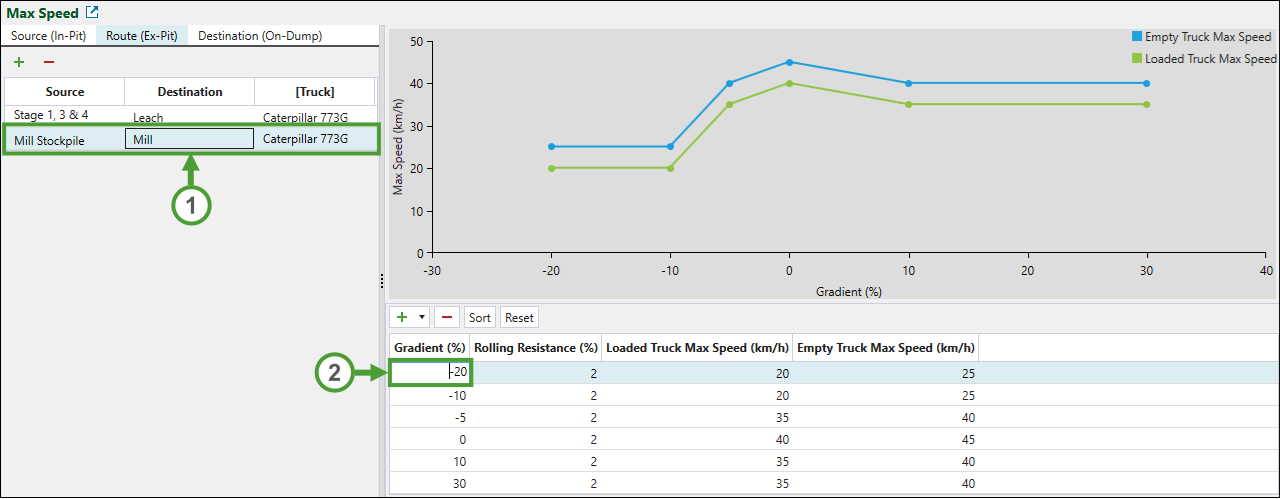
Use the  Max Speed subtab to plot the unloaded and loaded maximum truck speeds against the road gradient. All points in the graph are editable. Evolution uses the values from the graph to calculate travel time when the setup contains a road network.
Note: The maximum speed may be also applicable to each vertex or point. This will specify the maximum speed at which a truck may travel when it passes through that point (if the speed at this point is zero, a stop sign is in use). A truck might be unable to achieve the maximum speed limit due to slow or stoppage points along that vertex.
The Max Speed subtab consists of the following tabs:
-
Source (In-Pit)
In-pit is the path taken from the source solid or block, along the bench to the road network, and along the road network until it reaches a source waypoint. The table in this tab contains a row for each source waypoint corresponding to a pit in your setup.
-
Route (Ex-Pit)
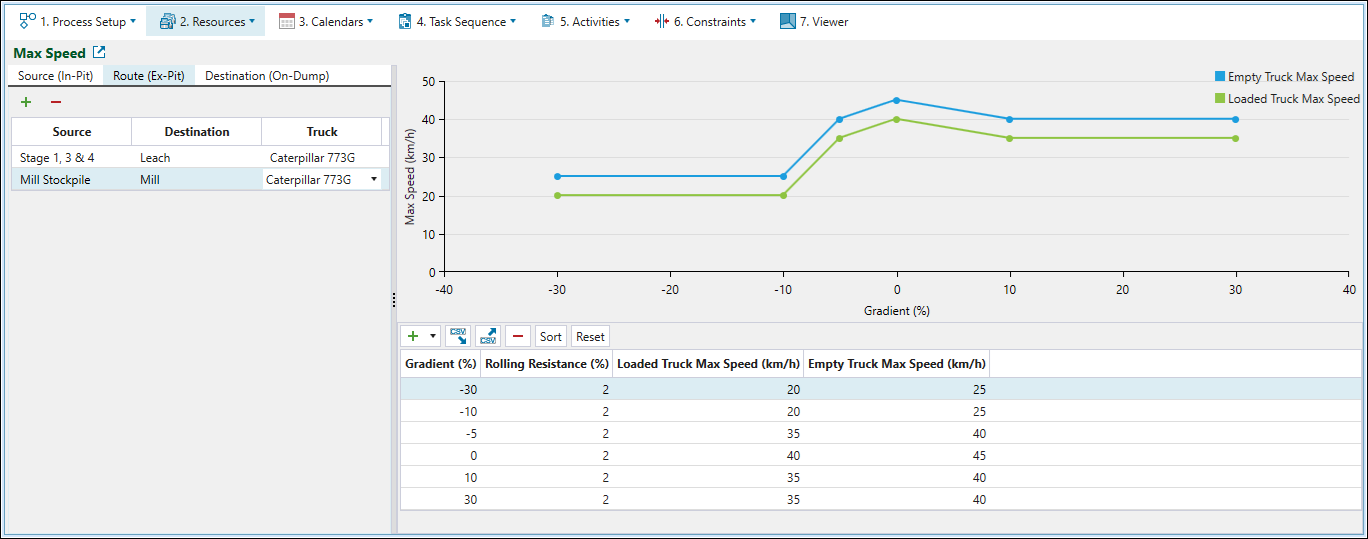
Ex-pit is the path taken along the road network between a source waypoint and a destination waypoint.
Note: If you do not configure a speed curve for paths and trucks in the Route (Ex-Pit) tab, Evolution will determine the maximum speed using other components of the setup, including truck curves and vertex and edge speed limits.
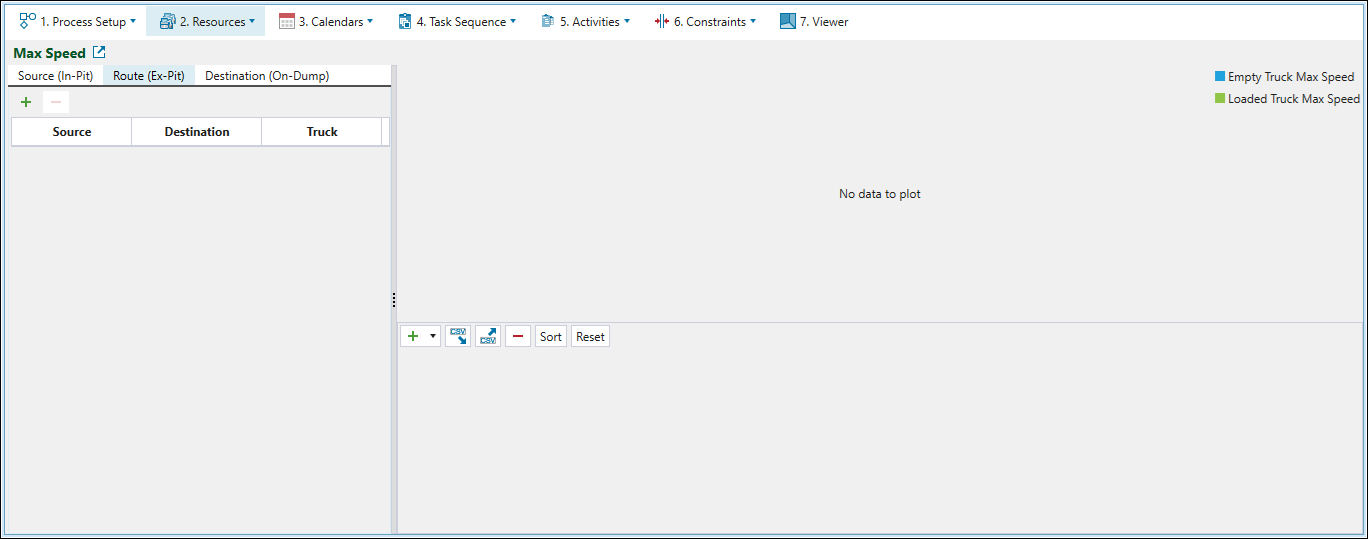
To add the sources and destinations between which you will later configure the maximum speed values, click
 (Add). Next, select the required source and destination waypoints from the corresponding drop-downs and assign a truck to operate on that path.
-
To remove a row from the table, click
 (Delete Item).
-
-
Destination (On-Dump)
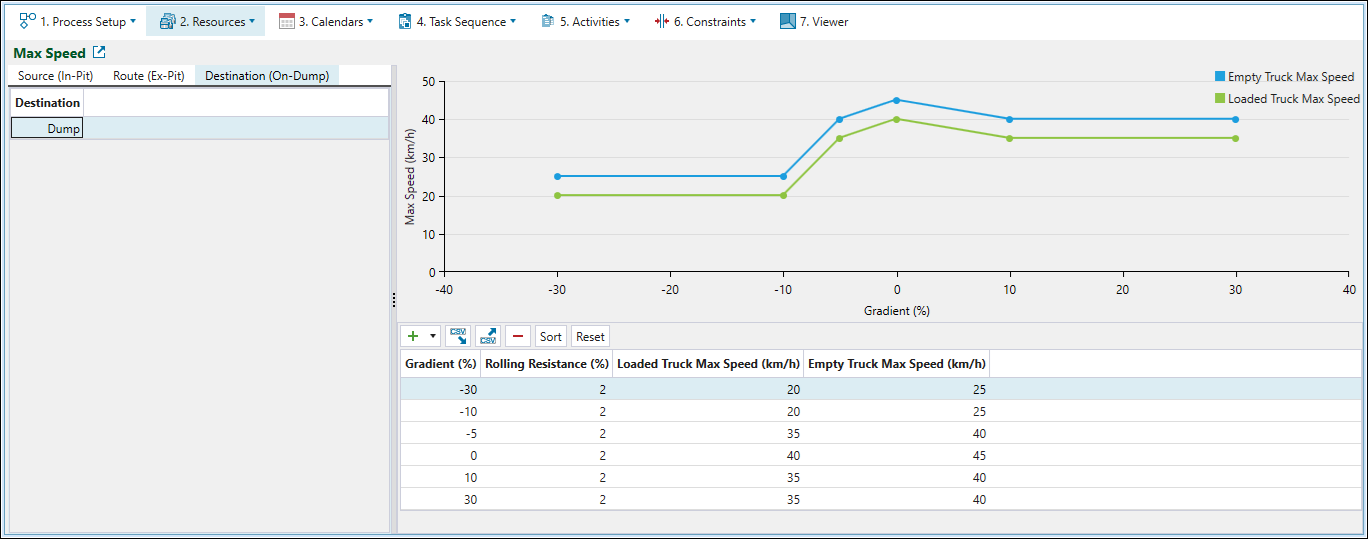
On-dump is the path taken from the destination waypoint, along the road network to the dumping bench height, and along the bench. On-dump paths only apply to block or solid waste dumps, and paths to other destinations will not include this path component. The table in this tab contains a row for each waypoint corresponding to a waste dump in your setup.
Configuring maximum speed values
To configure the maximum speed for a given path, follow these steps:
-
Select the required table row in the Source (In-Pit), Route (Ex-Pit), or Destination (Dump) tab.
-
Double-click the required cell in the table on the right-hand side of your screen, enter the required value, and click outside the cell to apply. The graph updates dynamically as you change the values.
-
Repeat the above steps for other sources and destinations added in the
Max Speed subtab.-
Click
to add a new row to the speed curve in the table. -
Click
 and select the required number to add multiple rows at once.

-
Click
to remove the currently selected row from the table. -
Click Sort to arrange the rows in the table in the Gradient(%) ascending order.

-
Click Reset to revert the changes that you have made in the table.
-
Note: For detailed information on the path travelled between the specified points, see Route in Road Network.
