

Parcel Priorities
Use the  Parcel Priorities subtab to assign parcel priority numbers for each destination. These priorities influence which parcels are selected for each destination within a period.
Note: For this subtab to be available, you must enable the corresponding component while creating or editing your Epoch setup. See Creating a setup for details.
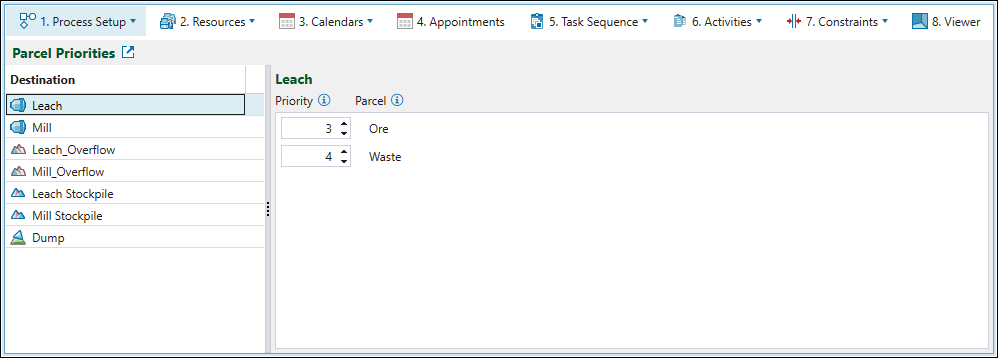
The subtab consists of the two following parts:
-
The list of all setup destinations on the left-hand side.
-
The parcels for the selected destination on the right-hand side. Each parcel includes an editable priority number. These parcels reflect the parcel configuration you defined in the
Parcel Reporting subtab. For more information on parcels in Epoch, see Parcel Reporting.
When setting the parcel priorities, keep in mind the following:
-
The lower the priority number, the higher the parcel priority.
-
Multiple parcels can share the same priority number.
-
By default, parcels receive priority numbers in parcel‑name order. If you add, remove, or rename parcels or destinations in your setup, Evolution will update the
Parcel Priorities subtab to reflect the current configuration. -
For ore destinations, only parcels that meet the destination's ore definition will be sent to that destination.
-
For waste destinations, only parcels that meet the waste definition will be sent to that destination.
Note: The set priorities do not make parcels available, change which destinations a parcel can go to, or override existing destination priorities and ore and waste definitions.
See also: Destination Priority, Ore definition in Epoch, Waste definition for imported waste dumps, Waste definition for virtual waste dumps
