

Blend
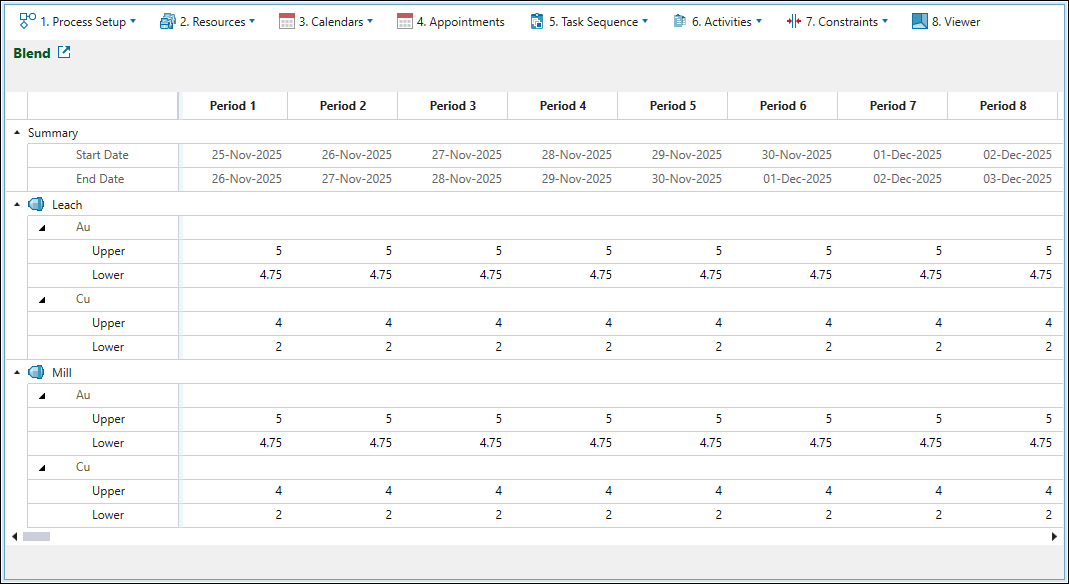
Use the  Blend subtab to set the range for mill processing by determining the upper and lower blend limits.
Note: The mills and their assigned blending objectives featured in the Blend subtab correspond to the settings that you have applied for the mills in the Material Flow subtab (see Mill configuration for details).
To set the minimum and maximum blending targets for the final mined solids, enter the required per-period upper and lower values in the rows corresponding to each blending objective, as follows:
-
Click the
 button once to copy the properties of the current period to the next period.
 -
Double-click the
button to copy the properties of the current period to the subsequent periods until the end of the schedule. -
Alternatively, copy a cell's setting using Ctrl+C , then paste it into selected cells with Ctrl+V.
