

Source Proportion
Use the Source Proportion constraint to specify proportions of material sent from sources to destinations in each period. This allows you to achieve a more precise and realistic control of the feed flow to the plant.
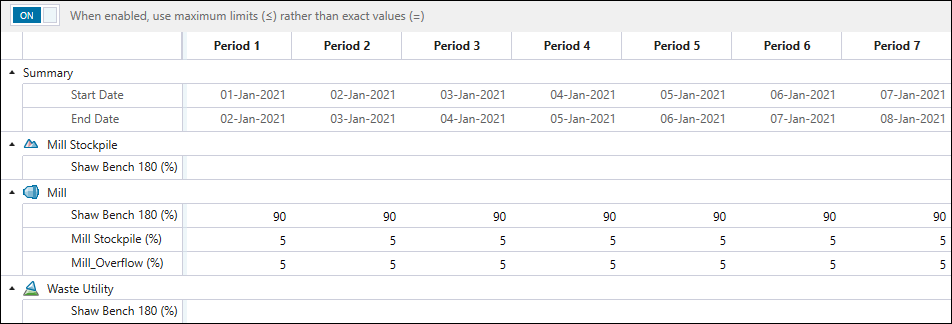
The material sources and destinations listed in the calendar for the Source Proportion constraint follow the configuration that you have applied in the  Material Flow subtab.
See also: Material Flow in Epoch
Each setup destination has its material sources listed in the calendar, as follows:
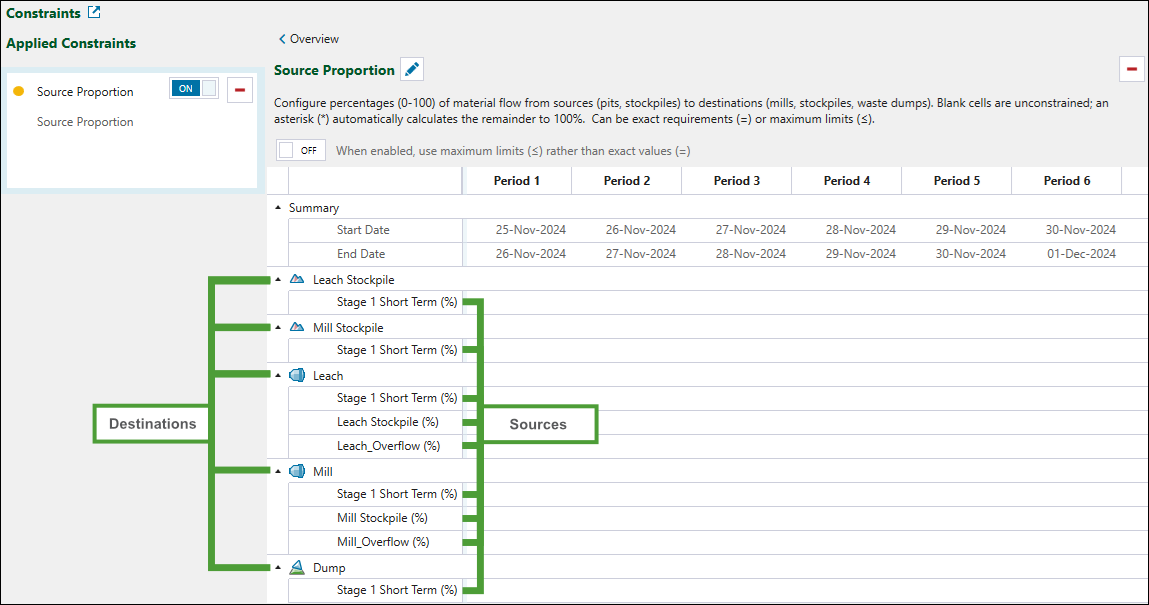
To configure source proportions for each destination in your setup, enter the percentage of material sent from each source to the linked destination in each period.
Note: If you leave the cells blank in a given period, the proportions will be unconstrained for that period.
Tip: Input an asterisk (*) for Evolution to calculate the remainder percentage to 100%.
-
Click the
 button once to copy the properties of the current period to the next period.
 -
Double-click the
button to copy the properties of the current period to the subsequent periods until the end of the schedule.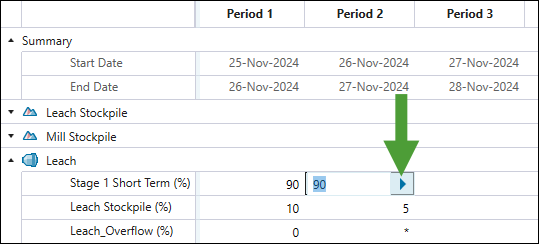
-
Alternatively, copy a cell's setting using Ctrl+C, then paste it into selected cells with Ctrl+V.
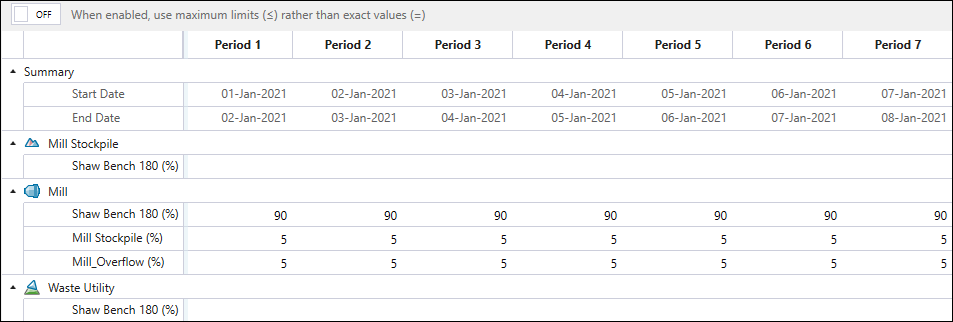
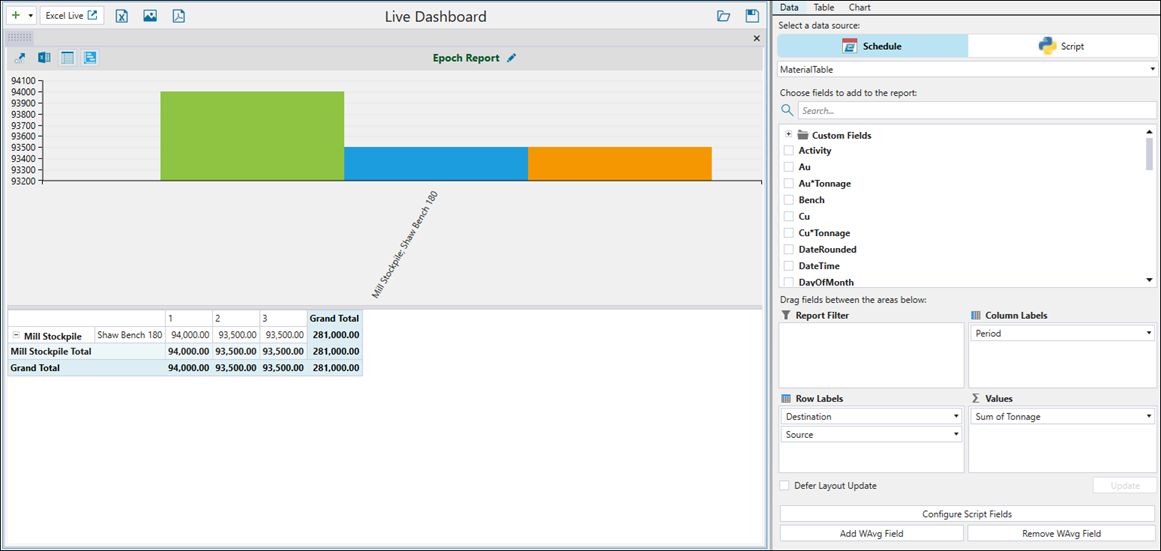
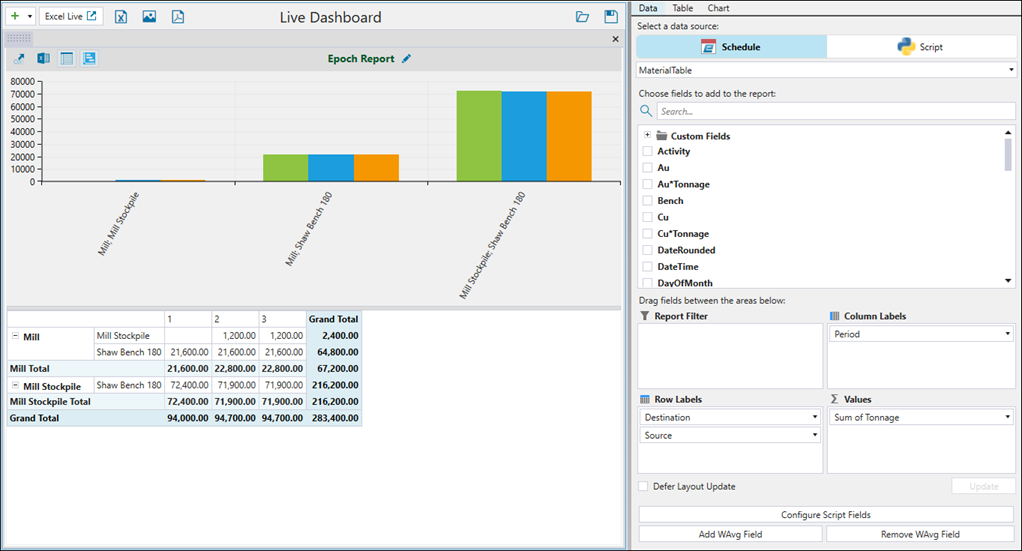
By default, Evolution uses the exact percentages that you have specified. This means that if it cannot meet the exact proportions, no material will be sent to the given destinations. You can change this behaviour to allow for more flexibility by using the maximum limits, rather than the exact values. In that case, the amount of material sent by Evolution to the given destinations will be less than or equal to the specified values. To use the maximum limits, click the toggle button at the top of the constraint calendar.

The table below shows the scheduling outcomes for both selected and unselected checkbox scenarios.
| Constraint calendar settings | Scheduling outcomes visualised in the pivot report | |
|
Configuring source proportions |
|
|
|
Configuring source proportions |
|
|
