Step 2: Set Task Keys
A task key in Evolution is a collection of values derived from a combination of pit attributes. A task key acts as a unique identifier that contains unique information about a single solid. This allows you to identify the solid when creating task sequences based on the defined task lists.
See also: Defining task keys, Creating task lists
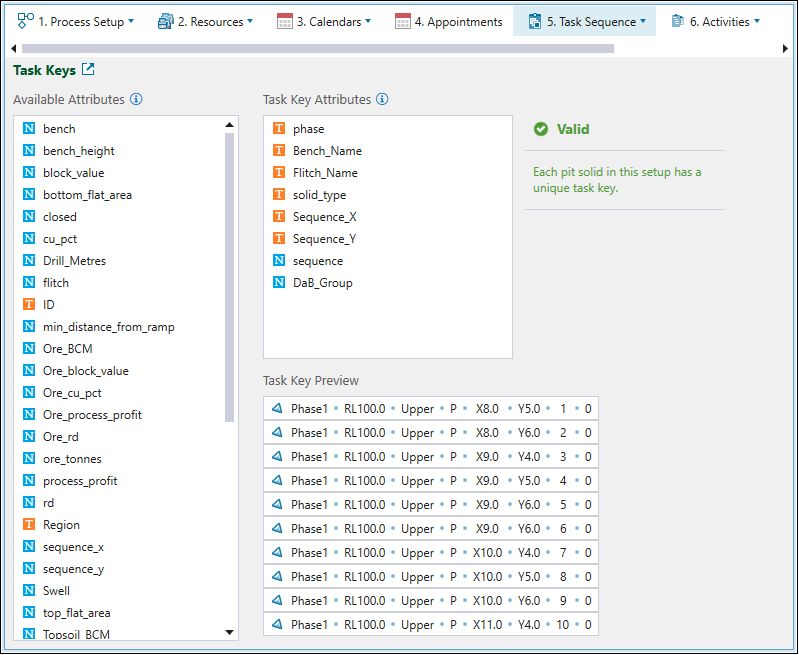
Adding the DaB_Group attribute will allow us to sort and add tasks only within the blasting groups that we have created in previous step.
To set up the required task key, go to the  Task Sequence tab >
  Task Keys and drag the following attributes from the Available Attributes field into the Task Key Attributes field:
-
phase
-
Bench_Name
-
Flitch_Name
-
solid_type
-
Sequence_X
-
Sequence_Y
-
sequence
-
DaB_Group
Evolution will generate the task key preview based on the attributes that you select.