

Animation From Line
The Animation From Line tool (Labs tab > Animation group) enables you to create an animation where the camera follows a path to visualise how a scanned area looks, or a design will look.

Create an animation from line as follows:
-
Click
 Animation From Line to open the tool panel.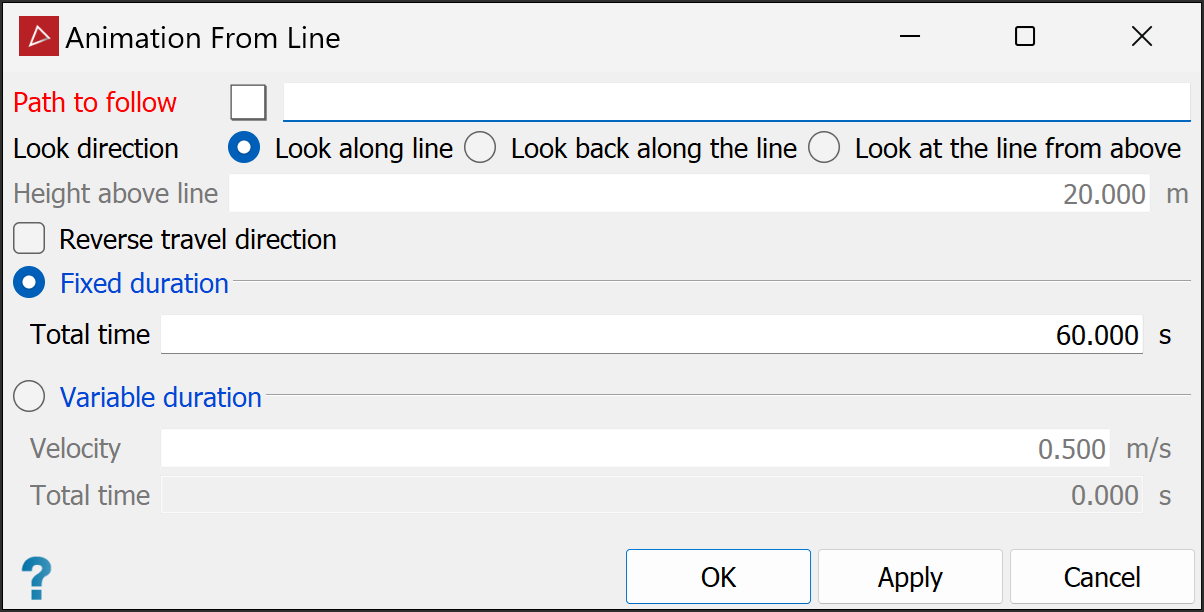
-
Drag a line
 from the project explorer into the Path to follow field.
Tip: If you're generating the animation from an automatically generated centreline, smooth the line first (Edit > Line > Smooth) to minimise jumpiness in the animation.
-
Select the desired Look direction. If choosing Look at the line from above, enter the required Height above line.
-
Select either Fixed duration or Variable duration (fixed velocity) and enter either the Total time for the animation or the Velocity. If entering the latter, the total time will be calculated from the length of the path and velocity, then displayed.
-
Click OK or Apply
The animation will be saved in a new animations container. To view the animation, drag it into a view window containing the related scans or surfaces. The animation editor will open at the bottom of the view window.

Click Play to watch the animation. For other operations in the animation editor, see Export > Animation Editor.
