

Registration Settings
The Registration Settings tool (Position and Filter tab > Register group) displays registered and current position and orientation values for the origin of a scan. Where available, you can also select options for origin, bearing, and levelling sources for registration purposes. A 3D diagram shows the registered values with respect to the scanner body. This tool provides a handy way to check and adjust registration data for scans.
View and edit registration settings as follows:
-
On the Position and Filter tab, in the Register group, click
 Registration Settings.
 -
Select a scan

 , which will automatically be added to the Registration Settings panel.
Note: If a scan is already selected prior to selecting the command, it will automatically appear in the Registration Settings panel.
Information will display, listing the Registered values and Current values of the scan origin. A 3D diagram also displays the Registered values with respect to a scanner thumbnail.
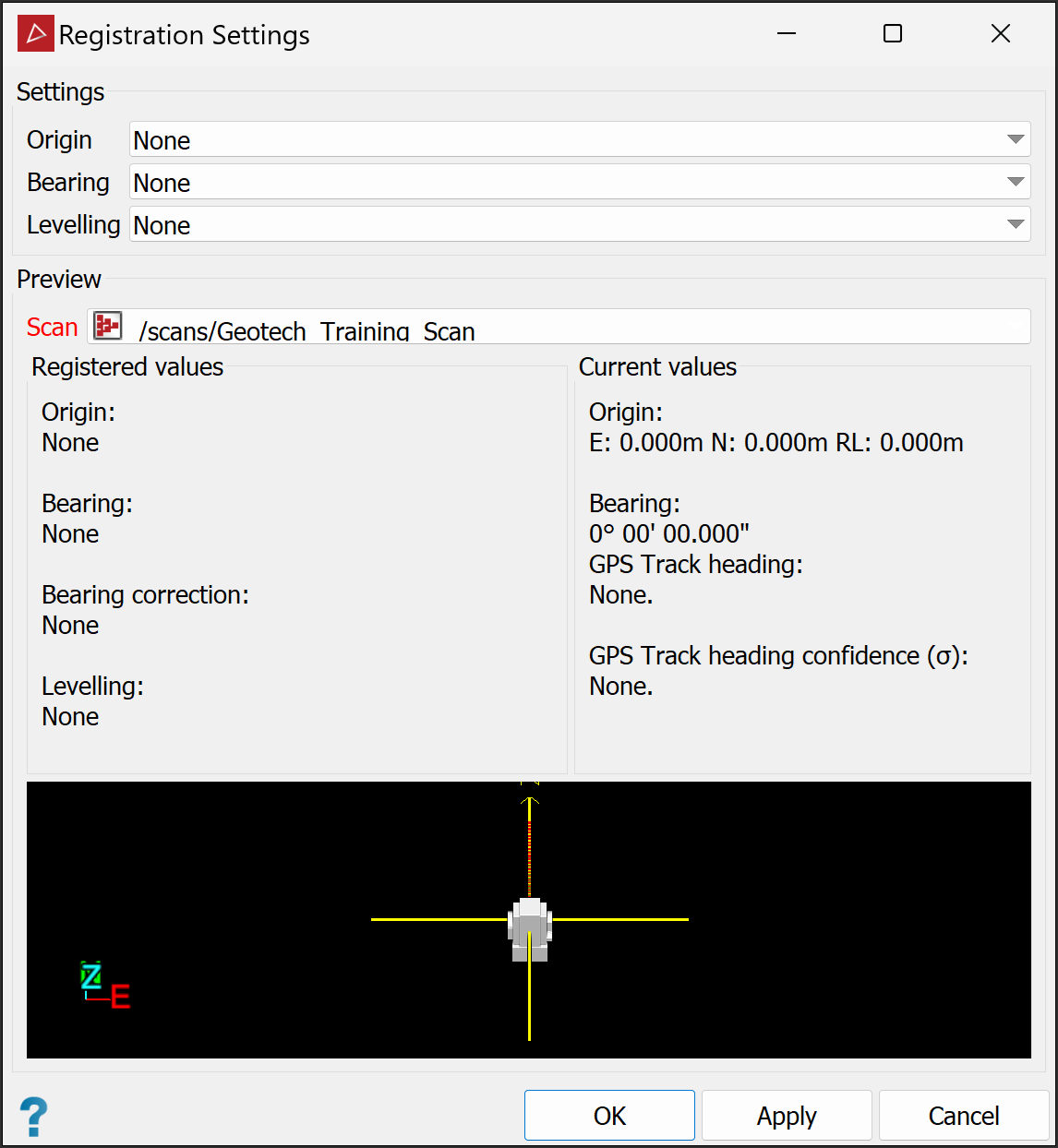
-
Where available, you can select different options for the source of Origin, Bearing, and Levelling values from drop-down lists. Available options depend on the registration methods carried out during scanning, the use of external devices such as GPS, or the internal devices of the scanner, such as compass and GPS. Only applicable options are listed.
Options may include Settings applied to Action None All Clears all parameters (set to 0). Effectively de-registers scans. Compass Bearing Applies the internal compass bearing.
Survey Control All Derives parameters from survey points.
Internal GPS Origin Sets scan origin to the scanner GPS coordinates. Level sensor Levelling Applies levelling angles from the internal level sensor. Sentry registration
All Applies parameters recorded in Maptek Sentry registrations. Field registration
All Applies parameters recorded in FieldHHC registrations. INS Bearing, Levelling Applies parameters recorded by the inertial navigation system. -
Click OK or Apply to save changes.
