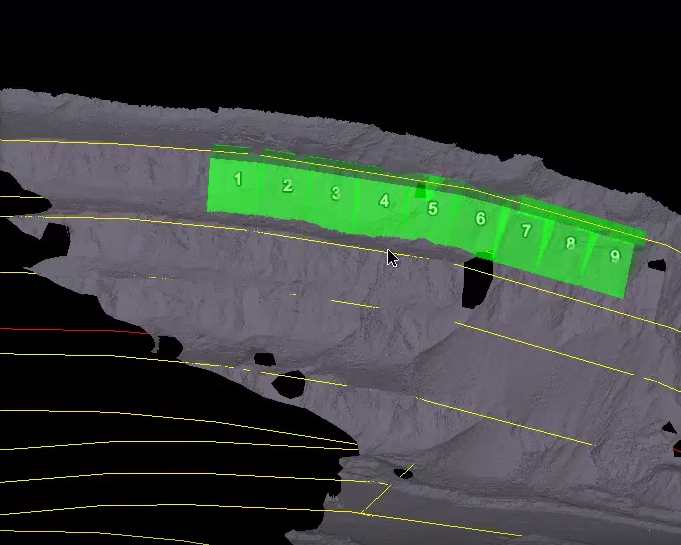
Colour Cells
Cells
are used in geotechnical analyses to represent small areas around a pit
where the dip and dip direction values are of interest.
The Colour Cells tool (Labs tab > Geotechnical group) allows you apply colour schemes representing values of cell
criteria such as dip and dip direction, actual versus design.

Colour cells as follows:
-
Select cells
 or
cell runs .
or
cell runs . -
On the Labs tab, in the Geotechnical group, click
 Colour Cells.
 -
Choose the method by which to colour the cells from the drop-down list.
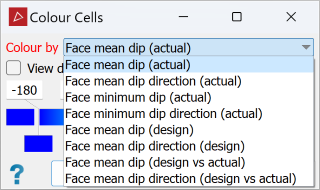
-
Select whether to view dip direction as strike.
-
Adjust the colour scale as required. See Modifying a Colour Scale for detailed instructions.
-
Click OK or Apply to complete.
|
|
|
Typical cells in a cell run. |