

Connection 
Connect or Disconnect All Points in an Object
Use the Connection option to connect or disconnect all points in an object.
For example, you can disconnect all points in a polygon, leaving only the points as shown in the following diagram.
|
|
|
Figure 1: Lorem ipsum dolor sit amet. |
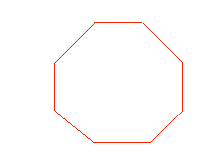
Figure 2: Original Polygon
|
|
|
Figure 3: Disconnected Polygon |
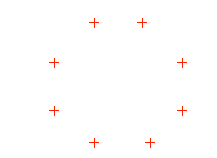
This option also allows the process to be reversed, that it, the points can be reconnected by applying the option a second time. Equally, if you 'connect' an object that has been designed as a series of discrete points, then they are joined (in the same sequence as they were designed) to form a polygon.

