

Absolute
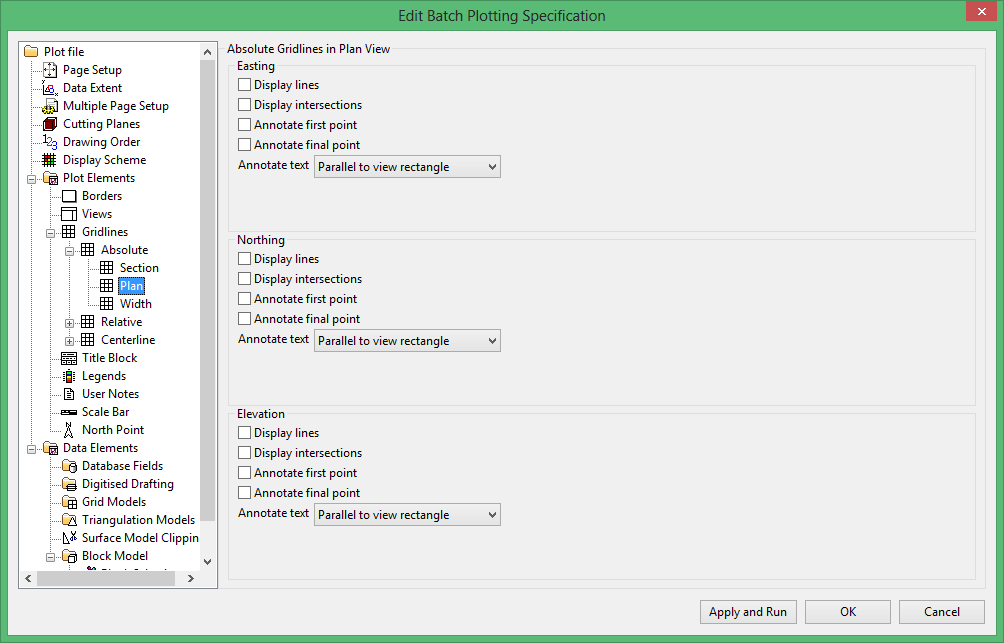
Use this section to specify which gridlines displays, if the gridlines will be annotated, and the position and orientation of any annotations.
This section is divided into three subsections (Easting, Northing and Elevation). Each of these subsections, however, display the same options.
Display lines
Select this checkbox to display the gridlines.
Display intersections
Select this checkbox to display a symbol (+) to represent intersection of gridlines. The size of this symbol is set through the Gridline section (either Absolute, Relative or Centreline).
Annotate first point
Select this checkbox to annotate the first point of the gridline.
Annotate final point
Select this checkbox to annotate the final point of the gridline.
Annotate text
Select, from the drop-down list, the orientation of the annotations. You have a choice of Perpendicular to view rectangle, Parallel to view rectangle or Parallel to gridline.
The view rectangle is a rectangle that surrounds the plots of all of the views. Refer to the Border for a diagram illustrating the view rectangle.

