

Load To Tadpole
Load Structural Data to a Tadpole Plot
The Load To Tadpole option to load data from the structural database and display it in a tadpole plot.
Prerequisites:
- Generate a Geotech section using the Geotech > Section > Create Section option.
Instructions
- Select Geotech menu
- Select Display submenu
- Select Load To Tadpole option
If a structural database has not been opened prior to selecting this option, the Open Structural Database panel displays first.
Once the structural database has been opened, the following panel is displayed
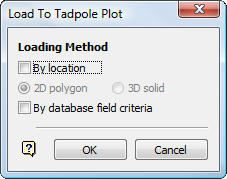
Select OK.
At this point, the next panel to display will depend on whether the By database field criteria checkbox was selected.
The loading process is then started. Press [ ESC ] to cancel.
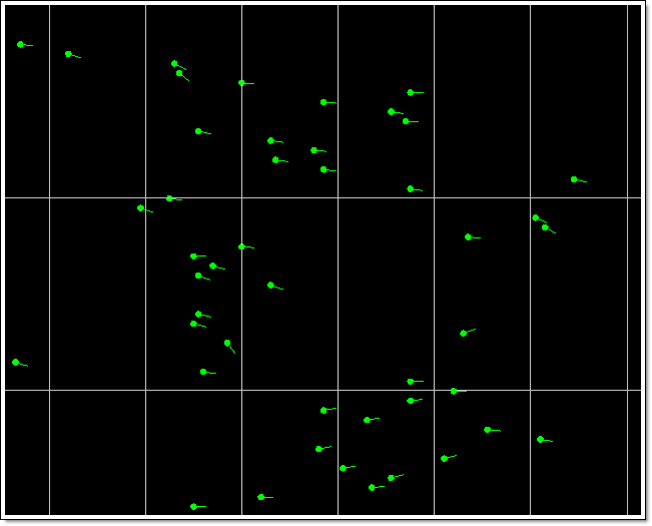
Below is an example of loaded tadpole structural data. Information about this data displays in the Vulcan Report Window.
|
|
|
Tadpole Plots |
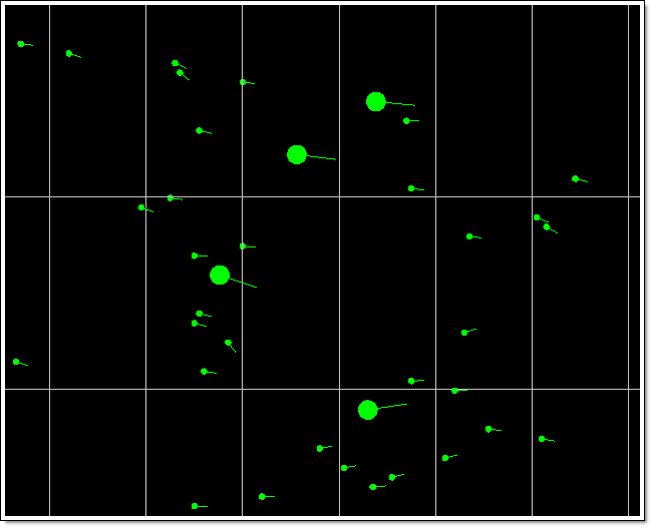
Below is the same example of loaded tadpole plots with several larger, averaged representative entries.
|
|
|
Tadpole Plots with Averaged Representatives |
If your mouse is equipped with a mouse wheel, then you can use this to scroll through the contents of the Report Window. Select the applicable console tab, for example Vulcan Console, or click in the Report Window area and use the mouse wheel to scroll through the contents.
Use the tools  to print,
  to save the report and
  to clear the report.

