

New Component
Use the New Component option to create a new component. A component typically has several polygons in it, and sometimes just a block model
Instructions
Click the N hotkey,
or
On the Utilities menu, click New Component to display the Create Component panel.
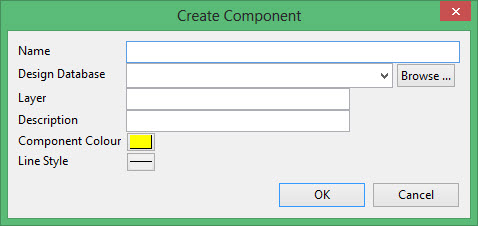
Name
Enter the name for the component.
Design Database
Select the design database.
Layer
Enter a name for the layer.
Description
Enter a description for the layer.
Component Colour
Select the component colour. Click on the colour button to access the full colour palette.
Line Style
Enter a line style for the component. Click on the line style button to access the full lone style palette.
Click OK.
Position the pointer on the screen where you want to begin the component.
Hold the left mouse button and drag to create a polygon.

