

Drafting Page Size
Use this option to define the default page sizes used in the Drafting Sheet Editor. Custom sizes can also be defined.
Instructions
On the File menu, point to Drafting Sheets, then click Drafting Page Size Editor.
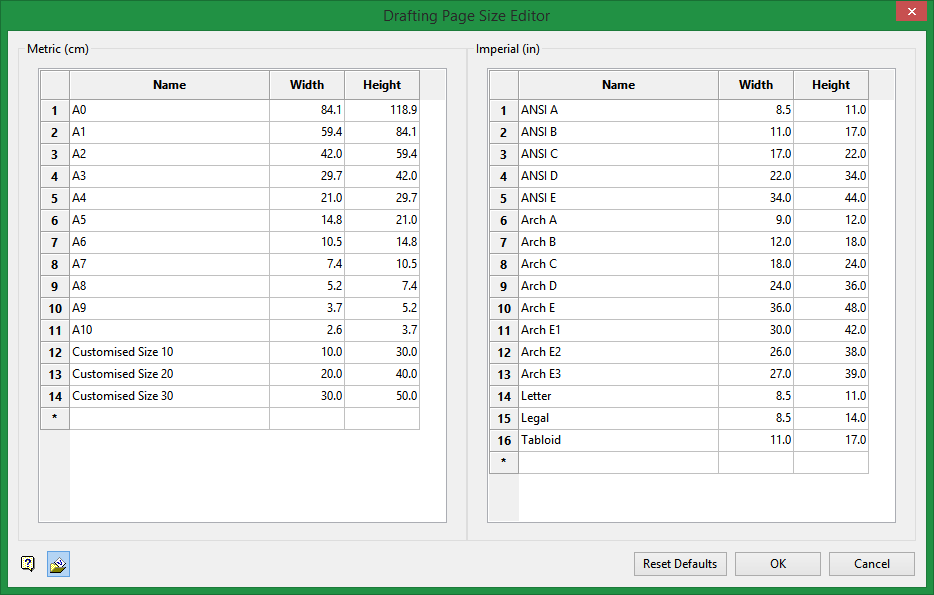
This table lists all the page size options available to the Drafting Sheet Editor. To add a custom size, simply double-click a cell to activate it, then type in your information.
Click OK to save any edits to the table.
Click Reset Defaults to remove any custom entries and restore the table to it original values.
Click Cancel to exit without saving any edits.
Was this page helpful?

