

Section Method: Post Processing
Requirements
A block model must be selected from the Open Specification page.
Instructions
On the Underground menu, point to Analyse, click Stope Optimiser, and then select Section Method > Post-Processing from the tree menu on the left to display the Post-Processing panel.
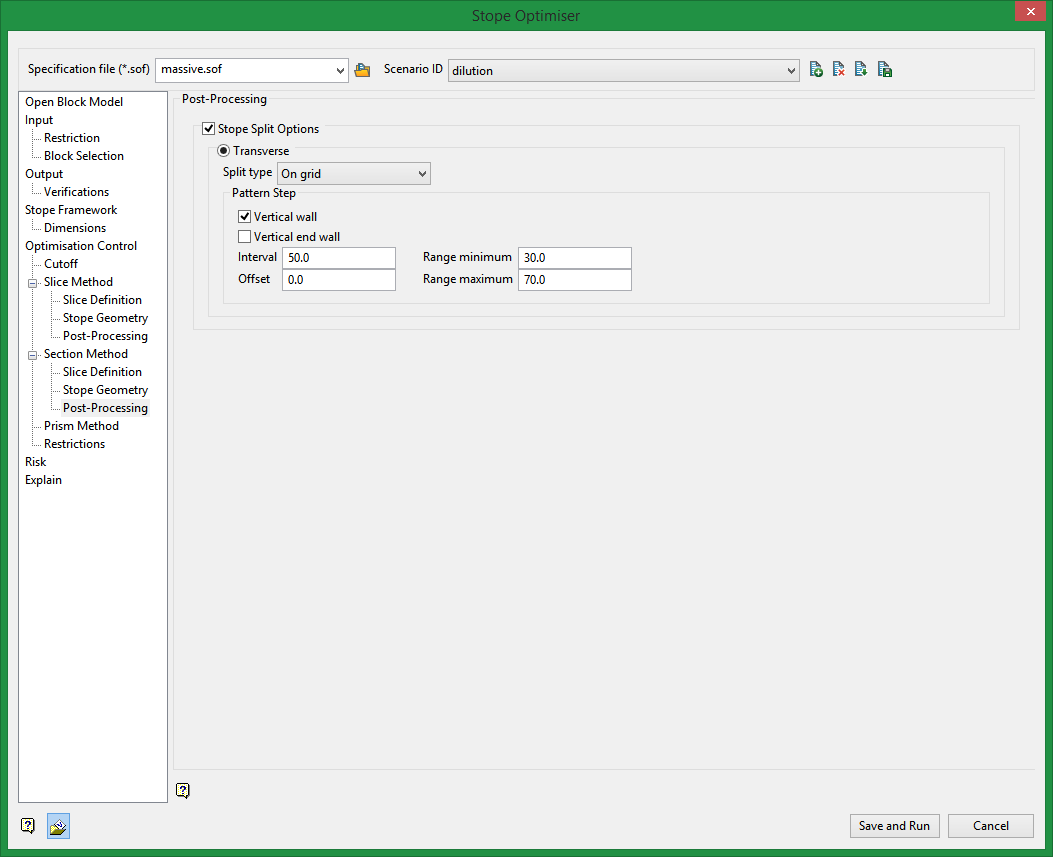
Stope Split Options
This post-processing method will spit up your optimised stopes into smaller sizes based on directions and criteria you specify.
Transverse
Transverse will split stopes along the calculated dimension.
If you have an XZ stope orientation plane selected, this will split in the Y direction.
There are various split types: On grid, On grid annealing, Equal, From hanging wall side, From footwall side, From centre, From far side, From near side.
Interval
This is the unit used to split the stope.
For example, if the stope is 100 ft in the transverse direction and an interval of 20 is specified, the 100 ft stope would be split into 5 smaller stopes.
Offset
You can specify an offset from the start of a stope when beginning the split process.
Range minimum
Minimum size the split stope can have in the specified direction.
Range maximum
Maximum size the split stope can have in the specified direction.

