

Create Drillholes
Use this tool to quickly and easily create drillholes for both underground and surface drilling programs.
Instructions
On the Geology menu, point to Drillhole Planning, then click Create Drillholes to display the following panel.
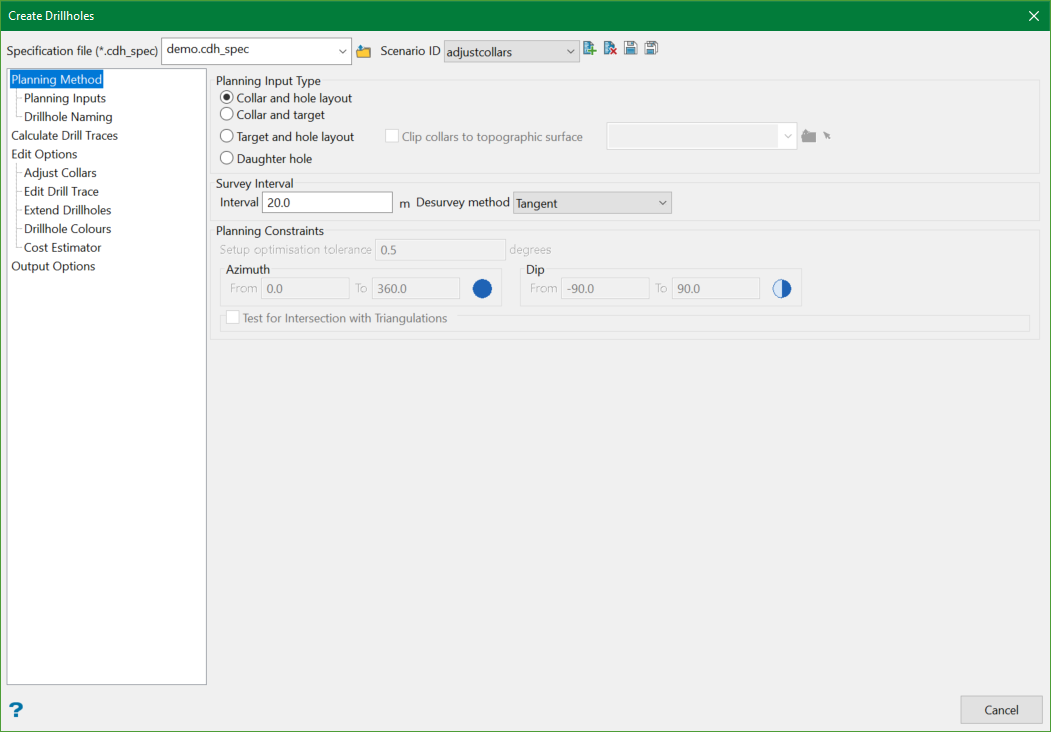
The panel is split mainly into four sections and other sub-sections:
Specification file
Use the drop-down list to select the specification file if it is in the current working directory, or browse for it in another location by clicking the Browse button. You may also create a new file by typing the name of the new file in the textbox.
Scenario ID
Use the drop-down list to select the ID file, or create a new one by clicking the New button.
-
 New
New -
 Delete
 -
 Save
Save -
 Save as
Note: The specification file (*.cdh_spec) is used to store the parameters used in creating drillholes.

