

Export
Use the Export option to export Vulcan data, such as design objects, block models, and triangulations to external graphics packages, file formats, and other mine planning applications.
Microsoft Vista users should ensure that the User Account Control setting has been disabled prior to running Vulcan. To disable this setting, access your User Accounts details (under Control Panel > Systems > Advanced Systems ).
Instructions
On the File menu, then click Export.
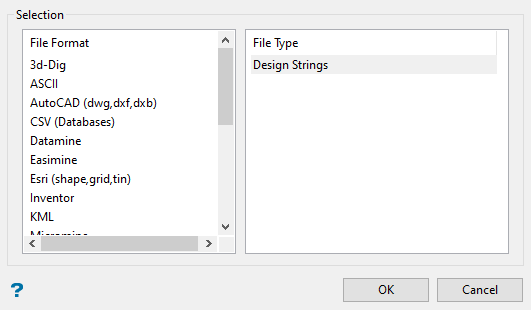
Click the type of file you want to convert to in the File Format column on the left.
The File Type list displays all the supported data types for the format you selected, such as design objects, grids, and triangulations.
Click the type of file you want to convert from in the File Type column on the right.
Click OK.
The applicable Export panel displays.
For details about exporting specific file types and formats, click on a link in the table below.
|
Exporting To |
Exporting From |
|
File Format |
File Type |
| ASCII | Design Strings Grids Minex |
| AutoCAD (dwg, dxf, dxb) | Design Strings/Grids/Triangulations (dwg, dxf, dxb) Design Strings/Grids/Triangulations (dxf) ICF Tables Setup Triangulations |
| CSV (Databases) | Databases |
| Datamine | Design Strings Triangulations |
| Easimine | Triangulations |
| Esri (shape, grid, tin) | Design Strings Grids Triangulations |
| Inventor | Triangulations |
|
KML |
Design Strings |
| Micromine | Design Strings |
| MicroStation | Design Strings (dgn v8) Design Strings/Triangulations (dgn v7) |
| NGRAIN | Block Models Design Strings Grids Triangulations |
| Block Models Design Strings Triangulations |
|
| Pitboss | Design Strings (blast) Design Strings (strat) |
| Trimble | Triangulations |
| VRML | Block Models Design Strings Grids Triangulations |
| Whittle 4X | Block Models (Model) Block Models (Opti Cut) Block Models (Pit List) |
A viewer application must be installed onto your machine in order for you to be able to use some of the supported file formats. For NGRAIN, visit their website at www.ngrain.com .

