

Advanced Statistics
Open Specification
Use the Advanced Statistics option to generate statistics and graphs. The graphs can be displayed in Vulcan as well as generated directly in Microsoft Excel.
Instructions
On the Analyse menu, point to Statistics, and then click Advanced Statistics to display the following panel.
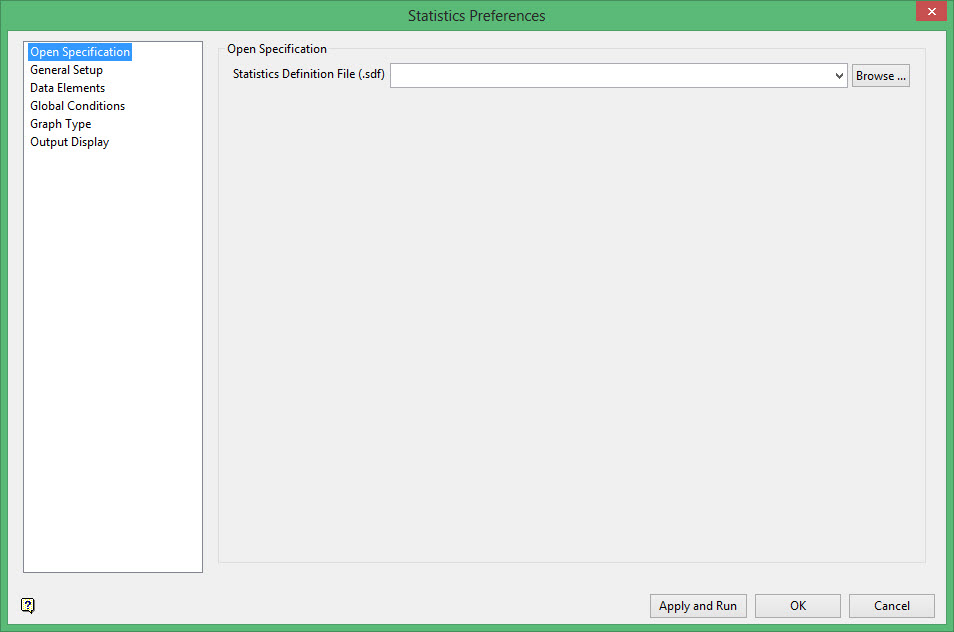
Statistics Definition File
Enter the name of the Statistics Definition file (.sdf) that you want to use. The drop-down list contains all .sdf files found in the current working directory. Click Browse to select a file from another location.
To create a new file, enter the file name and file extension.
Log statistics session
Select this check box to create a statistics log file. You will need to enter the name of the log file. The resulting file, which will be placed in your current working directory, contains all statistical information for this session.
