

Edit Blast Holes
Edit table
Use this to edit the values of loaded blastholes.
You can also edit hole collars by selecting the hole(s), right-clicking on them and selecting Properties from the displayed context menu.
Instructions
On the Grade Control menu, click Edit Hole Collars to display the Blast Hole Selection Criteria panel.
After selecting criteria, click OK to display the following Edit Blast Holes table.
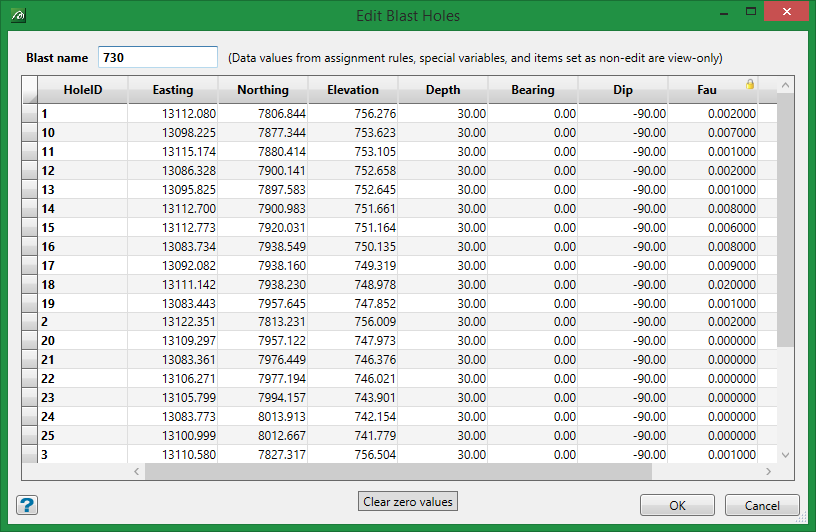
This panel displays the values for each of the chosen blast holes, as well as the name of the blast to which they belong. If you have selected blast holes from different blasts, then the Blast Name column is added and displayed before the Hole no column.
Edit the desired blast hole value(s) and select OK when finished.
The display is then updated dynamically.
Use the Save Blast or Save Blast As options to save any changes made to the blast hole values.
